Lancaster Electronics Ltd. by Flatgub
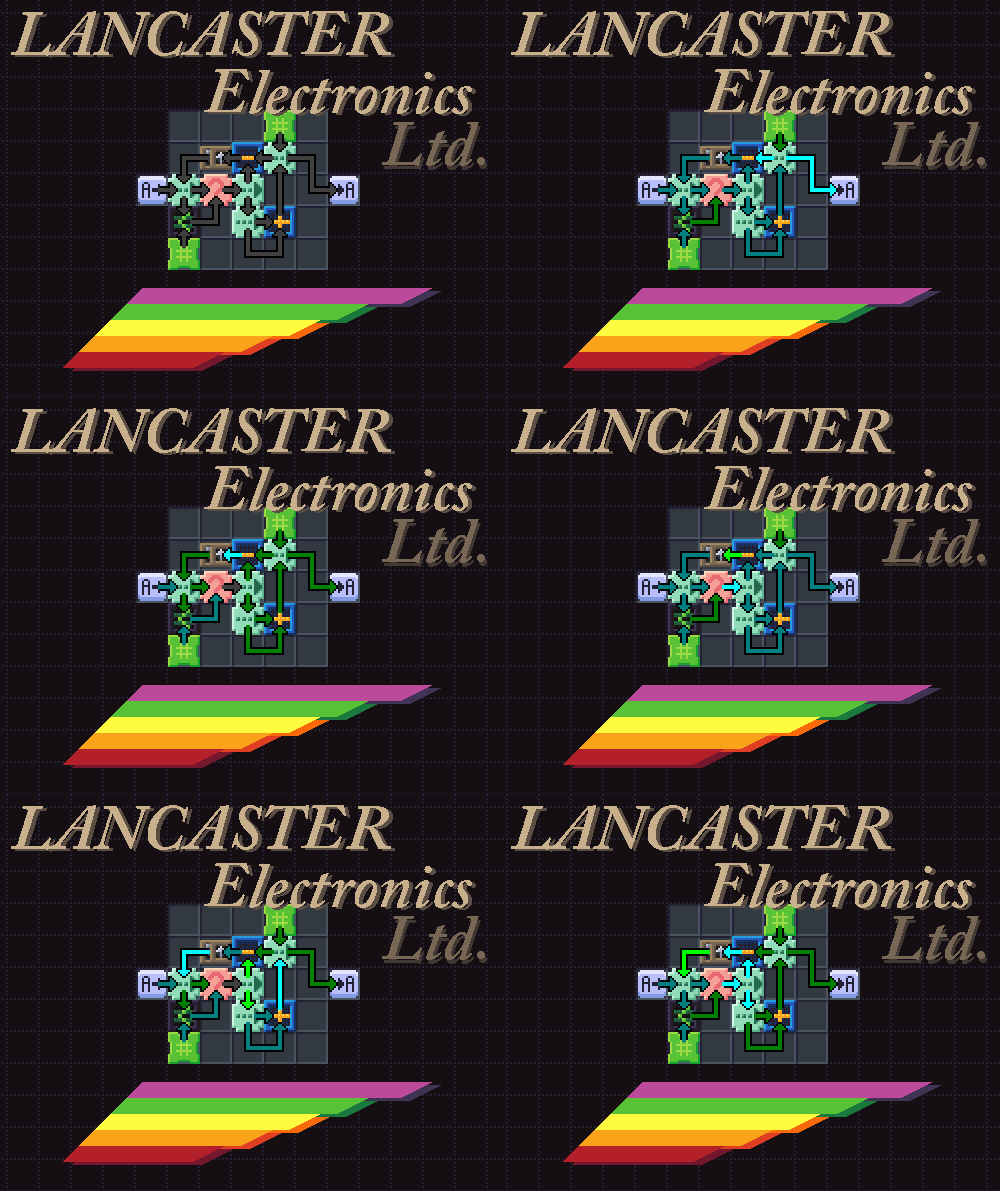 A Zachtronics-style puzzle game based on building circuits on very limited boards, make sure you can complete the task
without running out of space!
A Zachtronics-style puzzle game based on building circuits on very limited boards, make sure you can complete the task
without running out of space!
![unknown[1].png](https://static.ldjam.com/raw/9f4/z/18b3f.png)
The interface is mostly operated by the mouse, mouse wheel and arrow keys , its relatively intuitive once you get the hang of it.
I restarted like 12 hours in, so this is once again more of a "proof of concept" than a finished game, I ran out of time to add more puzzles and modules but I think there's enough challenge in puzzles 3 and 4 to at least enjoy the experience if zachtronics games are your thing.
| Win & Source Code | https://flatgub.itch.io/lancaster-electronics |
| Timelapse | https://youtu.be/GwwOow1MrXw |
| Original URL | https://ldjam.com/events/ludum-dare/42/lancaster-electronics-ltd |
Ratings
| Overall | 735th | 3.25⭐ | 22🧑⚖️ |
| Fun | 766th | 3.05⭐ | 22🧑⚖️ |
| Innovation | 469th | 3.3⭐ | 22🧑⚖️ |
| Theme | 696th | 3.375⭐ | 22🧑⚖️ |
| Graphics | 492th | 3.575⭐ | 22🧑⚖️ |
| Audio | 640th | 2.763⭐ | 21🧑⚖️ |
| Mood | 860th | 2.789⭐ | 21🧑⚖️ |
| Given | 17🗳️ | 10🗨️ |

The output is 1, 0, 1, 0 while the goal is 1, 1, 0, 1, 0 (from watching it step by step, it seems the second 1 is skipped).
Overall, I love the game, I hope you continue working on this!
A lot of the time programmer games don't work very well, but this one was well designed and made a lot of sense. The art style was really cohesive and looked great. You did a really great job on this. Nice one.
I understand how to compare and send the data to the output, but i dont get how to get a next number.
Controls are little strange. It seems like you mostly one one hand on the mouse and the other on the arrow keys, but then the tool selection lets you use numbers all the way on the other side of the keyboard.
Some of the modules work with the arrows or wheel, but some only work with the arrows. It would be nice to be able to control the speed through the keyboard. I think both of these could be improved by making the right mouse act the same as the right arrow key, so you can scroll with all modules and use RMB to do things like toggle IO streams. Then you could use 1-5 or Q-T to control speed. If the player only has one button or only has a trackpad to scroll, they can still use the mouse pointer and arrows.
Especially given the theme and that most puzzles will be quite cramped, it would be really useful to be able to move modules around instead of needing to delete and recreate them, even if you needed to force all connections to break to avoid overlaps.
Overall, great proof of concept. Easily spent more time with this than any other game this LD. You definitely start feeling pressed for space by level 4! https://cdn.discordapp.com/attachments/186656994713665536/482839270151946240/unknown.png
I've seen simpler versions in Lightbot and Code.org where they are using a robot to teach children how to code.
I've also seen a card game like this where you are playing cards to move a message along lines of code (network) so that it arrives in the correct final spot to score.
I really wish there was a key to reset the level, so if you mess up the puzzle you can start over.
I didn't get to the part where I was running out of space. This feels mostly like a simulation of computer hardware. The graphics and sounds solidly reminded me of the DIY 1980s computer in your garage hobbyist.
@omiya-games I agree with you completely, I was really pressed for time and ended up neglecting a lot of UI stuff in favour of making sure the game a bit more content, but I've got more time now so I'm fixing these issues.
Trying to build what amounts to a full and fully featured Zachlike experience when you've already worked on and abandoned your first idea can't have been easy.
That even got it in some sort of working order, with graphics and audio as good and coherent as these is even more impressive!
There are so many little bits that are good, like the little light on top of the 'Lancaster', or the subtle effect of the 'typed' screen, the totally in-mood SFX, the way it asks you which thing you want to edit when there's multiple you could've meant (even though the only time it's needed is if you want to rewire your solution)... oh, and the notes that where stuck on with tape :-)
Unfortunately, it seems that these great ideas/ambitions/efforts end up being paid with in usability and tutorialization (and music, but I found the lack not very serious, given the genre), and in my opinion at least, some of the game mechanics (as opposed to the overall idea).
For some reason I've got the hardest time wrapping my head around the IO flags module. Some part of my brain just finds it really unintuitive... 'spooky action at a distance!' :-p
(As in, you're at this supposedly basic level, where you have to do nearly everything manually, and yet this IO chip just cycles the inputs/outputs without connecting to those?)
I think it's mostly my mistake though... I ended up skimming the intro, instead of going over it properly, then doing the fist level in a way that solved it, but completely misunderstood how the IO worked, getting through the second level with a similar flawed technique, then hitting a snag with the third level, reading the comments and seeing there was a problem with it, then trying to solve level 4, still with my flawed understanding.
But then there's also that you get the first read/write without the IO-flags mod.
Some smaller issues, some of which may also be me being somewhat daft:
- Condition check: Is there a way to select which input is the flag and which the condition? I haven't found it...
- Took a while to find the 'delete' key (I don't think it's mentioned anywhere).
- Backspace is back to menu is also not mentioned anywhere. (Props for making the help/level-intro {re/dis}appear on command though!)
- The 'arrow forward' key to mark checkboxes in the IO-flags (while enter _does_ work in the Math Module) is a little unintiutive as well (and also not really mentioned?)
- Probably also on me, but it took me _ages_ to find that you could _scroll_ through the menu's (I think you _did_ mention this somewhere...)
Well, _nearly_ all menu's... some still have keyboard only commands, like the ones in the combinator/logic modules.
- The different 'modes' felt a bit clunky, since _almost_ all actions could be done without the modes.