Loopin' - A C64 action puzzle game by Endurion

[raw]
made by Endurion for Ludum Dare 47 (COMPO)

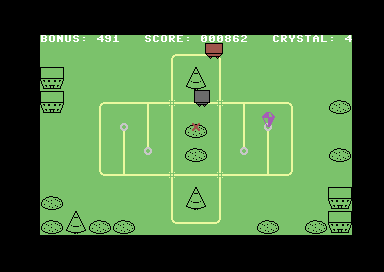
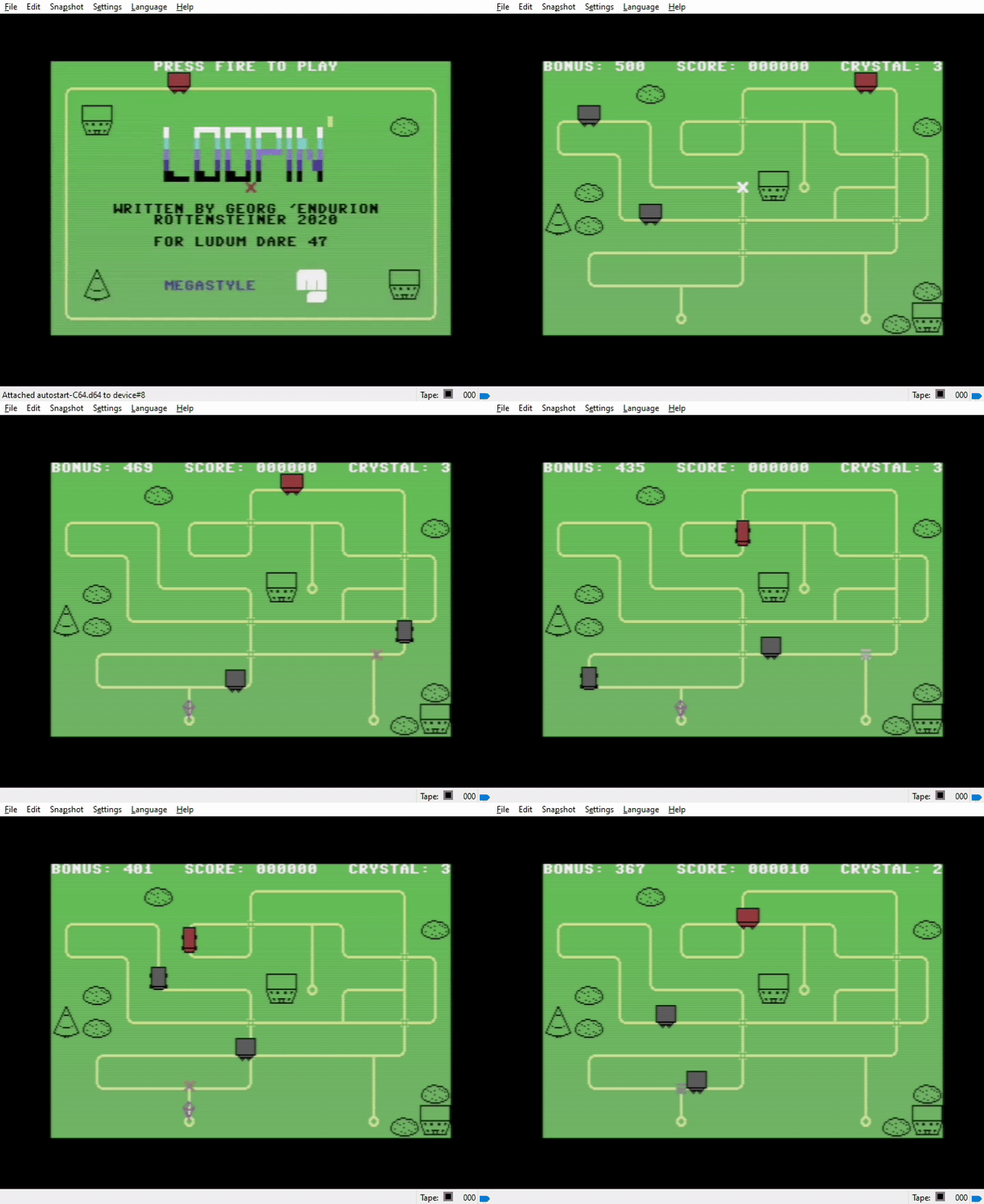
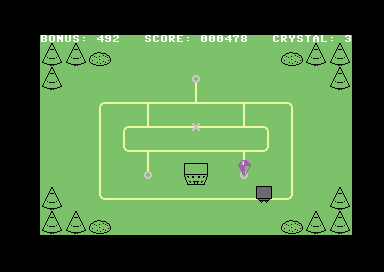
For some weird reason, as if decided by a million indies, one or more trolleys are stuck in a loop. To break out you need to manually switch crossings. Collect a crystal on every spawn spot to advance to the next stage.

This is a C64 game, so behold the retro goodness! Control is via Joystick in Port 2. Press fire to start game. Move your cursor over a crossing. When it can be toggled the cursor blinks white. Keep the button pushed for any trolley to change direction when passing by. This affects not only your own trolleys (grey), but also the fiendish ones (red).

If one of your trolleys collides with a fiendish one, it's game over.

All in all there are 10 stages of varying difficulty.

Since this is a C64 game, you will need an emulator (for now).

Update: A web version is online now! Controls are: Cursor keys in numpad for moving, Insert in numpad for fire. Note on Chrome/Brave: Due to stupid browser policies you have to press the button on top ("Toggle Sound") pretty early on, otherwise there is no sound and the game slows to a crawl.
LD47_title.png

LD47_game1.png

LD47_game2.png

LD_WIP3.gif

How to use with an emulator: The game binary is in the file LD47EndurionLoopin.prg. Get an emulator like VICE or CCS64, and open them with the file. Be sure to configure the joystick in Port 2.

About the source code: The source code used C64Studio syntax, very similar to ACME. It however uses a few extension for media file inclusion (character sets, tiles, maps). The full project file is included (LD47.s64)

Ratings

Overall 328th 3.397⭐ 36🧑‍⚖️
Fun 381th 3.118⭐ 36🧑‍⚖️
Innovation 205th 3.529⭐ 37🧑‍⚖️
Theme 240th 3.764⭐ 38🧑‍⚖️
Graphics 267th 3.528⭐ 38🧑‍⚖️
Audio 300th 3.091⭐ 35🧑‍⚖️
Humor 342th 2.375⭐ 30🧑‍⚖️
Mood 225th 3.364⭐ 35🧑‍⚖️
Given 37🗳️ 48🗨️

Feedback

khaotom
05. Oct 2020 · 05:38 UTC
Unfortunately I lack even the most basic c64 emulation skills to even start the program :sob: It looks lovely from the images!
🎤 Endurion
05. Oct 2020 · 06:08 UTC
With the emulator package you can run the batch file to start the game in it. The controls should be cursor keys and right control key.
Somnium
05. Oct 2020 · 07:50 UTC
Neat, a C64 game!

Pretty entertaining, and quite challenging as the amount of enemy trolleys increase! I enjoyed the game, and the trip down memory lane!

A few comments:

There is a certain planning element involved (i.e. anticipating collisions with the enemy trolleys), but the slooow c64 cursor combined with the long stretches between "switches", sometimes made the game a bit frustating. Perhaps allowing the switches to be switched in advance, rather than having to hover over the switch for the duration, might have alleviated this somewhat (i.e. similar to the train track mechanic from "Donald Duck's Playground", if you know that old C64 classic)

It was not clear to me from the switch graphic in which direction the trolleys would move, when they hit a switched cross/"+" intersection.
Meek Bits
05. Oct 2020 · 07:58 UTC
I downloaded the version with emulator package, but it doesn't start the game.
I also tried running it online ( https://virtualconsoles.com/online-emulators/c64/ ) - it starts, but doesn't receive input. Any advice?
🎤 Endurion
05. Oct 2020 · 07:58 UTC
Yeah, the switch mechanic is somewhat hit or miss. There are rules, but they are not clear. Also, the target direction depends on the source direction :)
Basically, trolleys go straight, if they can. If they can't they turn right.
Overriding the switch changes the direction (going right instead of straight for +, or going left instead of right for T crossings)


Of course I know Donald Duck's Playground, a great game :) I could try to change it to that, interesting idea.
Thanks for the feedback!
Geegaz
05. Oct 2020 · 07:58 UTC
I'm really sorry, the game looked great but without more precise instructions on how to launch it with the included emulator I couldn't play it :cry:
CodeRaurus
05. Oct 2020 · 07:59 UTC
Agh, my antivirus blocks running the emulator batch... Looks neat though. I haven't tried a C64 game before.
🎤 Endurion
05. Oct 2020 · 07:59 UTC
I feared as much, it's not too accessible without knowing a bit about the machine. I hope to provide a web version later.
FabDynamic
05. Oct 2020 · 15:14 UTC
I got it working in my previous VICE install:
### Using with existing VICE Emulator ###
I renamed the .prg to LD47.prg
1. Hit F12 and in the menu set the disk drive to not load a file but read from a directory instead (this is several settings changes)
* Drive -> Drive 8 Settings -> Drive 8 Type -> Directory
* Drive -> Drive 8 Settings -> Drive 8 Dir Settings -> Choose Directory
2. Then setup the joystick (from the F12 settings menu):
* Machine Settings -> Joystick Settings -> Joystick Device 2 -> Keyset 1
* Machine Settings -> Define Keysets -> (then for up down left right and fire assign the arrow keys and x for fire or whatever fire key you want)
2. LOAD "LD47.prg",8,1
3. RUN

Did it have any audio or music? If so my emulator didnt seem to play that.

I have a lot of late 1980s C64 experience and quite a bit with various emulators so that took about 15min to figure out and I'm proud I got it working.

P.S. This was on Mac Catalina
FabDynamic
05. Oct 2020 · 15:14 UTC
I'm enjoying this game. I'm impressed with how the cursor snaps to the joints and while I can imagine how to do that in modern environments how to do that on the C64 blows my mind, in fact how to do any of this on the C64 blows my mind!

** High Score 464 **
🎤 Endurion
05. Oct 2020 · 15:51 UTC
There are sound effects, yes. With VICE, simply dragging the .prg file on top should suffice. Although the joystick needs to be mapped :)
Meek Bits
05. Oct 2020 · 16:30 UTC
@endurion
Lovely game. It brought back childhood memories.
The animations are adorable.

@fabdynamic
Thank you for instructions. They helped me.
🎤 Endurion
05. Oct 2020 · 17:19 UTC
Updated, web version is now online!
Controls are:

Cursor keys in numpad for moving, Insert in numpad for fire.
Lombax
06. Oct 2020 · 13:22 UTC
that was a cool little game. fit the theme quite well
Vivoubos
07. Oct 2020 · 14:23 UTC
Tested on web version!
This game is fun! The retro style is really well done!

But sometimes, I press the fire button, but it doesn't work ^^"

Anyway, good job! It's a nice entry
🎤 Endurion
07. Oct 2020 · 14:26 UTC
@vivoubos: Yeah, you have to keep the button pressed (no blinking) until the trolley passed.
It's no retro style if it's a real C64 game :)
Vivoubos
07. Oct 2020 · 15:09 UTC
@endurion Ah!! ok.

I easier x)
blobo
07. Oct 2020 · 16:18 UTC
Oh wow! You made an actual C64 game in 48 hours? I'm impressed! Great work all around, the controls were a bit tough on keyboard, but that's in no way your fault. I like the graphics, even more-so knowing the limitations of the C64. Great work all around!
automatonvx
07. Oct 2020 · 19:18 UTC
Sweet a C64 game and in 48H, hats off. This game is actually pretty fun, only got as far as the first stage with the 2 red trolleys, would have played longer but was getting a bit frustrated with trying to get my cursor to the right place fast enough which feels a little awkward, maybe just slow down the trolleys as I found the fun is more from the puzzle element than actually trying to execute your plan fast enough. Also the somewhat unpredictable or uncontrollable setting of which direction the trolleys will go on an X crossing is a bit frustrating, but limited control options its not obvious how that should be solved. Only missing for me was some fun SID chip tune goodness, but you can't have it all.
BTW I tried the web version, but it ran pretty bad for me (felt like it started to slow down after a little while) so I just used VICE and was much better.
BOOtak
07. Oct 2020 · 21:37 UTC
An actual C64 game? That's very impressive! Game looks very nice, I like cute train carts animation and colors used to draw everything. Just as @automatonvx, I couldn't pass a level with two brown carts. I felt the same about X crossings. Some visual indication of crossing direction would be great. But overall, very impressive. I'll definitely bookmark this to try later on my real C64G :)
Hadryel
08. Oct 2020 · 16:21 UTC
I really like the approach! The theme was matched very well! (even though I kept crashing my trolley at level 3 or 4 xD) Well done!
olafstromberg
10. Oct 2020 · 13:01 UTC
Nice retro style game - took me some time to get it working and figue out the controls
Somogy
10. Oct 2020 · 19:27 UTC
Game very well done, I liked the fun provided, good job!
Toccio94
11. Oct 2020 · 14:29 UTC
Plus for the fact that you made it for commodore, very, let's say, original!
The game is good but require a bit too patience and precision, which is harder to have with numpad commands.

I liked that the movement of the x is snapped since it helped in going into the right spot, while when it moves, it moves smoothly so it is visually good.

I didn't understand at first you have to keep pressing ins to be honest, but somehow I figured it out. Could be improved to be more clear!

Nice work! Especially being a compo entry =)
sop the turtle
11. Oct 2020 · 14:52 UTC
What a cool little idea to make a game in C64! It definitely started lagging for me for some reason but that did make it easier to manage the trollies. I didn't realize you had to hold down to get the trolley to change direction at first but I did figure it out. Challenging game as well and definitely feels like a new C64 game came out. Good job!
Quinn_Patrick
12. Oct 2020 · 18:39 UTC
An incredibly authentic C64 experience (so naturally it took me forever to figure out what to do) and it's amazing that it's playable in the browser. I don't really have any critiques of the game itself, it works really well. Even if this wasn't a C64 game I'd be pretty impressed by it. Nice job.
Eldar
13. Oct 2020 · 04:22 UTC
This looks super cute! Unfortunately, I play on my Mac keyboard, which doesn't have a numpad :( Any chance for an alternate keyboard keymap? :)
🎤 Endurion
13. Oct 2020 · 07:07 UTC
Sorry, the keymap is unfortunately hard coded in that emulator package. You could press F12 though and configure a different keyset manually.
Flying Dog Fish
13. Oct 2020 · 17:30 UTC
You must be a huge commodore 64 fan to make a game for it. Anyway, good job.
island-jam-2-group-3
13. Oct 2020 · 21:02 UTC
(I played the HTML version) I missed some game instructions. Other than that, nice take on the theme and good job with the "C64 atmosphere" ;-)
dcrdro
18. Oct 2020 · 08:05 UTC
Wow, cool sleek and minimalistic game. Liked this retro style, pretty athmospheric!
Super concept, clear control, and it's easy and hard at the same time. Although I understand that the target platform is C64, but in Windows I had some troubles with *precise* control.

Anyway, this is very very good entry!
Jesús González
24. Oct 2020 · 21:33 UTC
Extra points from me for making a C64 game. That also instantly gave it great mood, aesthetics and sound. The gameplay was also very solid.

Only thing missing was some rad SID music.