Scuttle-buttons by iamgreaser
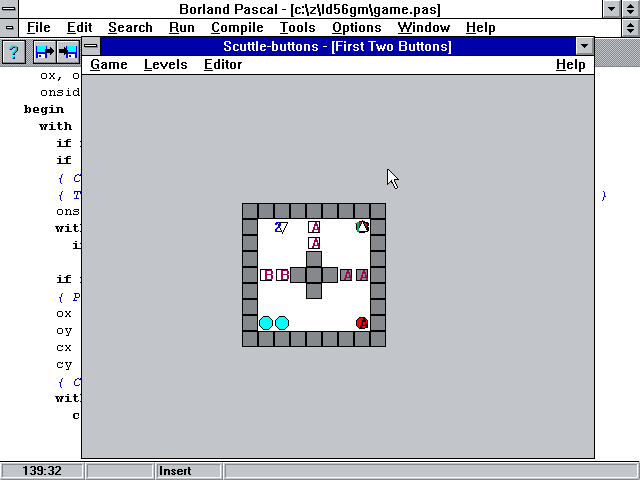
A puzzle game for Windows 3.1. Also includes a 32-bit build. Both builds work fine in Wine.
Guide your creatures to the exits! They can sit on buttons to open and close doors. Mouse and keyboard highly recommended, but playable keyboard-only as well as mouse-only.
Comes with a level editor! You can right-click on a tile to change tile settings and add and remove creatures. Using the number keys can also be used to switch between tile types.
| Link | https://codeberg.org/iamgreaser/scuttle-buttons/releases/tag/v1.0 |
| Windows (16-bit + 32-bit) | https://codeberg.org/iamgreaser/scuttle-buttons/releases/tag/v1.0 |
| Original URL | https://ldjam.com/events/ludum-dare/56/scuttle-buttons |
Ratings
| Given | 2🗳️ | 1🗨️ |
Playing was a bit confusing at first, then I found the help button, which made it a lot easier. Made it through the first 3 levels and it was enjoyable. However, playing it on a large high res screen makes the game quite visually straining to play. I could never figure out how the special switches that only work for some 'scuttlers', because the labels are very hard to read. But some of that is just part of the limitation of the platform.
I had fun, will pick up again in a bit to finish it. Great job.
The levels themselves seemed quite fine, although I think maybe the difficulty was out-of-order? For example I think level 5 is very easy. Still, the levels were engaging enough--I think I spent the longest time on Level 3 but Level 6 definitely took a few steps.
One thing that impressed me was the mouse controls. From what I can tell, they just work perfectly. In level 4 I had tried to teleport number '3' off of the A pad and through the C and A blocks, and I was surprised it didn't work--until I realized it was standing on the A pad and so of course if it stepped off the wall would be closed. Looking at the code, this looks like it's handled in an elegant way. I don't know. I just know I always have trouble with making this kind of logic correct when I make puzzle games, so it was cool to see it work so well! :smile: