All Lines lead to boom by Peter Ondus
small note at the start
if you're confused how or when to use character abilities, or how exactly the controls work, watch the gameplay video (after reading the about section).
I did make it after the jam deadline, and I'm not exactly sure how that works with the rules, but it's well worth watching.
About
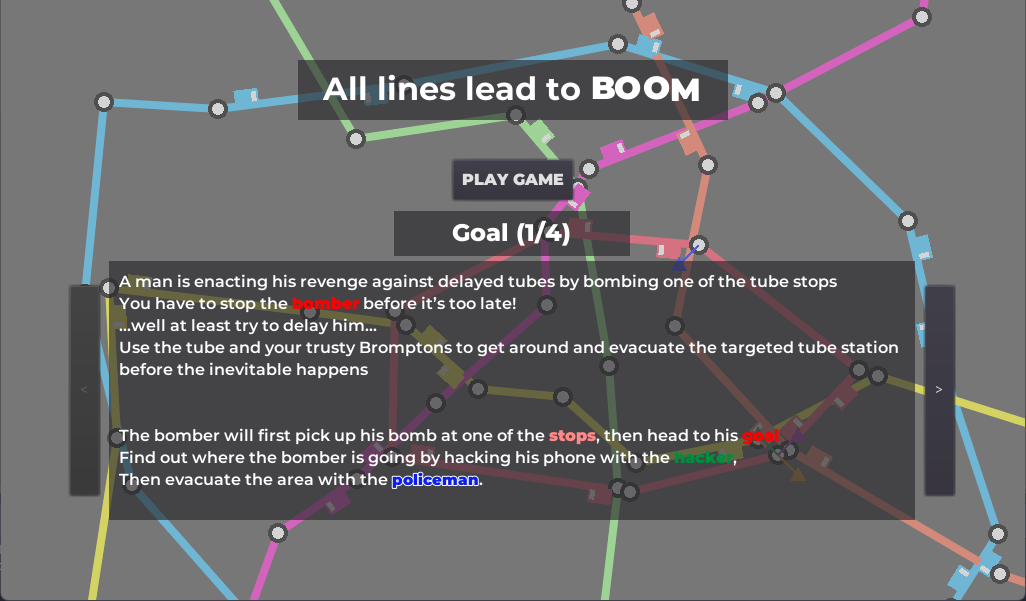
Sometimes you get so upset about the delays on the tube you decide to blow it up. Well maybe you wouldn't.. but someone decided to do that and now you, a group of random people, called forth by the TfB (Transport for Boomtown) have to somehow save everyone at one of the busiest stations from being blown up..
It would be all nice and easy if you could just stop the criminal, or invite them in for tea, but there's no stopping them and any attempt might be met with an explosion. Best you can do is evacuate the target station and delay the bomber until it's empty
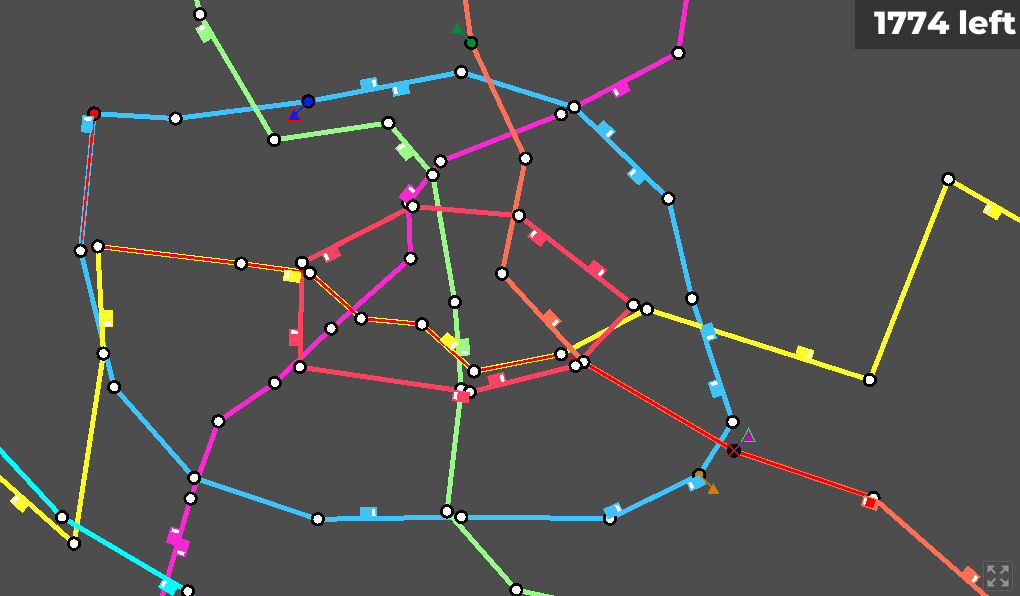
But before you can call the evacuation, you first have to find out which station they want to destroy, otherwise it won't be of much use.
Use the different abilities of your characters and your tube planning skills to cause delays and save the citizens of Boomtown
Mouse required, keyboard recommended
Gameplay video
I made this video of me playing the game and explaining stuff on the post-jam build of the game!
The original version controls the same as the post-jam one, just has slighlty worse visual cues.
https://youtu.be/6D8HktbYmh4
Screenshots
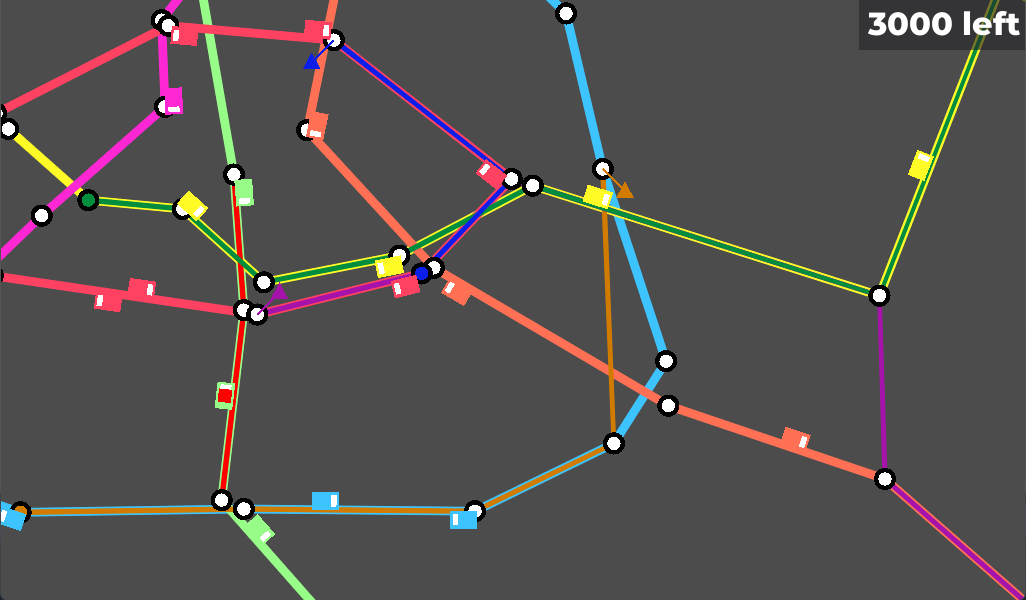
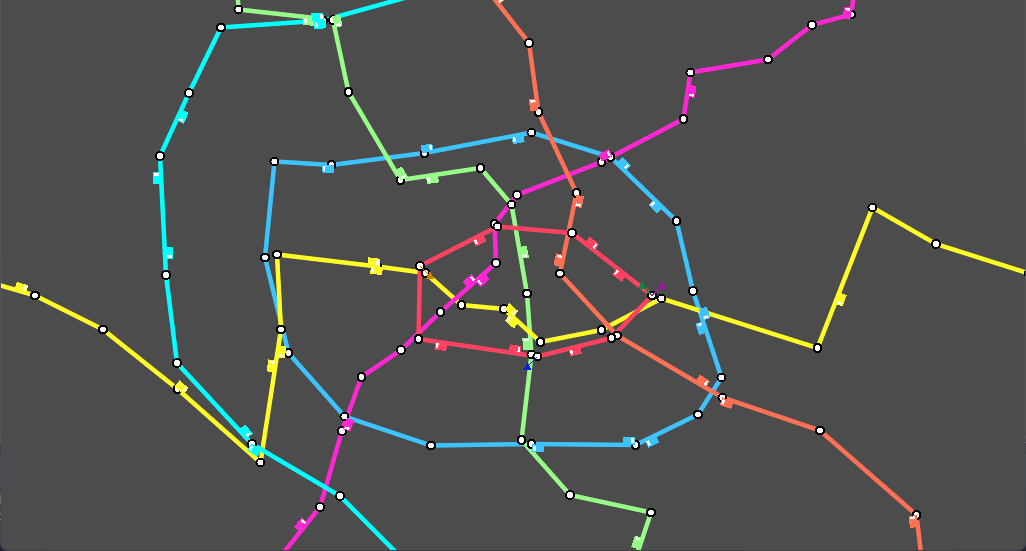
Bugs
fixed
- fixed victory screen text
- fixed an issue with being able to unpause the game in main menu before starting it
- trains will now actually show up in their proper location on the first pause when the game starts
known
- sometimes when the player changes a character destination to their current station, the old plan doesn't disappear
Post jam
Obviously, this is not part of the submission, but I'm stating it explicitly, just in case.
So I did a little work on the ui elements to make them stand out more, and in general to make the game more eye-friendly.
Feel free to leave some feedback on that, although it's not technically part of the submission anymore.
Next steps
- [x] make a video explaining how to play the game
- [ ] add some music or just london tube sounds to play in the background
- [ ] add a hard difficulty
- [ ] add a couple introductory levels
- [ ] who knows
Okay i give up it doesn't want to be a checklist
Ratings
| Overall | 1328th | 2.783⭐ | 32🧑⚖️ |
| Fun | 1333th | 2.483⭐ | 32🧑⚖️ |
| Innovation | 514th | 3.484⭐ | 33🧑⚖️ |
| Theme | 1214th | 3.048⭐ | 33🧑⚖️ |
| Graphics | 1265th | 2.207⭐ | 31🧑⚖️ |
| Humor | 1125th | 1.891⭐ | 25🧑⚖️ |
| Mood | 1338th | 2.26⭐ | 27🧑⚖️ |
| Given | 40🗳️ | 35🗨️ |
But its really hard to understand how to perform actions and which actions i should perform.
It would have really helped me if you had a small tutorial scene just showcasing the different characters and what they could do. for example: my police triangle was on the train with the bomber and i thought that will win me the game.
Feedback for the actions would also be great, maybe a UI on the side that i can click that shows me when a action is ready (this also helps understanding the game). i rarely knew why my actions did not work or if they got registered.
Next time, event if you dont have time to create music, try to find one that suit your game. You wont be rated in audio but you're out of the category anyway if you dont have any sound. It allways make a HUGE difference.
Great game overall. Good job :)
The pathfinding is really fun and amazing, but it would be good if you could stop somebody if he goes offroad.
Once we've understood how the game works, how to play it, and manage to not loose track of our characters, it works really well. The game is really nice, you just need to help people play it. I would really love to see an expanded version, with a better UI, some music, different maps, other character roles, etc. You really have a fun idea, and it seems to be working pretty well!
I'd definitely appreciate some feedback on that, and if you want to play the game some more, I just made it easier ;)
Some thoughts:
- an in-game tutorial would have helped I think
- maybe some sound effects to highlight certain efents would have helped too
- I like how the start positions differ each time
- Maybe the color-contrast between players and lines could have been a bit higher
I love the concept! I could not win though ^^" Is there a way to win? Or is the outcome always 'kaboom'?
I really wanted to make a tutorial and sounds but alas, coding and debugging the tube system with delays and planning took a loot of time.
I also realised the lack of contrast but shifted focus on other things, as the graphics were at least working. I've fixed that in the post-jam version with a couple visual updates that increase contrast and general visibility (the link is on this page if you want to try it)
You can indeed win, although story wise the outcome is probably boom, just no one dies?
But from a game-dev perspective, I'd advice to use ingame text and .. heads for the characters, instead of triangles.
In general game language:
Circle / Round Shapes = selectable.
Triangle / Spiky Shapes = Danger/Action to perform.
So what do I mean by ingame text: Have a box, somewhere at the edge of your screen and when you click on a person, it tells you the name and what ability this person has. "Currently selected"-text above the box.
Same with stations: Station name (can be "Red-Line Station 3") & status (no effect / ongoing evacuation / trains don't stop here).
To move the person, maybe add a dedicated move-button inside the box, same for the action.
All the different keybindings for making things bigger on screen, changing colors & visibility of objects -> put them into an options menu that can be expanded.
When the game is paused - there should be a pause icon or just the text "Game is Paused" somewhere at the top of the screen.
And with this one box of text and the options menu, you wouldn't need a tutorial at all, players can jump into the game and learn it as they play. If they click on things, it tells them exactly what they can do, along with a button to perform the action. All actions are written (inkl. move), if they click on the red box, it tells them that this is the bomber and he is on his way to arm the bomb and so on.
Seems like it was made in godot, so you can think of the box as "Ingame-Inspector-Window".
But as mentioned before, for me, it was fun figuring out all of the above, the hacker, the policeman and so on, how people move, how they perform their actions, remembering who is who, so I had my fun with it. ^^
I really like the idea of the text description box, but i'm a bit unsure about selecting the bomber, mostly because the selection action is currently reserved for the player characters.
I was thinking of instead displaying a text on mouse hover above character, containing something like
- Character name
- Basic description
- Current destination
and then more detailed information when selected, which could then also display text for the bomber on hover, and avoid being able to select the bomber, which i'm not really a fan of with the game's current state.
I'm also not a big fan of adding a dedicated move button - given it's the main interaction in the game I feel like adding an extra click to set the destination for a character wouldn't be great, I'm not sure what the motivation you see behind this change would be though, could you please explain that?
Hover text was also the first thing I thought of, but you can't hover over moving objects, also you can't click on anything inside the hover box and you might run into the issue of
A) the hover box occluding parts of the map constantly while you move your mouse towards them
B) things overlapping and the hover not displaying the correct thing (which can be solved with selection - click on the same spot again to select the other of the two overlapping things)
Current destination isn't really that important to write, because it's visible on the screen already and there it is much more clear. I'd rather highlight the route of a character when he is selected (same for the route of the bomber - one more reason to make him selectable)
In your current build, the bomber is the only thing that can't be selected, right? (except train tracks and wagons but these are more like "the map" and not really "things", like moving plattforms and their rails)
Hover + Info Box would probably lead to double information, which isn't really needed as your game is not fast paced. You pause and you have all the time in the world to select things, read things, perform and cancel and re-perform actions.
And this is also one of the reasons for the move button. You don't have an RTS or MOBA or Hack&Slash game, you have a simulation / planning game. It might be a "common action" but I finished the game with maybe a total of 10 moves.
But the main reason I suggested it is that I didn't know how to move the characters.
I lost the first round entirely because I had to find out about this one mechanic, I was left clicking, right clicking (with no character selected because I thought the characters are actions and can't be selected but are 1 character standing at a single spot instead), then I unpaused, clicked at a station (selecting it while doing so), then clicked on a character and finally, I was moving something. It was the wrong way around (which might be a bug) and I slowly figured out that I can select a character, with left click and then move the character, with left click again, which was super confusing to me.
Again, this isn't a fast paced RTS (where moving would be with right click when selecting is left click btw), it is a game about planning. Characters only have two actions Move & Special Ability. Those two actions should be visible in the info box so it is easy to understand without thinking about it.
I would also add a pause button on the side of the screen and now your game can also be played on Andoid, because you reduced the inputs to their minimum. Just the left mouse button (or touch) and scrolling (or two finger gesture) for zooming.
You can add shortcuts to these buttons on the keyboard MOVE ("A"-key) ACTION ("S"-key) for example, but it is really not needed. Those things are for different genres where you have to be fast, where you need immediate control (and even in those games, the things you can trigger by a shortcut-key have a visual counterpart you can click with your mouse, even things like "MOVE" in RTS-Games).
If you’d like to rewatch the playthrough, you can find it here:
https://www.twitch.tv/videos/1450167991?t=06h50m54s
Good luck on your ratings, see you next LD! :D
💜 Elysia Griffin AKA Button Feedback Lady
https://www.twitch.tv/elysiagriffin
But the premise seems cool, staking out the city and trying to cover multiple angles!
Good job!