Sausage shader
So things have been working out pretty good! I got up to speed with java/libgdx pretty quickly, and my project is running great on desktop/phone/and OUYA builds. I might have spent a bit too much time working on rendering the sausage bodies. The original game just drew images for each link, so they looked pretty blocky. After some experiments, I decided to write my own shaders for them in openGL. It’s actually skinning the mesh in the vertex shader, and each frame all I update is an array of the node positions. The vertex shader computes the normals between the node and the previous/next segment, and used that to position all its verticies.
I found a neat trick for making curves in a fragment shader via http://research.microsoft.com/en-us/um/people/cloop/loopblinn05.pdf. You can see in the bottom left, the discarded pixels are shown as white. I was able to determine convex/concave orientation in the vertex shader without any if statements, but wont be using the convex shapes unless I can figure out how to stencil the sausage shapes somehow (the convex area is drawn on top of the segment fill area).
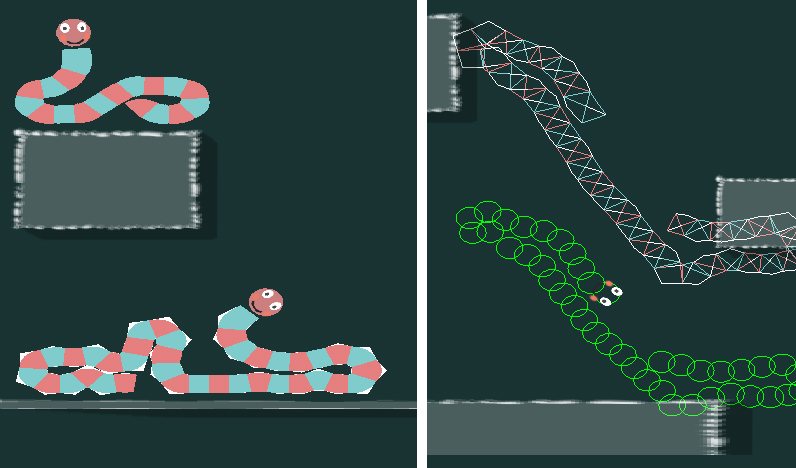
There is still some work to do with capping each end, and allowing for changing the sausage length during play, but all in all it’s pretty neat.
I’m getting a bit worried about getting everything done by the end of october. I’m going to switch gears and work on my level design pipeline. I think I’ll make the levels in Blender, and write an exporter that will format them to be readable in Java. I want to use a lot of vertex colors for the scenery, with textures here and there to flesh things out. I also might play around with using the z axis to get some nice parallax and 2.5D effects.