taro

LD26

Lets do this!

Howdy!  Taro Omiya here.  I’m a first-timer at Ludum Dare, but also a seasoned game jammer.  I’m pumped!  Lets do this!

Tools:

  • Game Engine -> Unity, v3.5.7 Pro
  • Language -> C#
  • Base Library -> whatever scripts Unity comes with on installation, no plugins
  • 3D Art -> Blender
  • 2D Art -> Photoshop + MyPaint
  • Music -> iPhone’s Garage Band or Linux MultiMedia Studio…I think.  Music hasn’t been my strong suit.
  • Sound -> Bfxr, Audacity, iPhone microphone recordings
  • Version Control -> Fossil + Fuel

Slight clarification in my “I’m in!”

In my “let’s do this!” post, I forgot to clarify that I’ll be using Unity, version 3.5.7 Pro. In addition, the base library will not include any plugins. I plan on avoiding using any artistic models that comes with Unity, such as the plumber model in Third-person prefab.

I think that’ll cover me for Compo. And while I’m at it, can I ask for any suggestions on live-streaming? Preferably both webcam and screen-capture.

Twitch.tv account

Finally got around making Twitch.tv live streaming to work. I’ll be live-streaming under the username japtar10101. This is so exciting!

Brainstorming on minimalism

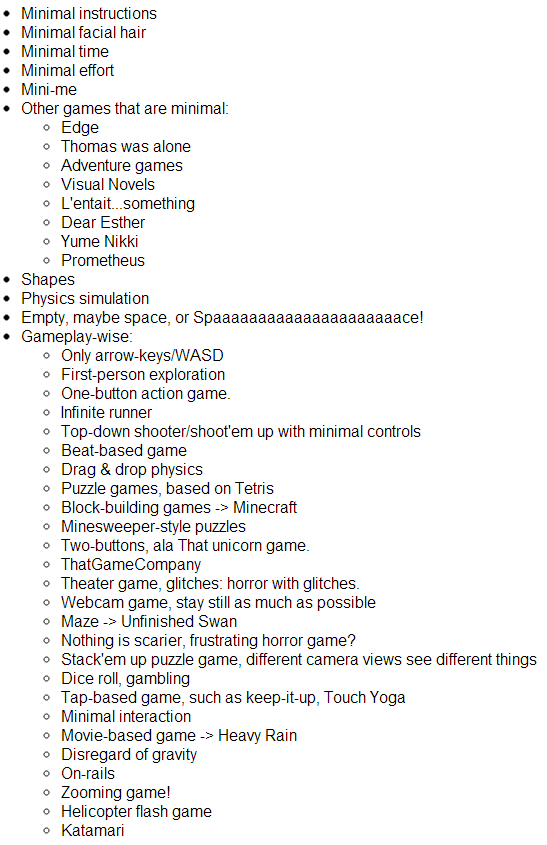
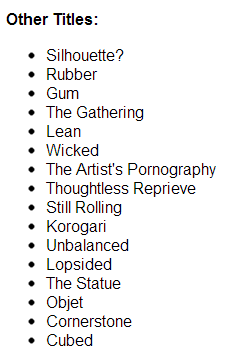
To be honest, the theme “minimalism” wasn’t nearly as bad as I would have thought. Given 30 minutes of brainstorming, I’ve had a good list of ideas to work off of:
LudumDareProgress1

Anyway, here’s my current progress:
LudumDareProgress2

Compo rules question

Hey, guys. I have a question in regards to the Compo rules: what’s its policy on fonts? Can we, say, copy a font from a copy of Windows into our game? Or is that not allowed?

Thanks for the help!

Comments

Guardian_Bob
27. Apr 2013 · 16:00 UTC
I think if it is an installed font, you can use it.
toonheart
27. Apr 2013 · 16:19 UTC
You’ll have to check the license of that particular font.

If the author says Free / free for personal use .. it should be okay (as long as you’re not going to use the same font in commercial version of the game.. if you take it there)

Another Compo rules question!

Compo rules states all image assets must be made within 48 hours. Does this apply for the studio logo as well?
Answer: studio logos are exempted from this rule.

OK, new question: Compo rules states your source code must be provided. This is only the code that you wrote, correct? The base library and any art-related assets do not need to be included, yes?

Thanks for the help!

Comments

28. Apr 2013 · 12:36 UTC
Of course, I answer my own question. The answer is no, Studio logos are exempted from this rule.
Polar
28. Apr 2013 · 12:59 UTC
If you’re using a library, it should have been declared before, but whilst I believe you need to provide the actual library, you definitely don’t need to provide the source code for said library. I doubt art is needed though, as it will just eat up download time. Oh, and you need to provide your source code as well.

And my first Ludum Dare comes to a satisfying close

Here’s my entry:

The Sentient Cube

The Sentient Cube

It’s like Katamari Damacy and Crazy Taxi put together. Although I call it an Action game, it’s more puzzle-y than it looks. To spice up things a little bit, I did add a few power-ups and physics changes.

Also, obligatory potato screenshot:

Potato!

Tags: compo, cube, Katamari Damacy, potato, Potato Challenge, sentient, unity, unity3d

Unexpectedly useful things

[Cross posted from Omiya Games]

Now that Ludum Dare is in judging phases, here are a few tools I found extremely useful…when I least expected it:

Fossil, and its Ticket Tracker

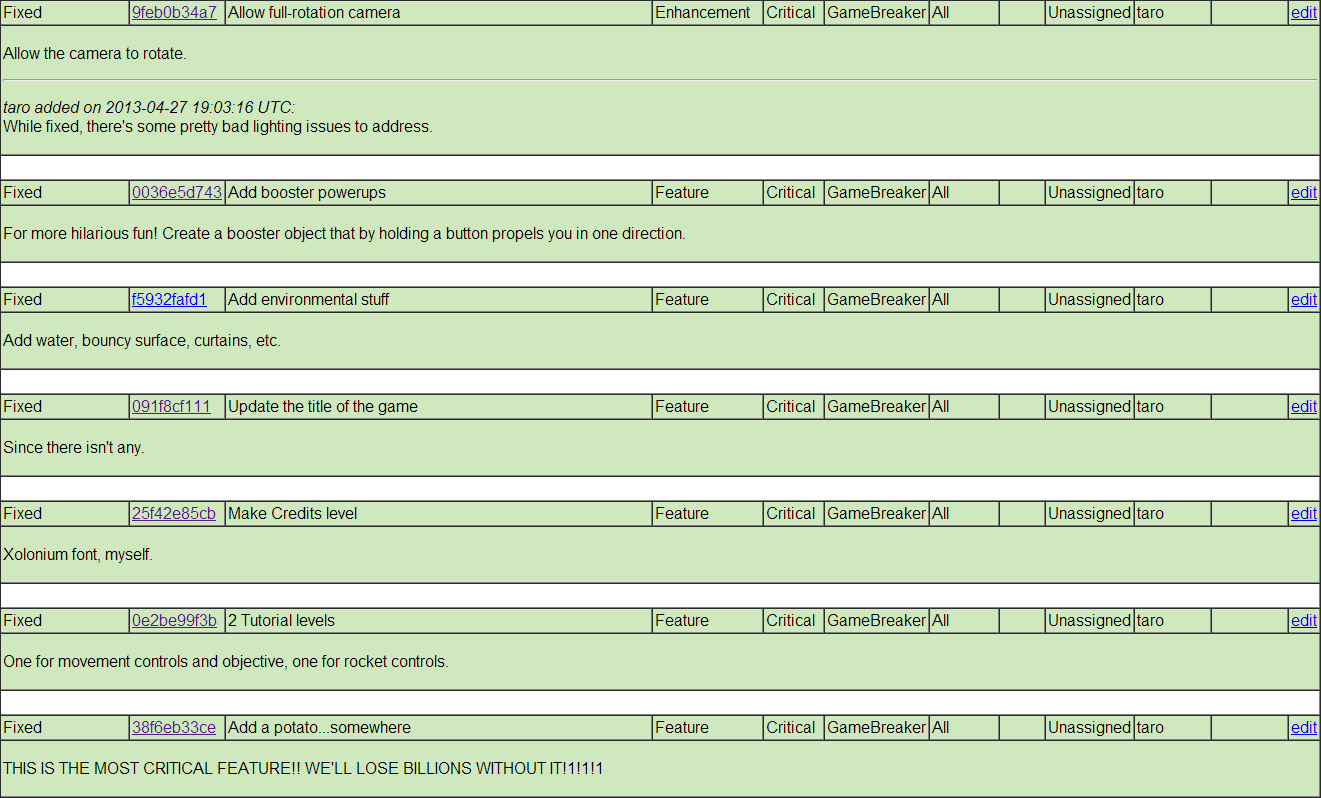
Fossil in a version control much like Subversion.  In fact, it’s commands are nearly identical to SVN, yet has the advantage of a Distributed Revision Control (e.g. offline commit support).  But every programmer knows Version Controls are important!  No, I’m going to talk about a feature that I honestly didn’t expect any use out of: its built-in ticket support.

FossilTickets

Ignoring the ugly HTML v1.0 visuals, this thing is just…clumsy.  Nonetheless, I found myself using this over Google Task.  Why?  Well, it loads fast, and I can indicate if I did or didn’t feel like fixing things.

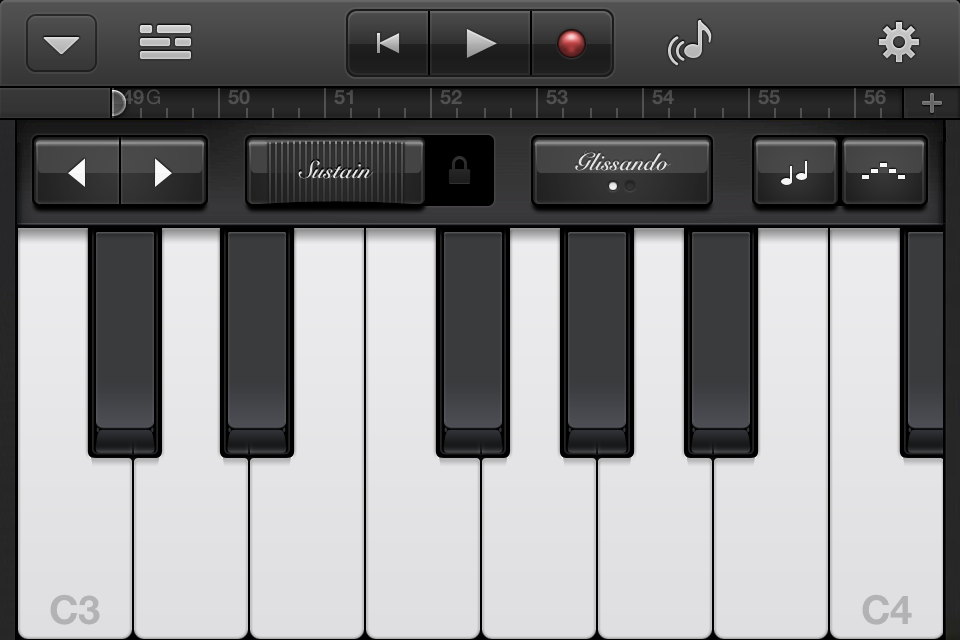
Garage Band…on the iPhone

This is iPhone’s piano. It’s very tiny.

keyboard

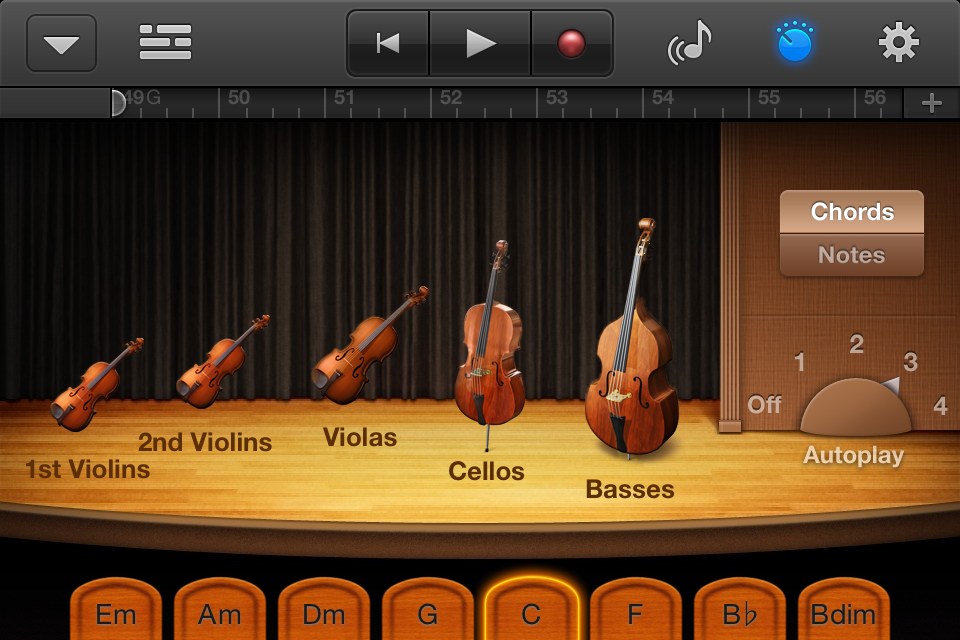
This is iPhone, with orchestral strings, on auto-play.

strings

Life became so much easier, since.

Comments

Crynix
29. Apr 2013 · 06:50 UTC
Any reason you used Fossil over Git?

The Sentient Cube trailer

Wow, it’s been a while since I’ve done any video editing before. In any case, here’s a quick trailer I made for The Sentient Cube.

Tags: cube, Katamari, Katamari Damacy, sentient, The Sentient Cube, trailer, youtube

Comments

stromchin
30. Apr 2013 · 04:00 UTC
Very nice, there is a spelling mistake in the video though, at the end: “The setient cube”
EdoMiyamoto
30. Apr 2013 · 04:44 UTC
Yup, at 0:41 it says “the sentiet”, but nice video. And also, nice game :)

Wooooah!

My Post-Mortem is a featured blog post on Gamasutra!  Wohoo!

In other news, I’ve added more links to the post to give credit to all the commenters I took quotes from.  And to fix a few typos.

Tags: Gamasutra, random

Post-compo improvements

I’m not exactly fond of doing this, but the complaints were too strong to ignore.  I’ve decided to create a new web build to address the issues below.  Let me be clear that you should play the original build and rate it first before playing this one.  Otherwise, that’s unfair to everyone.

Played it?  Good.  Here’s the new webplayer:

http://wp.me/P3bFDA-5m

It contains the following improvements:

  1. Significantly improved the controls.  This was done by combining several methods:
    1. Re-calculating the center of gravity to where the camera is focused
    2. Increasing the gravity on the cube you’re controlling as you get bigger.
    3. Increasing movement assistance as your cube gets bigger.
  2. Added camera controls via mouse and right-control stick on the Xbox 360 controller (only supports Windows).
  3. Fixed the Goal’s 3D text shader to not show through objects.
  4. Changed the tutorial level to be more straight.  This makes the arrow direction less deceptive for beginning players. Also added camera control instructions in that level.
  5. Rocket boosters are adjusted to be more effective.
  6. Fixed bug where newly lit objects will sometimes not stick to the cube.
  7. Added a brief 0.1 second delay before the next object sticks to the cube.  This makes the poles in “Level 1” actually collapse first before it sticks to you.  Also note that that level has changed to accommodate for this change
  8. Slightly increased the threshold necessary to pick up objects.  Only slightly, though!
  9. Picking up bouncy spheres (and potato!) no longer makes you bouncy.

Please tell me in the comments below how these improvements fare to the original build.  I really want to work this into a full game in the near-future, so the sooner I know how to improve the game, the better!

And once again, thanks for all the help!

Tags: post-compo, The Sentient Cube

The rest of the game design notes

[Cross-posted from Omiya Games blog]

Here’s a dump of all the design decisions I’ve made on The Sentient Cube.
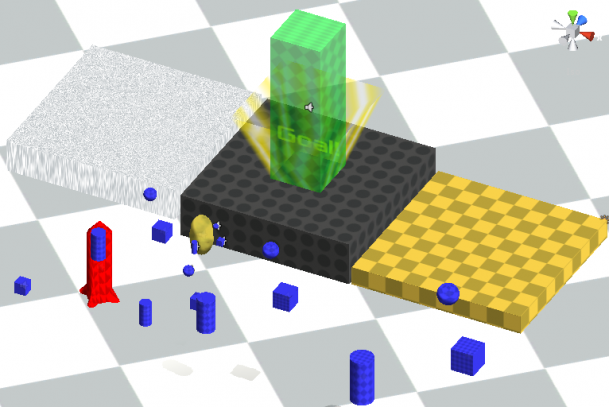
levelDebug

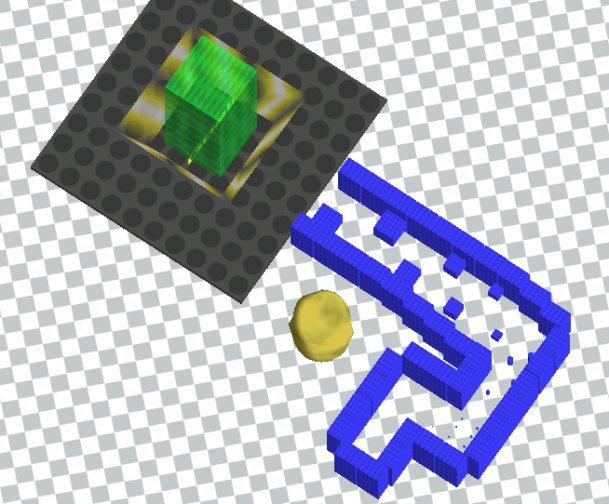
First, the debug level. Always gotta have one for Unity. It’s a great place to create prefabs, and tweak the numbers to apply to the rest of the levels. Also a great place to test stuff, like the water block (top-left), unattainable block (top), bouncy block (top-right, unused in game), ice block (not shown), and rocket boosters (red, left).
levelHowToPlay

How to Play was a nasty one. The first curve is there to give a clear and empty view for the player to practice the controls. It also puts the Goal out of view, making it easier for me to teach the basic objective of the game: collect smaller objects. The first bend is where I scatter the smallest objects, and provide the instructions to roll into them. I’ve put a lot of objects there to show them lighting up as you get bigger.

Proceeding forward, I have this weird bend that stretched all the way to the left. The straight-way itself is intended to let the player practice collecting bigger objects, in a true breadcrumb fashion. It’s also here that I mention the arrow at the top of the screen, that it indicates where the goal is (straight ahead). It’s worth mentioning that I call this bend “weird” because it was also intended to hide a problem: Unity’s default GUI shader draws over all other objects. By placing it to the far-left, the player wouldn’t see the text at the beginning of the level. The shader that corrects this weird overlap is openly available online, but to respect Compo rules, I didn’t copy this shader; I merely hid it.
level1

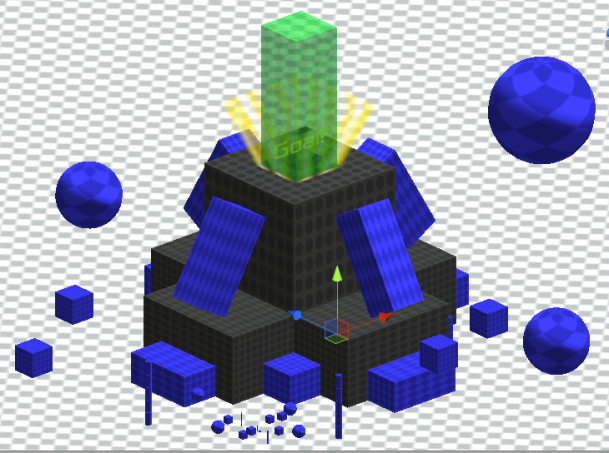
Level 1 was actually the second level I created, code-named “pyramid.”  This level simply acts like a practice level, where the goal was clearly above you, and the objective was simple get large enough to be able to climb up the steps.  The bouncing spheres was a small challenge I’ve added to make things a little more interesting, i.e. you have to time it correctly to obtain each sphere.  Past that, it’s a pretty generic Katamari level.
level2

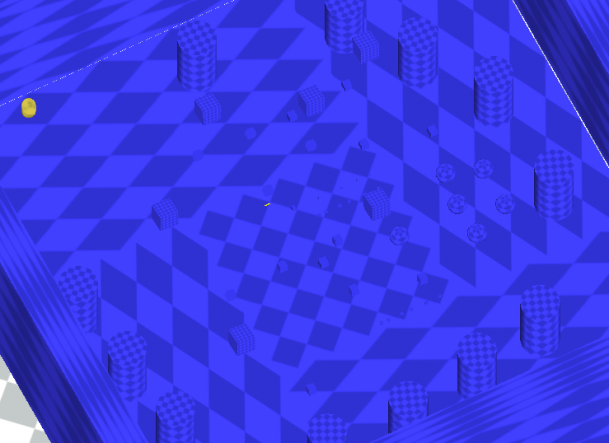
In Level 2, I wanted to establish that the Goal could be anywhere.  In this level’s case, directly below you!  This was actually the first level I created, and you can tell from the knocked over objects I really just zoomed through this.  It was the first place, though, where I got a good handle on the amphitheater formation.
level3

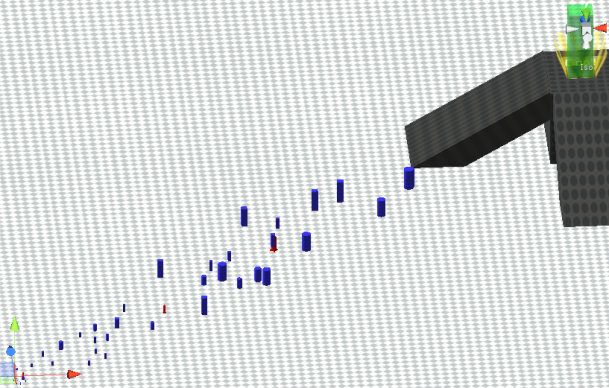
In Level 3, I introduce the rockets!  I initially intended the rockets to help you fly upwards, but that was nearly impossible to do with the given control scheme.  Instead, I found it useful to traverse great distances due to its added speed, and decided to do a level designed to demonstrate just that.  To acknowledge that players may simply wants to play around with the rockets, I placed slopes around the Goal to make it easier for them to reach it.
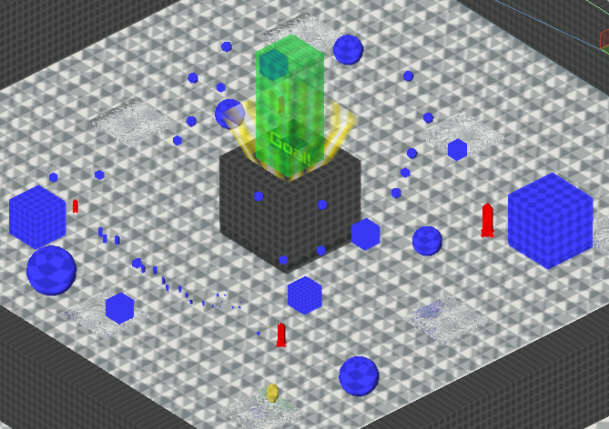
level4

In Level 4, I introduce the water block and the ice block rather haphazardly.  This was the last level I created, and I simply had very little time left, so I dumped every new assets I had into it.  The walls surrounding the ice is there to prevent both you and the objects you’re trying to stick from falling out, making it easier to collect things.  The objects are placed almost randomly, partly because of the chaotic nature of the ice-block.  The water blocks were intended for helping you adjust your controls, but in the end, they ended up being pretty useless.
levelCredits

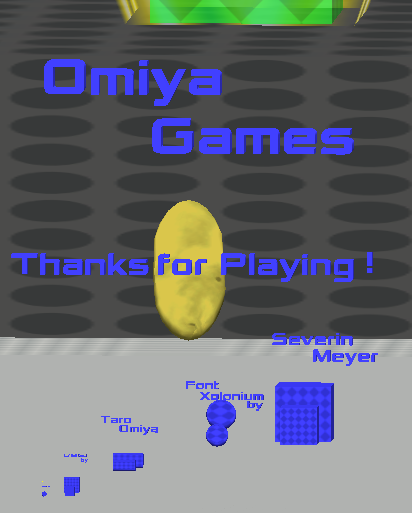
And the Credits. This was actually hard to design, mainly due to tweaking the size of the breadcrumbs so you can definitely grab each text. Other than that, it’s intentionally a breadcrumb-to-breadcrumb level with no other purpose than, well, providing the credits.

Interested? Try The Sentient Cube here, and please rate the game!

Tags: design, game design, level, level design, The Sentient Cube

Unexpectedly Useless Things

[Cross posted from Omiya Games]

Before I go any further, I wanted to make a quick mention that Omiya Game’s (the game studio that currently consists of only me) latest mobile game, Touch Yoga was just published on the Barnes & Noble NOOK HD tablets! Don’t have one? It’s also available on the iPhones, iPads, iPods, Androids, and even Amazon Kindle Fire HD tablets.


Anyways, I digress. To compliment the unexpectedly useful things list, I now talk about things I thought were going to be useful, but weren’t.

Pen & Paper

I expected myself to doodle and draw a lot of pictures.  Instead, I leave as the cleanest paper yet.

graphPaper

At least it came with a free Mario figure. And speaking of doodling…

Wacom Tablet

My wacom tablet was left untouched on top of my printer. The latter which was also useless, but that was expected for this event.

wacom

No love for the poor guy.

Fossil Wiki

I ended up using the Wiki more than the tablet and the notepad, but only for two things: first, the 30 minute game brainstorming.

LudumDareProgress1

And coming up with the game’s title

wiki

Fun fact: the second best contender for The Sentient Cube title was, indeed, The Artist’s Pornography. I decided against it for an obvious reason.

Unity’s Pre-installed Scripts

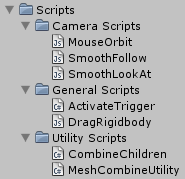
Seriously, I ended up using only 2 scripts in the end product: one for the water refraction, and the edge detecting post-image effect. Everything else? Illegibly coded and completely impractical for the game.

unityDefaultScripts

Tags: Amazon, android, fossil, iOS, iPad, iphone, iPod, Kindle Fire HD, Mario, Nook, NOOK HD, paper, pen, The Sentient Cube, Touch Yoga, wiki

Live-Streaming EST 11:00 pm

As mentioned earlier, I’ll be live streaming today on Twitch.tv at 9:30 pm 11:00 pm, Eastern Time. Why the sudden one-and-a-half hour delay? I just found out I had an important meeting to attend to at 8:00 pm, so I had to delay my live-streaming.

Edit: And thanks to Mother’s Day, I have to move it back to 11:00 pm EST

Twitch.tv logo

I’ve setup a public Google Docs spreadsheet to list the games I’ll be playing. If you want yours played and rated, you can comment the URL to it below and I’ll add it in, or post it directly on the spreadsheet!

Tags: Let's Play, Twitch.tv

Comments

12. May 2013 · 17:14 UTC
Do you also record it or just live streaming?