euske

LD26

My Tools and Stuff

I have been playing with Flashpunk and Flixel for a few weeks. They look equally good frameworks, but so far I don’t feel comfortable to use them in the compo, simply because they’re too powerful. To me, just a few week wasn’t simply enough to get used to it and I’m afraid of using something that I don’t fully understand (call me a control freak). So I ended up with writing my own, very minimal codebase. It’s really nothing more than an “ActionScript Cheatsheet”, which is the name I gave to it. I posted the code here: https://github.com/euske/ascs

Other than this, I’ll mainly use a Linux environment for writing and compiling. I use Emacs and GNU make, as well as Python. These tools will be handy when you want to cook up something quick and dirty. But I also plan to use Paint and sfxr on Windows. The testing will also be done on Windows environment. I still need some sort of simplistic music editor, but that’s all I can say for now.

Time Management (in my fantasy world)

Since this is my first LD, I’m sure I’ll be panicked. As a programmer, I’ve learned how little I can accomplish if I’m not well organized. So I think that planning and organizing is the key to finish a game in time. Here’s a rough outline of my time management strategy (in my fantasy world):

Overall plan: Day 1 – Basic mechanics, Day 2 – Polishing, level design and sound (if any)

Principles:

  • Split the work into manageable chunks (e.g. 1 hour) and try to finish each within that time.
  • Plan carefully before doing things. (This is hard for me.)
  • Keep a good TODO list.
  • Review the overall progress and update the plan every 6-8 hours.

Now, it’s a time to put this into a real world test. This looks already overwhelming, but in any case this is a big experiment to me.

Minimalistic progress

So, I take minimalism involves some sort of creation, and I’m kind of thinking of creating a puzzle-ish game, though I’m not really sure how well I can do that. I don’t think I’m very good at level design…

Besides, I’m streaming too! http://twitch.tv/euske/

First scriinshotto! (in Japanese Engrish)

So here’s my first screenshot. I’m kinda trying to make a simplistic physics engine where you can push things around. Hey, what the difference between being simplistic and minimalistic?

ld261

Title: Zen Dish

I still have no idea what I’m really doing, but somehow this thing came to my mind: A game for making minimalistic dishes (hence the title). The game has two phases: first you make a dish by pushing things on a plate (with optional boiling/seasoning). You can group multiple items and have some special power (whatever that is). Then, on the second phase, the whole thing turns into a platformer game where you play it on the dish you just made. I don’t even know what I’m talking about (possibly due to hunger), but that’s my report for now.

ld262

Whoa, Game Design is Hard

So the first 24 hours has passed and I’m still working on the basic game mechanics. The framework was kinda done, but there are still tons of things to decide. Initially I was being ambitious and trying to come up with a completely unique game mechanics. Well, that turned out to be hard, especially in a limited amount of time. I was trying to make it as crazy as possible, but somehow it ended up with a mixture of weirdness and mediocrity. I’m having a fun time, but I don’t feel that the game is going to be that fun to play. Anyway, that’s it for now.

Comments

TheColorMan
28. Apr 2013 · 00:33 UTC
That’s why I’m making a point and click game!
TijmenTio
28. Apr 2013 · 00:45 UTC
That’s exactly what I did haha

Good luck to both of us 😉
iiechapman
28. Apr 2013 · 04:58 UTC
I am in the same boat my friend

Title: Controlled Diet

So I changed the title and start liking the game. It is somewhat relevant to the theme, although I’m still working on the basic mechanics. Now, what can I do for adding enemies to this?

Playable demo is here.

ld263

Phew, That was Close

I don’t know what I should write now. I managed to finish the game in time. I had been working literally until the last minute and was freaked out because I didn’t know about the submission time and thought I already passed the deadline.

As for the game, it’s weird one. Some people said they had no idea what’s supposed to do, but I’d say exploration of the goal is one of the fun of minimalistic games :p. I didn’t have much idea about how to make the game screen more attractive, and I resorted to a Japanese title for getting more “coolness” factor.

Anyway, I’m happy I was able to finish this. Thanks to the compo organizers and the LD chat people, who are very nice and helpful. I cannot much think of what to do next for now (I feel my brain fatigue!), but hopefully I can stick with the community and join a future compo again. Thanks all.

screenshot1

Comments

Suese
29. Apr 2013 · 00:42 UTC
I get what you did here. Nice use of the theme.

Rather Belated Post-Mortem

A couple of my thoughts about my first participation of LD:

Don’t Take the Theme Too Seriously

I think I tried to interpret the theme a bit too literary. I thought the game has to be *about* minimalism, which means that minimalism is not about its styles, but the *goal* of the game. What’s the problem with that? It turned out to be difficult to come up with a game design that is about minimalism but still enjoyable. I thought minimalism always involves some sort of design or structural construction, which is a creative act, so the obvious choice for me is to make some kind of puzzle game. But I didn’t want to make a puzzle game! I wanted to make an action game. So this put me into a dilemma. I spent one hour for brainstorming the basic idea in the beginning, but even after that, I wasn’t really sure what I’m going to do.

The first idea that came to me was a trash compactor. Its goal is to minimize the volume of garbage, and it can be a game. But it didn’t much sound like minimalism, so I came up another idea, which is to design a minimalistic house under some condition (think of an artsy house that modern architects design). I was thinking of something like “Art Game” by Pippin Barr. You push materials around and then “play” on it. And then at some point, the materials turned into food, and some crazy insight told me that I should make a platformer on the top of it. Hence the idea of my game “Controlled Diet” has come into reality.

You cannot Learn Your Tools Enough

I used a combination of Windows + Linux environment (I run Arch Linux on VirtualBox on Windows). I edit and compile on a Linux machine and test it on a Windows machine. I used a vanilla Flex SDK 4.6 and Makefile (Yes, I am very old school). I used a shell and Python interpreter, as well as a set of well-known tools (e.g. ImageMagick). Here are things that I think would be useful if anyone uses a similar environment like mine:

  • Get used to Emacs’ Actionscript-mode. There are several versions of it by different authors, and they vary slightly in its highlighting and indentation. Using a wrong one will end up a lot of annoyance.
  • Use a debug version of standalone Flash Player, so that you can double-click the build and run it directly.
  • Don’t forget to add -debug=true compiler option to mxmlc, otherwise trace() wouldn’t work!
  • Use fdb (Flash command line debugger) to siphon trace() outputs to a stdout/file.
  • git config --global core.filemode false
  • If your machine is slow to launch Java, try using fcsh (Flash compiler shell), which somewhat reduces the startup time of mxmlc (but not by a large margin).

The bottom line is that the more efficient the edit-build-test-debug cycle, the better. Try to spot the bottlenecks as many as possible and eliminate them.

IRC is Helpful

I had been lurking around the Ludum Dare IRC channel for a couple of weeks, and I can tell that this is a very nice place to hang out. You see a lot of people talking about their ideas. At one point I was murmuring about the need of creating a quad-tree implementation that was necessary for my simplistic physics engine. Then someone in the chat said “a quadtree is overkill for this”, and he was right; I didn’t really need a quadtree for only a dozen of objects. Now I want to thank that person. You saved me a lot of time.

Things that Went Okay

  • Overall framework. I wrote a generic framework and posted it on github beforehand. This strategy went well. I can start quickly tweaking on a working codebase, and it was simple enough to allow me to change it drastically later on.
  • Time management. I put a TODO list on my desktop and tried to update it at every hour. Later I had to reorder things but this helped me greatly to stay focused on what I’m going to do.
  • autotracker.py. This is an awesome tool, even more so when you know a bit of Python and how to tweak it. Thanks a lot.

Believe in Your Idea, with Passion

Generally, I think I’m more of an “idea” guy. I wanted to come up with a wacky, eccentric idea and somehow I succeeded in it. I finished my game, and even its not the most fun thing to play, I still enjoyed the whole process a lot. It was a nice challenge, and hope I can do this next time again.

Tags: postmortem

LD27

I’m in too, haha

Okay, so this time I try to use Unity, just for the heck of it. My favorite is mostly blocky 2D games, but it can be an opportunity to push yourself to a bit unfamiliar direction, which is a good thing, right?

Anyway, things to do:

  • Keep TODOs! (as always)
  • Use a notepad, a physical notepad! Because they’re awesome, and saves my screen space too.
  • Have a crazier idea than the last time.

CIMG0274

That is it. I plan to stream the process too. Hope I have a fun time again.

Base code at the last minutes while panicking

So here’s my base code (Unity Script Cheat Sheet) that I collected from a bunch of test projects while doing usual morning chores and panicking:

https://github.com/euske/uscs

It starts from 10am here. I have to do my weekend laundry and garbage dumping, etc. before that, and I still haven’t figured out how to make a music! It’s all panicking. Actually, pancaking.

10 Seconds as not a Limitation

I tried hard to come up with an idea that 10 seconds is not a limit and here’s what I got. Actually, the idea is simple: you’re collecting some stuff avoiding obstacles, and occasionally you get a powerup that lasts for 10 seconds for extra enhancement, but that 10 seconds can be too much. During a powerup, you might miss things that you could get when you didn’t powerup, or sometimes the powerup lasts too long that would risk your life. It’s like a drug! This is going to be a simplistic platformer/racing-type game. Let’s see how far I can go with this idea.

Edit: Oh yeah, the game title will be “10 Seconds is Too Long”.

LD28

Path Planning (AI) in Platformer Games: A Layered Approach

I’ve been working on path planning (path finding) for platformer games
for a while. My original intention was to create a reusable framework
for scripting characters in a platformer, but it can have other
interesting applications. I have a working prototype and its source
code.

Handling Continuous Space

The first problem that we need to address is the continuous nature of
a platformer game. In a typical path planning, a problem is usually
represpented as a discrete space. However, in a platformer game where
characters often are affected by gravity, handling its continuous
movement is crucial. We addressed this issue by dividing the problem
into two layers: macro-level planning and micro-level planning. The
macro-level planning takes care of a coarse-grained plan such as “go
to this block” or “jump here and try to land at that block”. The
micro-level planning takes care of more fine-tuned movement that
involves a continuous 2-D space. The macro-level planning is done by
using typical AI techniques like a navigation mesh, constructing a set
of possible actions at each discrete location. The micro-level
planning is done in a more greedy manner, by taking care of physical
collisions and character coordinates.

The macro-level planning can be implemented with a pretty
straightforward Dijkstra or A* search. It starts from the goal
position, and iteratively searches all the possible movements until it
reaches the initial state (the position of the character). Each
action is associated to its next action until it reaches the goal,
forming a DAG structure. A plan graph can be dynamically constructed
and periodically updated based on the current state of the game.
Additional restrictions (e.g. space constraints and ladders) are also
considered.

When each action is executed, a character is entirely controlled by
that action, and the character cannot execute the next action until
the current action is finished. Each action only considers the
starting and ending point, and it moves the character in a rather
straightforward way. When the macro-level planner detects the
situation change (e.g. the goal is moved) during the execution, the
current plan is abandaned after the action is finished and a new plan
graph is created.

Jumping / Falling

Jumping and falling is the key element of platformer games and the
core of its planning problem. It has so many parameters that using
naive methods will easily lead to computational explosion. In the
proposed method, the macro-level planner only takes care of its
starting point and ending point in the block coordinates. The planner
has to know in advance the speed of a character in question and its
jump impulse, as well as the gravity acceleration, so that it can know
where it will exactly land. The macro-level planner uses two bounding
boxes (a jumping part and a falling part) to approximate the clearance
that a character needs, but it doesn’t take care of an actual
trajectory of the character.

An actual jump action is divided into three steps. First, it tries to
move the character to its starting position (Set), maneuver the
character movement during ascending (Ascend), and then land the
character to the ending position (Land). It takes a precise
(pixel-wise) control of the character at each frame update.

Landing Prediction

The planner can find a solution only when the path planning is
solvable. When a character is following another character that is
jumping or falling, the goal position is often considered unreachable,
making it impossible to find a solution. In a case like this, the
planner can optionally make a guess of the final landing position
based on the current speed of the character.

Moving Platforms, Sprinting, Double Jumping, etc.

A path finding is based on an assumption that the floor map
you’re planning on is static. When there are some parts that are
changing dynamically, those parts need to be handled specially by
the micro-level planner. In this case, the macro-level planner only
takes care of moving into that part and getting out of it.

Handling moves like sprinting or double jumping can be more tricky,
because such actions depend on the current state of a character. In
other words, a plan becomes context-dependent. Now we would have
to consider multiple possible states at each grid, making the search
space several times larger. I am not sure if we can find a really good
solution for this kind of planning, but in theory we can still take
this into account in the current framework.

Source Code Structure

The prototype is written in ActionScript. However, the planning parts
are separated from the UI and I believe it’s relatively easy to port them to
another language. Here are a couple of important classes:

Actor This is an object that the planner takes control of.
The object needs to support methods like move(x, y), jump()
to perform actions on each character, as well as query methods such as
bounds(). TileMap An object that stores a 2D map that a planner can use.
This is basically a two dimensional array of tile numbers.
The class needs to handle a query like getTile(x, y) as well as
range queries like “if there’s a certain block within this area” in order to
serve the efficient planning. PlanMap A macro-level planner that has a plan graph and its constructor.
It maintains a grid of actions, which correspond to each tile in
a TileMap object, so that an Actor can query
a possible action to take at each place. An action,
which is a PlanAction object, is represented as
an edge of a plan graph. There’s one important method addPlan(),
which fills the grid according to the given parameters and the associated
TileMap.
A plan graph can be shared and reused as long as the goal is not changed
and all the Actors has the same property (e.g. speed, gravity, etc.). PlanAction This object represents a single action planned by the macro-level planner.
An action object has a detailed information about the action such as a
starting and ending point, the type of the action, and the tile map it’s referring to.
The object is responsible for performing micro-level planning.
It fires events to an Actor object so that it can carry out
the corresponding actions (jumping or moving, etc).

Is This Smarter than Humans?

Unfortunately, no. Due to computational limits, the current
implementation considers only a handful of ways of possible jumps at
each position. Since it uses a rectangle as an approximation of jump
trajectory, it cannot emulate a complex manuever that humans could
do. Also, since it’s on block-by-block basis, it cannot consider a
possibility of barely-make-it kinds of jumps. These are mostly
complexity problems, but in some cases there might be need to give up
to find an optimal solution.

Phew, I made it somehow.

So I managed to submit this before the deadline of MiniLD 47.

Screenshot

Ski Game

GitHub

This is a reconstruction of the first game I created based on my faint memory. It was 1983 and I was using Toshiba PASOPIA. I knew very little about English and the most messages were written in Japanese katakana, which was common among 8-bit PCs then. I think the actual game was much shabbier. I don’t know why I used yellow as the backgroud color, but after finishing this, I remember I was very proud of myself.

The font used in this version was taken from NEC PC-8001,
but I don’t believe there is much difference.

Beating the Time Difference Between Sweden and Japan

So, this is my 3rd time LD participation, and first time Jam. I’ll work with Mr. CrystalHawk, an aspiring art guy from Sweden. There’s 8 hours difference between us, and this is the first time for me (possibly for him too) to work with someone who has this much time difference. So we have to be smart to smoothly streamline our work. So far, our Warmup game went pretty well. We’ve spotted a couple of issues beforehand so that we won’t stumble on them in the real event.

Anyway, onto the tools we’re going to use…

  • Unity 4.3
  • Emacs (I’m old school – hey, don’t judge me!)
  • GitHub and DropBox for file sharing.
  • sxfr and PxTone for sound.
  • A bunch of unixy tools for tidious stuff (bash, Python, ImageMagick, sox, etc.)
  • Some fancy graphics tools for artists that I don’t even know.

Here’s a couple of ideas and tips we came up:

  • We share a Unity project via DropBox. I thought using git was too much for him, so I did revision control on my side, and used local rsync to spot the difference (rsync -n is great!) and manually merged them.
  • Use Skype Chat as a To-do list.
  • Here’s a list of things that you can ignore when syncing a Unity project (i.e. pretty much my .gitignore):

    Temp
    Library
    *.sln
    *.csproj
    *.userprefs

    First, I thought we can ignore *.meta files… I was wrong. *.meta is important.

Anyway, that’s it for now. We’re excited to Join!

Comments

09. Dec 2013 · 07:40 UTC
Just a hint for your todo-list: try out trello, it’s really intuitive and free.

Here’s an abandoned idea.

We’ve made some progress so far, though I’m not sure how this can be well related to the “only one” thing.

Meanwhile, here’s an idea we abandoned.

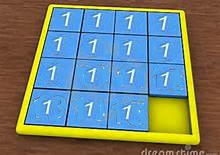
puzzle

Yeah, I know.

6

This entry was posted on Saturday, December 14th, 2013 at 4:41 am and is filed under LD #28. You can follow any responses to this entry through the RSS 2.0 feed. You can leave a response, or trackback from your own site.

LD29

We’re Jammin!

This time, we have a bigger team with four people in total. Each from different locations on the globe (one in the U.S. East, two in Europe, and me in Japan). Our timezones are roughly 8 hours apart from each other. Let’s see if management is becoming a huge issue…

Here are the lineup of our tools.

Base system:
– ActionScript 3
– In-house developed framework (https://github.com/euske/ascs/)

Editor & IDE:
– FlashDevelop
– Emacs & Makefile (call me old school)

Collaboration:
– TeamSpeak
– DropBox
– GitHub

Content Creation:
– sxfr
– Paint.NET
– Python
– etc. (tools that my teammates use but I don’t know)

Accessibility Jam Report

So, my Accessibility Jam game is more or less finished. The jam is not really a competition, but I actually have a few friends who’re blind (and they’re all Linux experts, a pretty geeky blind bunch IMO) so I really wanted to finish it. My game is completely audio based, so that any blind person can play it with a screen reader + standard browser. (There’s a visual so deaf people can play it too, although it’s impossible for deafblind people.)

Game “Arpeggio”:

Arpeggio

(Direct link: http://ludumdare.tabesugi.net/arpeggio/)

The overall experience was quite fun. Since this was a long jam, I made a couple of generic library/functions for audio and keyboard based games. Also the feedback was generally positive. I still have a couple of ideas of audio-only games. I think I will continue this line of project.

LD31

We’re in~

Here’s our international team!

  • euske (Programming) – Japan
  • Fond3ll (Music) – Sweden
  • Zarkith (Art & Design) – US East

As you can see, we live far away from each other, and the time differences are tricky. This time, I’m going to use Javascript/HTML for the first time. I made a simplistic framework called JavaScript Cheat Sheet and will create something based on this. Wish us good luck!

Postmortem: Unpressive (Mini LD #57)

OMG TRUST ME I HAVEN’T STARTED YET!

But people say you don’t need much time if you use a brain, don’t they?