Daylight Blobbery: Post-Mortem

Being my first Ludum Dare entry, this experience was really exciting. I was nervous at first, especially when the theme was announced and I had ideas for pretty much every theme except for ‘you are the monster’.
I am not a programmer and only started learning programming a couple of months ago so I knew that my game had to have simple mechanics. I really wanted to submit something that felt finished and I knew that once I had a working mechanic I would leave it at that, created the art, sound and music and submit something that seemed fairly polished. And thus a sphere was created in my unity scene.
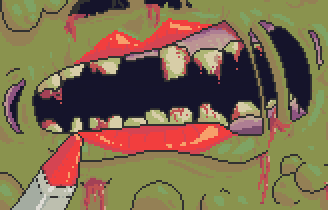
I played around with movement, using forces instead of straight translation and if felt like pushing a ball around similarly to monkey ball or other similar games. How could this be a monster though? Add a squishy pink texture, some gross looking pustules, and random pieces of hair and the blob was born! Drawing inspiration from Katamari, I knew that the simple act of running into objects and collecting them to make yourself bigger was already a satisfying mechanic. Add the fact that the objects are running away and screaming and I knew I had some gameplay that was at least a little fun. Using some capsules and cubes I created my first mock up of running away capsules that made the sphere bigger when they were hit and it actually felt pretty good.
Now that the gameplay was sorted I focused on art. I knew that I wouldn’t have time to animate 3D humans running away so I decided on having sprites instead of 3D models. I’m a huge fan of early 3D games made in the 90’s – early 2000’s and one game in particular I drew inspiration from was Carmageddon. There was something so satisfying in that game about spotting a human sprite ahead, lining them up and running them down. The goofy sound effects and billboard sprites in a 3D world created a really arcade style, stupid action feeling that I wanted to recreate in Daylight Blobbery.
Below is a screenshot of all the sprites used in the game, minus some UI elements. Feel free to use them in your own games if you want your games to look like out-dated poo:

Sound Effects
Next I needed sound. This was extremely fun and embarrassing at the same time. The sound effects for the blob squishing around and eating the humans was fun and not too difficult but the humans screaming was definitely out of my comfort zone. It just doesn’t sound quite right unless the screaming is loud enough and I’m glad that I was working in an empty office space where no one could hear me because even though I had to do a pitch adjust for the female screams… It wasn’t as much of an adjustment as I would like to admit. It was also amazing how certain sounds with slight manipulation could be made to sound like something else completely. The car noise is simply me humming a couple of times and adjusting pitch and the explosion when you exit the level is again with my mouth and also just flicking a piece of paper and slowing that sound down a lot and adding an echo.
Music
Music was probably my least favourite part of the game. I’m not really a musician and I knew if I tried to make a really nice track I would waste all my time trying to make it perfect and sacrifice time in other areas so I opened up Fruity Loops, made a simple drums, keys, guitar and bass loop and exported them out ready for the game. I’ve always wanted to create a dynamic soundtrack where different instruments are introduced into the music depending on what the player does and was able to do this by linking each instrument track to the different upgrades the player can get, based on which humans they consume.

PIZZA!
I had pretty much finished making the one level and found it relatively fun to play but something was missing… something cheesy, something delicious. One of my favourite games of the 90’s was Tony Hawk’s Pro Skater and one of my favourite things about that game and it’s sequels were the hidden collectible objects. I already had movement and jumping and code for collisions so it wasn’t too hard to scatter some hidden objects, add the UI required and the final pizza the puzzle was created. Has anyone found all 8 slices yet?
Wrapping things up
In order to have a polished feel I created a menu screen. This wasn’t hard but it did take quite a bit of time and I’m glad I put it in because I feel that main menus really make a game feel like a finished experience.

I had been warned by previous entrants to not neglect the time required for packaging up the project and submitting it and they weren’t wrong. I submitted multiple times only to test the game out and find something wrong or that my link was incorrect and I found that the way I had created my UI did not work on any resolution but 1920 by 1080 (big mistake). In order to fix this I had to move the UI elements closer to the centre of the screen, ugly I know, but it was the only way in the time I had left to ensure people playing on smaller screens could still see the UI. I had numerous issues with the web player too and I know it doesn’t work great, which I apologise for but I will keep it in mind for the next compo.
Thanks for reading this if you did, and well done to all the entrants for submitting their games. I wish I had more time to rate more of them but with almost 3000 games I will never get to see them all. If you really would like me to play your game, leave a comment and I’ll give it a look.
If you haven’t played Daylight Blobbery yet, please do by clicking here and a rating would be greatly appreciated.