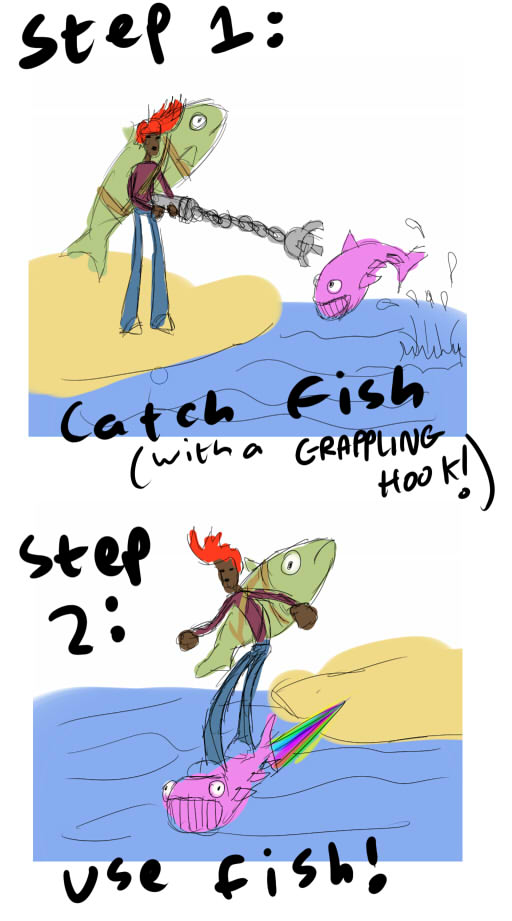
There is a distinct possibility….
…..that I will take part. My tools and weapons of choice will be decided by dice roll 53 seconds before the theme is announced.
Grieve
Comments
23. Apr 2010 · 11:36 UTC
One-sided dice, I presume?
…..that I will take part. My tools and weapons of choice will be decided by dice roll 53 seconds before the theme is announced.
Grieve
Hello!
This is my first Ludum Dare. I hope it’s fun. I don’t know if I will be available all the time, but I hope that I make a simple but good game.
Computer: Mac OS X 10.6.3 on one of those MacBooks that look like a Mac Book Pro =P
Development
I hope I finish something =D
…for my forth LD (excluding Mini-LDs). I don’t know why but I’m as excited as I was for my first ludum dare. I guess I’m always excited when it’s a ludum dare week-end and can’t wait for the theme to be announced.
What I’m using:
Language/IDE
The platforms I’m going to develop for are Windows, Linux and Mac OS X and if I have too much time on my hands (which I very much doubt) also GP2X.
Libraries
My own framework I’ve used the last couple of times based on SDL, OpenGL, SDL_ttf, SDL_mixer and Vampyre Imaging Library. I will post the basecode probably a few minutes before the compo starts, there are still some bugs I want to fix.
Tools
Food & Drink
 ) and some crackers
And here is a photo of my workspace:

Tags: deskphoto, introduction
Yep, looks like I’ll be participating. This will be my second LD, the first being LD14 “Advancing Wall of Doom”. I went with Flash for that one, so this time I’m doing the complete opposite and going SDL + OpenGL. No basecode.
No desk shot this time, cause I’m not using a desk, just my laptop. Can’t wait to see the theme. (I’m supporting Flood :))
Yeah,…I’m really looking forward to this competition. As always I’m so optimistic and have the feeling I improved from the last event, but realistically spoken I know it will be hard work and I have really to be concentrated. Actually I quite often struggle in tweaking little things that actually are not so important but just eat time…
Ok,..here my setup:
java 1.5 / jMonkeyEngine / blender 2.49b / gimp / reaper with my keyboard’s VST-Plugin and maybe some sourcecode from my last LD’s exploration-entry.
I am hardly going to have any time this weekend for the full LD experience but I may be crazy enough to try and create a game once I see the theme tonight. I figure I’ll only have a bit of time tonight, a bit more Saturday morning, and a couple hours on a plane on Sunday. I love LDs so much it is tough to miss one of the main ones when problems come up with your schedule.
If I manage to make a game it will be using Flash and Actionscript 3.0 possibly using the FlashPunk game library.
Tags: extreme
This is my second Ludum Dare ^^
I am going to use:
I think I can do a better game than the last time. Good luck to everybody 😀

Tags: bears, motivation
Well, almost ready to go…
Reviewed some details on my base framework, you can get it here.
My framework just features:
This still does much less than the usual game makers, flash, etc, but it really shaves off about 10 hours or so work…
Still want some time to review my pixel-art talent (had good results on my last competition with some static stuff, want to see if I can learn how to animate a simple character… Really recommend this link: http://www.gamedev.net/reference/art/features/CoderGameArt/ , and this sheet for reference: http://pages.cthome.net/mnoni/webpage/finalfantasy.gif ).

Finally, I still need to go junk-food shopping… you can’t have a 48-hour competition without tons of junk food… chips, drinks, chocolate… hum… chocolate….
There’s some good themes for the competition this time around… Kind of rooting for “Pretentious Art Game”, although I have no idea what to do with that, but it would be fun thinking up… “Forest” might also be nice, as well as “Collecting” (rogue-like, here I go!).
Anyway, I’ll be updating my Facebook, my own personal blog (http://www.returnofthespellcaster.blogspot.com) and Ludum Dare’s blog (http://www.ludumdare.com/compo) one throughout the competition, as usual…
So good luck everyone!
This is my first ludum Dare….I’m very excited. I’ve been thinking of ways to stream/log while i work, and i realised i could use my livestream account to stream as i work.
I will be streaming, from start to finish from here.
I will also be blogging on my tumblr as i make milestones in the 48 hours ludum dare goes on. this can be found here.
I will be using C# 2005 in Visual Studios, and i intend to write from a white page.
A little about myself:
I’ve been programming for about 6 or so years now, and i’m 100% self-taught. When i wanted to learn something, i looked around for a solution, studied it, made it my own, then after a while completely rewrote it. I am working on a game engine called “Supernova” but it’s very VERY limited so far. I’ve also written a scripting language called SkintScript which i may use for config files etc as the Interaction between script and .Net is… glorious. (I took the LuaInterface approach if any of you have used that with .Net). If you are interested in seeing how it works, please see these 3 progress videos found here, here and here.
If you would like to use it (although i doubt anyone would want to, it was just my little experiment) please contact me and i’ll be happy to e-mail you the library. (Note it’s only .Net compatible though…)
My Goals:
Well i suppose the main reason i’m entering this contest is to challenge myself.. see how good i really am and also to meet likeminded developers/people to converse with and/or exchange ideas. I have Notch from www.minecraft.net to thank for making me aware of the competition last time he entered so that’s also a little bit of why i am here.
So that’s all i can think of really for the time being… good luck everyone, i hope you all have lots of fun, i know i will.

Tags: motivation
I am in for my second LD (previously LD15 – Caverns), all preparations done, ready to flip some bits
Here is where the magic is going to occur:

And these are my tools of choice:
My sweetheart volunteered to accompany me during the weekend to provide me with an emotional support and to inspire me
There will be some cooking, expect food photos!
Chronolapse is set, therefore a timelapse video is also to be expected.
Tags: deskphoto
Every top-voted theme is totally awesome – I’m really excited for this one. I doubt I’ll have a full weekend, but I should be able to get something out. I decided that I am going to (once again) use my personal library JPixel to make this one. I used it for Exproad, Improad, Reroad, my first LD entry (for #13). JPixel has all the typical stuff built in – Sprites, particle effects, 2.5D side-scrolling support, sounds, collision detection, animation system, etc. That’ll make it really easy for me to slap in some gameplay, even though it’s very unlikely I’ll have more than 5 or 6 hours this weekend. I’m thinking maybe zombies or something, even though I did it in #13 as well. Or maybe I’ll go more original. I think what I like about zombies is that it’s totally okay if they have shitty AI. 😛
Please, please, please, please, please, please, please, please, please, please, please, please, please, please, please, please, please, please. This will wake me up 4sure (sets 2 minute long text tune)
Oh man… I’ve got so much to do besides the LD this weekend… I keep studying or playing something or doing errands… I had to find some motivation to keep up with the dev, then I found this:

Tags: motivation
I’ve been lurking the whole Ludum Dare community for a while, so finally I decided to join the fun and make something awesome(I can’t guaranteed the awesome part). I’m not sure what I’ll be working with, but as soon as I come out with some good game concept I’ll choose a proper language and libraries or even a game making software.
I’m relatively new to programming, I started coding at high school and continue through college, btw I dropped it out a few months ago. Now I make some freelance coding and work in some collaborative game projects :).
I’m visiting my parents for a couple weeks, so expect some traditional mexican food photos or whatever crazy stuff my mother come out with. On the other hand, I won’t have a proper desk photo, even though I’ve kidnapped the dinning room for working. I’m not sure if I’ll be able to work the whole 48 hours, or even finish my game, but I expect this to be a really cool experience.
A photo of my workspace.

My workspace
Tags: deskphoto
The wonderous developing is going to be happening right here
Home grown PC, consisting of:
CPU: AMD Athlon 5000+ 2.6GHz Duel Core.
RAM: 1.5GB DDR2
GPU: Nvidia GForce 9500 GT.
Soundcard: on-board, Realtek HD Audio.
Mobo: EM61SM/EM61PM (Old, but does the job :))
Keyboard: Logitech G11
Extra Peripherals:
USB Fan (For those sweaty days);
External SATA HD Dock;
5.1 Speaker surroundsound;
A can of Blackthorns (as seen in the image :)).
Lets have fun with this!
Had a little list of stuff i needed to get ready before the weekend. Didn’t get to most of it but that’s ok…
I’ve got an older post about tips for LD48 Survival that I think is mostly still true. I’ve changed my option about 2D vs. 3D, I think the real key is to let your gameplay dictate 2D vs. 3D, not your tools or engine. I made plenty of LD games (like Glacier and Crossroads) that would have worked better as 2D, but I’ve made others (like the long lost TIE) that made good use of it. If you’re going 3D, don’t make a 2D board with a little bit of perspective, use that 3D for all it’s worth.
The one thing I did set up was my music kit. The iPhone is a fantastic music instrument with apps like DopplerPad, ThumbJam (is the bomb), EyDy Looper, etc.. I’ll use that along with my guitar, and trusty old Adrenaline effect processor, and other random noisemaking techniques. I’ll assemble it all with an older version of n-Track because I haven’t upgraded it in half a decade but it still works. I might throw in some Milkytracker if the style demands it. I’m a terrible musician but I have fun with it, so your ears can look forward to suffering at my expense. I’ve always run out of time to make music/sound for my game, this time I’m going to make it a priority.
This time, I picked 3 unusual goals (“finish a game” is sort of implied here) to push myself a little bit:
The nice thing about these goals, other than the music, is that they are more about the decision making rather than adding work. We’ll see how it goes.
Looking forward to this a lot. I think every one of the themes on the final list would make for an awesome contest.
And for the record, the tools I’ll be using will be SDL, OpenGL, Pro-Motion, Photoshop, OGMO or TileStudio, Blender if 3D, maybe other stuff.
Good luck everybody!
Hey guys, my name’s Coosh, and I’m planning on trying to do the ludum dare. But don’t expect much; I might have alot of crap to do, so I might run out of time. But I’m pretty excited.
Just about ready to hit the sack so I can get up early and go all-out rambo with the, hopefully suitable, theme.
My preferred content-creation tools seems to be working, and so does visual studio coupled with my platform of choice; XNA. We’ll see if I can remember how this stuff works.
Earlier today I snapped a couple of shots of my workspace. Not much has changed here since the last ludumdare I participated in, except for a switch in monitors and a lovely new keyboard (it glows in the dark!):


Good luck everybody!
PS: -1 PAG!
Tags: deskphoto
My simple setup

Also +1 for PAG
So this’ll be my first ludum dare…….so like…… don’t expect much.
or something
yahh…….
anywho, I’ll be using the blender game engine, as well as photoshop, and maybe even zbrush if I decide to get extra fancy. Like ketchup.
I’m more of an art guy, but I know a little bit of programming.
And by a little bit I mean I just bothered to look up python syntax after not programming anything for 2 years.
Sorry, no desk pics, but maybe some delicious munchies later on tho.
Whatever I make my goal is for it to be surreal and entertaining
Windows XP >
Visual Studio 2008
C#
XNA 3.1
I hope I haven’t gotten too rusty!
Don’t mistake the power of vitamin B!!!
It’ll give you more energy then a swig of coffee will. And there’s no crash! Nada!
Combine it with coffee for an even better combo.
Now, where’s my tissues, alergen would be better.
I am Hinchy. This is my introduction video. (I was going to embed it into the post too, if it weren’t for those meddling kids!)
I was going to use Flash but I’m pretty sure now I’m just going to cheat and use Game Maker. (Not literally cheat, you guys!!!) I wish I had more time but I don’t want to use AS2 anymore and I have not enough AS3 knowledge (or anything else knowledge) to really do anything, certainly not in 48 hours. Ah well, there’s always Ludum Dare 18.
EDIT: Forgot my obligatory workspace picture!!

ALSO: I have a mini-site for my LD shenanigans at hinchy.us/ld48 with my twitter ramblings and a webcam feed!
Ladies and gentlemen, Welcome to Ludum Dare 17! Our first major compo of the futuristic year 2010! It’s been a big year for us so far, so lets keep that momentum going!
The theme will be announced shortly, see above. If this is your first Ludum Dare, I’ve prepared a handy little guide you can read. More details can be found on the wiki.
Now to get you fired up for 48 hours of game making greatness, here’s Phil Hassey.
From all of us at Ludum Dare, good luck!
Tags: keynote
Hi Everyone, I have been meaning to participate for ages, but up until now something has allways come up.
luckily this year, my degree is finished,
and I took the precaution of arranging my family’s dissapearance and falling out with all of my freinds.
( ;
I am hoping to use this weekend to learn Allegro. It seems really well suited to the task, but learning a new library with such a short deadline will probably turn out to be a mistake, only one way to find out I guess.
I am going to use:
Ogmo Editor if something warrents tiles
perhaps Tile Studio
TinyXML.
LMMS for sound if I get time
The Gimp, InkScape and GraphicsGale for “artwork”
I wish everyone the best of luck and am really looking forward to checking out the entries.
Roll on LD17
thanks -NGangst
I probably won’t use wheelchairs this time. But then again, I might. Either way, I’m using GameMaker8 Pro and PXTone.
I would also post a workspace picture, but I A) lack a camera and B) don’t have anything to show off. Just about every single workspace picture I see has 2 monitors (minimum).

Yeah, take that!
Computers present: mac mini, macbook pro, ipod touch 3rd gen, ipad.
-Phil
It’s my first Ludum dare in my new apartment, but I still don’t have a table, which however won’t stop me from participating

Last time I used Löve 2D and I’m probably going to stick with it. Gimp for graphics and probably sfxr for sound.
I would like to create a story driven game this time, so hopefully the theme will inspire me to something at least marginally interesting.
After the last couple of LD that I haven’t managed to submit anything (either because of unexpected real life or having issues with the framework) I’m giving another go and hope to at least get something finished.
Using:
Well, guess I should finally give this a go. I’ll be rolling with C++, as well as:
SFML
Paint (For graphics)
Yes, I realize that’s a terrible list. I haven’t actually figured what else to use – I’ll download stuff for sound effects, etc., as and when I need it.
I did an LD in 2005 or so, when the theme was light and darkness. I’ve been following since then but haven’t been able to participate again. I saw this highlighted on Reddit though and as it turns out I have some free time this weekend, so here I am.
I’ll be using mtpaint, “Just Another Game Engine” (C++), and Audacity. I’m really looking forward to playing everyone’s games. Good luck, all!
Hi folks,
I’m not yet sure whether I will participate – it depends on the theme as well as on how much time I will have to spend on other commitments during the weekend. If I do participate, I’ll be using either Slick or plain Java. In any case, I wish all of you a nice contest – I’m sure it’ll be loads of fun.
You’re shipwrecked on an Island.

But the island just happens to have some super-great treasure on it, and you don’t want to leave.
I think I see a pirate ship in the distance? Oh! What to do?

Throw coconuts at them!
Tags: concept
This time I don’t have any concerts or rehearsals, so I hope to be able to spend lots of time on LD17! This time I really want to finish something that’s playable and has sound/music.
My tools:
Good luck everyone!
Here is the script I’m using to create a time-lapse video of my desktop, with webcam video superimposed in the corner and an audio track. Works for me in Debian Linux with uvccapture, scrot, and ffmpeg installed. Hopefully this is helpful for others. Note that I had to hard code the location of the script at one point because I am a bash bonehead. You will probably have to change that to match the location on your system.
 #!/bin/bash

 #

 # Timelapse video creator.

 #

 # Uses the following tools: uvccapture, scrot, ffmpeg.

 #

 # Start recording with 'timelapse start' (continues until killed),

 # compile captured frames in to a video with 'timelapse compile'.
interval=5 # delay between frames (will probably longer due to processing time)
arg=$1
if [ $arg ]; then

 if [ $arg = "frame.jpg" ]; then

 counter=`cat counter`

 counter=`expr $counter + 1`

 echo got video for frame $counter

 scrot screen.png

 echo got screenshot for frame $counter

 composite -gravity southwest frame.jpg screen.png composite.png

 convert -quality 100 -resize 800x composite.png `printf "%04d" $counter`.jpg

 echo processed frame $counter

 echo $counter > counter

 elif [ $arg = "compile" ]; then

 ffmpeg -shortest -qscale 3 -ab 192k -r 10 -i %04d.jpg -i music.mp3 video.mp4

 elif [ $arg = "start" ]; then

 uvccapture -oframe.jpg -x320 -y240 -q100 -c/home/win/scripts/timelapse -t$interval

 fi

 else

 echo "timelapse "

 fi
Here’s my workstation photo:

There’s less than 4 hours left for the starting time, and I had to spend the whole day outside. As I said earlier, I still haven’t even set up the development environment, and I haven’t settled on which API to use for audio and physics. Rough start, and there’s a possibility I might have to go out tomorrow, and I’m going out Sunday morning for sure.
I’ll probably work on setting things up from now on until the competition starts and I find out what the theme is, then I’ll go to sleep and maybe think a little about the type of game I’m gonna make, and hope to wake up early tomorrow to get myself on an early start.
Oh, did I mention my time zone is GMT +2? Basically what this means is that the theme will be announced at 4 AM my local time. *sigh*…
Tags: deskphoto
Well this gonna my first try to participate in Ludum Dare! I hope I can manage to complete something by the end of the week-end. Still not sure which platforms ill target, as I was thinking to do something on the iPhone but from the rules it seems this is not very recommended. Will see how it goes.
Ohh and I have experience last week my first game jame by participating remotely to the 360iDev Game Jam and made an attemp to complete a small space shooter ;-).
And of course here is the official deskphoto of where I am going to work this week-end. Maybe some people will recognize some interesting stuff in this picture…

Tags: deskphoto ludum dare 17
So I had a bit of a curve ball thrown at me earlier in the week, my computer finally up and died. So I’ll be working in at my space at the uni here. Luckily I’ve been throwing everything needed for development onto my portable HD, so I should be good as long as I don’t need to actually install anything.
Workspace:

CRT dual monitor! It's like I'm at NASA!
Tools will probably be:
-Flash Develop, because it can run off a portable HD.
-Flixel, with the base code JonothanW threw out there… which I should probably look at before we start.
-sfxr and musagi, because DrPetter is King.
-Graphics Gale for graphics, because it does pixels.
Also, food:

Ohhhhhh. Now with 4 kinds of grain!

Think I’ve got enough gear at the ready… just need a good theme and some motivation
(Spent my ‘LD Preparation day’ finally clearing the junk out my spare room, and moving in all the computer gear, which has been set up in the bedroom for far too long… Potentially the home office of a future indie game developer… more likely just a location from which to play too much Starcraft 2 in the gaps between continuing to work long hours at a ‘big games’ job…)
As for my LD plans, I think I’ll stick with my traditional C/C++/DirectX, with the base code that I’ve used for my last couple of LDs
Excited as all hell, too! I have homework and other stuff to do this weekend, but I’m going to make the time to create something. The tools:
Game Maker 7 – For game making
Graphics Gale – For graphics galing
Sfxr – For sfx
MilkyTracker – for music
Let’s do this!

Dark picture of a messy desk
XNA for coding, PaintDotNet for gfx, sfxr for audio (I expect), mappy for level editing (if I go 2d route) and using an already existing simple 2d game as a base. I’ll spend the next hour stripping out everything to get a clean base. I’ll hopefully be doing a timelapse desktop recording (no webcam though), and code snapshots every hour or thereabouts when its running. I may check it works on xbox every so often, although if I do put it out (and sell it on XBLIG!) that will come later…
This is my first LD, so no idea what to expect. The photo also shows that Monster Hunter will be played in the background by the girlfriend to sort of keep me company, and also that my desk looks far smaller and messier than I expected.
Here’s a shot of my workspace for this weekend. It’s not the best of setups, but it does what I want it to.

Tags: deskphoto
Well its 1:23 AM here. I will wake up and the contest will be here like the gifts in christmas day.
Or else ?

24 hours worth of food purchased, guess I’m ready.
Well, the final count down is here, little time to go to finish off that base code, and I discovered today I’ve lost my NES PPU Emulator code which I was going to use for my renderer. Not to worry, should only take an hour or two to write again. Anyways, before I forgotten, I decided to get my workstation photo in, and a photo of why sleep will be tricky – been sorting through my things and eBaying stuff this evening, so everything is on my bed -_-

The desk!

Impossible Bed
And onto the food. It’s 1 week till pay day, I’m pretty much broke – and I’m left with minimal ingredients in my cupboard. So here is a photo of the actual edible stuff I have:

Poor choice...
In there I have 1 rather large bag of pasta shells, an out of date jar of chocolate spread, 2 tins of chopped tomatos, 2 tins of tuna, a bar of chocolate, golden syrup, and a tub of coffee. I also have a variety of herbs and spices, a small amount of frozen veg, and a jar of mayo. Would anyone like to make some suggestions for what I can make when one becomes hungry? If ideas suggested aren’t too gross, I will prepare suggestions and take photos before, during, and after! How’s that for mid-LD entertainment? Make Neilo make bad food 😛
I’ve always been a bit of a nerd, and now is a time to show that off. depending if i have time, i’m planning to make my entire game with sprite that are ASCII! Should be fun.
I’m a nifflas fan, so i did a bit of practice with one of the creatures from one of his games:

Object4, Bank 10, Knytt Stories
UPDATE:
Here is another one i have done as practice:

Main Charachter from FiNCK, Nifflas' new game
The school I am at has a live webcam that users can control, and I will be working within its view.
http://www.uat.edu/life_on_campus/web_cams.aspx
(The one named commons is the one I will be at. First to guess who I am wins an Internet.)
Framework: This Stego AS3 framework thing that I’ve accumulated over the last several months: http://bitbucket.org/excitemike/stego/
IDE: FlashDevelop. compiling with mxmlc.
Music: I’m thinking WarioWare DIY, then recorded and edited in GoldWave.
Graphics: A copy of Photoshop CS 1 which as far as you know was obtained completely legitimately.
Sound Effects: I bet you can guess this one.
Will be listening to: Switching Pandora between a DragonForce station and a station based on music from movie montages (on which the Transformers: The Movie (animated) soundtrack comes up often! ).
For timelapse: I will be using Keeyai’s Chronolapse on account of it’s awesomeness.
Desk:

The Brachiosaurus will be relocated before the compo begins.
Refridgerator:

In case you wondered whether I like bottled water.
Additional foodstuffs:

crunchy munchies
Inspiration:

I should be playing the GameCube version with bongos.

Projector + FC Twin + Super Game Boy + Game Boy Donkey Kong = Heaven!
Sauce Control: Mercurial, which I love.
Twitter: ExciteMike
Favorite Dinosaur: Microraptor gui
And actually I may use Unity, depending on what kind of ideas I get once the theme is announced, but the above is most likely.
I need to get a decent camera. The webcam built into the cheap laptop is kind of a pain to use.
Tags: declaration of intent, desk, food, foodphoto, framework, workspace
Here we go again. It has been a while since my last LD (LD12 I think?), and as such I have a whole new setup. New house, new computer, new desk. Behold:

Keeyai's Desk
Also, I’m bringing back THE JUG:

THE JUG - Pre-Compo
Here is what I’m using this time around:
Tags: deskphoto

Here’s my workspace pic. It’s a standing desk I made out of a standard rack shelving unit.
Yes, I’m so hard core, I make games standing up.
Anyway, time to get food…

Desktop photo
OK you guys. I don’t know how you did it. I said I wouldn’t, but here it is in it’s beautifully messy glory. Sporting my desktop + eee. I think I’m just going to leave the eee on IRC to not distract myself so much. *Cough*
Tags: deskphoto
I am Tom 7. I will make a game from scratch for Ludum Dare 17.
I do declare that I might use my spartan SDLML lib if I program in SML. But I will probably jazz out in Flash, in which case I may reuse some of the basic infrastructure and physics libraries I wrote for you keep dying (src). Both are GPL. All gameplay and content will be new.
Tags: declaration, flash, intent, sml, standard ml
This is Tinkergirl, signing up for her second Ludum Dare. First attempt was quite abortive. Again, I’ll be trying to use XNA, SketchUp and Paint! Good luck, everyone.
Tags: intent
Also Twitter updates from the same page!
It looks like the cool thing to do is post your workstation, so I shall.
As an added bonus, enjoy the semi-recursive imagery.

Tags: deskphoto
I’m pretty busy this weekend, but I intend to participate. I’ll be using Flash, and reusing the same basic template as I used last time (some basic scratch written UI and input stuff, simple blitting, and sound).
As an interesting twist, this Ludum Dare I won’t have internet access for the first few hours of my effort. I’ll be working blind, and hopefully I’ll be able to apply whatever I come up with to the theme once I find out what that is .

Dual Monitor Workspace
I just got so jealous of all the people who had dual monitors in their workstation photos, so I decided I wanna have a dual monitor too!
Tags: deskphoto
In the interest of following the rules and posting the framework I’m using prior to the compo, here’s the framework I’m going to use for the compo. http://barchok.com/p/SDL_Framework.rar
It’s coded in C++ and SDL, and may not compile in it’s current state, or may not do anything when run, but this is what I’m going to work off of. It’s a pretty big mess and not worth looking at, but I’m posting it here cause the rules said so.
Tags: LD17
I’ve been waiting impatiently for a while now, lets hope we get a great theme! anyways, thought I’d post a pre-compo post! So i don’t really have much planned out, just going to wing-it as usual, but here’s an amazing list of what I’ll be using anyways:
so yeah, I’d post a pic of my workplace but me and my camera are having relationship issues, though I’ll probably post food photos and the like using my webcam. (It’s a bit of a challenge taking a photo of your computer with your computer). So yeah! best of luck to all and lets hope we have a good time!
Hey everyone! I’m pubby and I thought I’d attempt to make a game this time.
Most likely I’ll create it in GM7 due to time constraints, but if my idea requires something faster I’ll switch over to java/c++
Anyways, I’ll be using:
Paint, gimp, audacity, FL 8, Anvil studios, and notepad++
A little over an hour now…
I finally got all my homework for the weekend done (digging through civil war letters to quote was ever so much fun…). I’ve also got my base code about as far as I can get it.
I really doubt anyone would want to use it (I threw it together in about 4hrs total, ugly code, probably all kinds of buggy…), but to comply with the rules I’m posting it now.
It’s basically a simple state machine plus physics, graphics, audio, and input.
The dependencies are:
Download: here
Once again, good luck to everyone!
I think I can call myself a veteran now as this will be my 5th Ludum Dare. My best entry to date was LD12 Stacker by far. My goal for LD17 is to surpass Stacker’s overall score of 2.3.
Tools:

MrPhil's GameDev Station

Tags: basecode, deskphoto, motivation, tools
I’m all set. All I’m using is GM8+SFXR for speed reasons.
Definitely entering unless the theme is really bad.
Hey, I’m kglovern, and this is my first time participating in LD. Exams are done and it’s time to relax with a weekend of frantic coding. I’ve never tried my hand at creating a game before, so this should be an interesting exercise.
I’ll be using Python, pygame (most likely), emacs, gimp, audacity, and copious amounts of caffeine.
Looking forward to a great competition!
I don’t know if I’ll have the time but I intend to do something.
I’ll try to use Yabasic as my programming language (the beta version 2.9.12) and maybe it will be an ASCII only entry due to time constraints. Let’s see what I can come up with.
Good Luck everyone,
Pedro Sá

Nothing fancy here, just me and my computing machine. Not included in this picture is snacks, redbull and food cooking gf, this is all a man needs. The only thing really missing is some Swedish snus, i guess you can’t have it all.
Anyway one hour until go time, let’s get it on!
Okay. This is happening. Hopefully. I am using:
Also, My desk:
 Daughter optional.
I’m not going to be able to do much (if any) work on Saturday and part of Sunday, so I might have to attempt a 10 hour Ludum Dare this weekend. Fortunately I’m going to know what the theme is so I can plan some stuff out whenever I have free time tomorrow. It still might turn out to be a fun LD even with the reduced time limit.
I plan on using the usual Python and PyGame. I’ll only have time for something simple.

Full of much needed energy...
Here goes my first food entry, an energy bar for a much needed pick-me-up. Just something to keep my cogs turning until the competition starts.
Tags: foodphoto
Figured I’d post my setup cause all the cool kids are doing it

core2duo with dual monitors and win7
msi wind netbook with win7. using synergy to make it function like 3 displays, typically just use the netbook for chat/irc/email and performance testing
I’m probably going to settle on Flash for easily getting something running. Going to try FlashPunk instead of Flixel because it sounds a little more better organized.
Tags: deskphoto, workstation
is here.

Didn’t post desk earlier b/c I wasn’t at home…

Anyone care to start making their predictions on what theme will take this year’s competition? Place your bets ladies and gentlemen!
This is my first time, hopefully I’ll be able to submit something. I’ll be using:
-LÖVE
-Notepad++
-Audacity
-Paint/Paint.net
In my previous post, I was undecided on which tools I plan to use. This is mainly due to the fact that I was in the middle of attempting to shift towards open source as much as possible, and I’m not done getting everything worked out yet. Therefore, after some fiddling around, here are the tools I will use:
I think that about covers it. As you can see, I might end up switching back and forth between Windows and Linux, but I hope I can get things working on both of them soon enough.
[Edit] I forgot to mention, as I said in the last post I will be using this framework as a base for my game…. [/Edit]
Tags: tools
So, here is my basecode: Click (about 4 MB, including DLLs for Win32)
My plan is to implement the game mechanics with the Thorium scripting language and then build the rest of game around that core in FreePascal. So much for the plan, let’s see how it will go. Only about 20 minutes until the theme is going to be announced.
Tags: basecode
Thar it is:
http://code.bluedinosaurs.com/open/LD17%20Basecode.zip
got me some food! here it is! woohoo!

oh man pizza
and i craftily took a picture of my computer my placing a mirror on front of my webcam!

it never ends!
P.S.
that pizza is already half gone
So Fishing didn’t make it. However, that does not mean it is dead! The original idea that spawned Fishing to be added to the themes list was the amusing idea of having a fishing mini-game in another game, so that is my challenge to you! No matter how mini, or how small, try to put a fishing mini-game in your game.
If you’re thinking making one game is hard enough, here’s simple fishing game logic for you (which I’ll probably use):
Fishing For Life!
 Yes… that is my desk next to my bed. -.-
Observe the dirty trash heap where I will make my game XD I think my weekend is gonna be half cleaning up and half making my game.
My weapons Program: Game Editor Graphics: Paint and sumopaint.com (free photoshop :D) Music: D-lusion My Items Food: McDonalds Accessories: Logitech G15, Wacom tablet, and microphone of unknown model.Hi, my name is Jean, im from Brazil(Belém city) and the competition will begin at 11:00pm here. It will be my firt ludum dare, well.. i will use flash cs4 and maybe use pixel or flashpunk frameworks, if this 2 fail i will use pure AS3 with a simple game structure that i made before. For graphics i will use gimp with my tablet and for sound the choosen was audacity!!!
That is my “dual notebooks”, my old HP in the rigth and my new VAIO in the left….
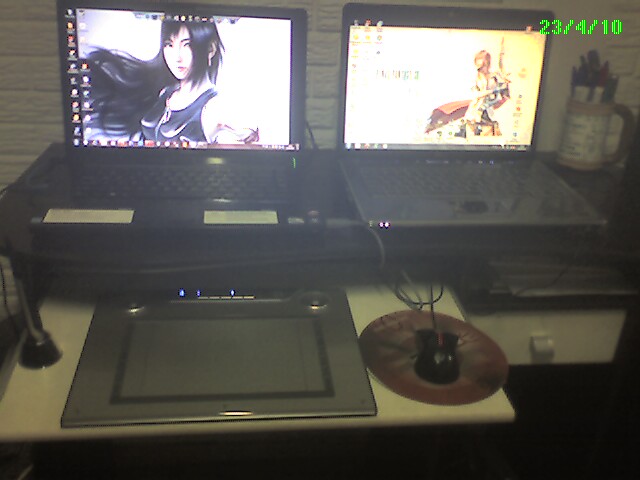 De ludumdare
And my books! With some alcoohol(maybe the mexican tequila will be util in the next 48 hours)
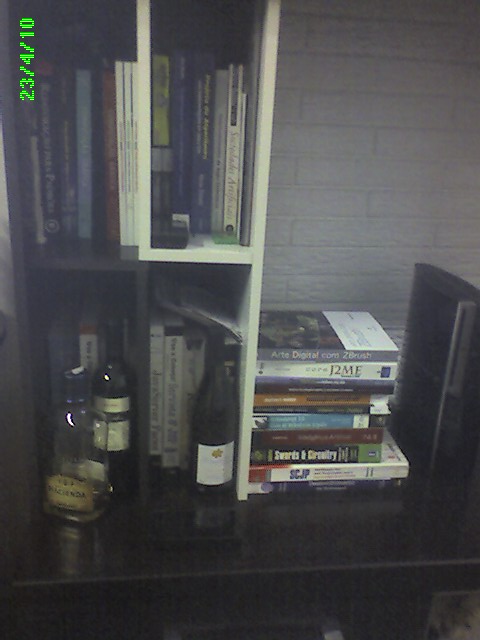 De ludumdare
This will be my first attempt. Really, I should have tried to prepare more ahead of time but found myself slacking off a bit too much this week. Not expecting to complete it since the plan is to learn OpenGL as I go.
Tools:
Programming Language: Python
Python Libraries: Pyglet, possibly pygame, pyOpenGL, python-bulletML
IDE: Geany
Graphics and Music: I will be making badly drawn sprites in Paint.NET possibly and recording awful sound effects if I end up having enough time to try to do that.
Hello, my name is Chris M, and this is my first LD48. I am really excited about making a game and seeing everyone else’s games. Here are the places where I’ll be working during the competition:
#gallery-1 { margin: auto; } #gallery-1 .gallery-item { float: left; margin-top: 10px; text-align: center; width: 33%; } #gallery-1 img { border: 2px solid #cfcfcf; } #gallery-1 .gallery-caption { margin-left: 0; } /* see gallery_shortcode() in wp-includes/media.php */ Inside working space (office)
 Outside working space (balcony)
I am not sure what framework I am going to use to code the game. Either I’ll use Blender3d game engine, or I’ll use my immature HTML5 framework, jsGameSoup. Part of me is tempted to whip out cc65 and make a game for gameboy or atari or commodore64. I’m trying to tell that part of me to shut the hell up.
The first thing I am going to do after the theme is announced is walk to the shops and buy some eggs, mushrooms, and toast (It’s morning time here in Western Australia). Then I am going to cook that stuff up and drink a massive coffee while my brain works out what to do with the theme. After that of course, I am going to start game making.
I will try to take naps today and tommorrow, because science says that naps rule. The competition finishes 10am Monday morning for me, which is fine because there is a public holiday on Monday. I’ll probably try to wake up early on Monday and do the last porting/release/distribution stuff before competition end.
Have fun!
Who’s self-sufficient next to their workstation for staying up?

Coffee? pep pills? What’s your poison?!
Are you reeeeeaaaaadyyyyyy?
I’m going to be shooting my Ludum Dare 48h using chronolapse. Seeing as i’m in Australia, and i want to give regular updates, i will be posting a total of three videos. Expect them!
Food diet:
Not entering this time, unless some CRAZY WACKY thing happens that makes feel like it. Good luck to all.
Scratch that, I’m in.
My basecode is set and ready to go using FlashBuilder/Flixel 2.35/Flex 4. My skeleton app is viewable with source-code here: http://www.refrag.com/2010/04/23/ld48-go/
I’ll have less time this weekend but I hope to make up the time with a smarter workflow and using a much better core set of code.
Let’s do this!!!!!
Heard about LD from Sophie some months ago. Probably going to use Flash/Away3D.. Maybe get a chance to try jiglib or another physics lib. Maybe Unity tho. Donno yet. Let’s see what that theme is!
Minimal Allegro basecode assembled, last-minute as always. C++ forever! Actual basecode after the break.
Hosting non-library basecode stuff on Codepad due to laziness.
main.cpp [codepad.org]
stuff.h [codepad.org]
Sample.h [codepad.org]
Bitmap.h [codepad.org]
Bitmap.cpp [codepad.org]
stb_image.c [nothings.org, this is a great library :D]
I have some. Also, this would probably be a good time to announce my other two colors.
They will be light yellow and navy.
Time to gooooo!
this is my first LD …
let’s see if i can make it – right now it feels kinda sleep ( 4:00 am in Germany! )
and here is the place i’m gonna sit for the next 48 hours!


on the left: macbook pro for chatting/etc.
on the right: Windows 7 PC with nice pretty display
all over: lots of room for working
bonus: rollin’ with the Sobchak