oolealealealea

LD27

October challenge – I’m in. Making an Android shooter game.

This is my first Ludum Dare. I contemplated creating a game for Android for some time and this LD just pushed me enough to get started. I’ll report my progress daily here and on my blog at http://bigosaur.com/blog

Lately I have been playing Subway Surfers and got really passionate about it. I usually don’t like the “endless” games, that you basically cannot finish, so I always set an arbitrary goal to reach. This time it was reaching 30x score multiplier. While I did that, I got some skill and really got addicted to the game. It also made me realize that Android games don’t have to be a AAA title with huge story and complex gameplay. Something simple and casual is OK.

Anyway, I thought it would be nice to have a game where you could simply point your finger at something and shoot it. With a system of Missions, Daily and Weekly Challenges and weapon upgrades it could be fun. My first idea was to create a game where some cute monsters would run around a beautyful scenery, hide behind the trees, old houses, or even in the clouds and you would need to shoot as many as you can. By cute monsters, I mean something like Gremlins. They would also bring in some huge machines and do other stupid things that would make you laugh. Of course, being an indie game developer with zero budget, I decided this would require too much art and too much of my time because of complex animation I envisioned. So I decided to use a different setup, something I can produce myself in a reasonable timeframe.

My goal now is to make an interesting, playable game for Android in one month. You can follow my progress on Ludum Dare, my blog or my Twitter feed at @mbabuskov.
Day 1: Backyard Panic

Looking at some websites with animation stuff, I found some nice, freeware, zombie animations. They have even animations for zombie being shot, crawling, etc. So, maybe this game could be a zombie shooter.

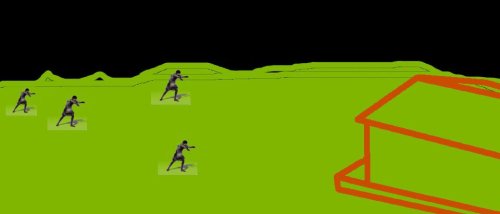
Your character would sit on his/her porch and shoot the zombies coming out of the cornfield. The game would be called Backyard Panic. You could switch different characters from the old granny, redneck with a shotgun, to a member of the Marines with some long-range rifle. Here’s a really, really rough sketch:

Update: I just played Zombie in USA. Interesting game, but gets a little bit boring to tap the device like crazy. I want a single touch equals kill type of interaction, at least for non-boss enemies. As I think about it more, the whole zombie topic seems too gloomy for me, and having yet another zombie game is hardly called fresh. So, I’m not sure about this. Also, it seems it would involve 3D graphics, and I’d like to stick with 2D, at least for my first Android game.

Stay tuned. I plan to post my progress at end of each day.

Comments

02. Oct 2013 · 23:08 UTC
I just realized that the screenshot I posted referenced an image on my local web server. I fixed it now.

Day 2: Eclipse setup and choosing a game library

I downloaded Android bundle and set up my Linux machine with Eclipse. I was able to run Hello World on my Galaxy S2. Hello Java. I really have to remember all the Java stuff as I haven’t used it since 2002 or something like that.

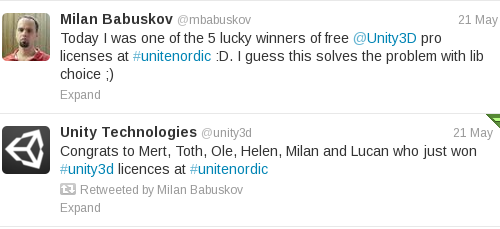
Looking at all the 2D/3D OpenGL stuff, it looks like it would be a good idea to use some toolkit/library to build the game. I got some free licenses for Unity3D at NordicGame 2013, but those do not include rights to release on Google Play, so I guess I’ll skip Unity for now. I’m now looking into CoronaSDK and some other libraries.

Comments

02. Oct 2013 · 00:29 UTC
What do you mean, they “do not include rights to release on Google Play”? Even Unity Free allows you to release on Google Play as far as I know. Or do you just mean that you wouldn’t be able to use Pro features on Android?
Draygera
02. Oct 2013 · 00:58 UTC
If you know how to write in Actionscript or use XNA, Libgdx is a fairly stable, mature and highly robust Java game framework that has support for Windows, Mac, Linux, HTML5, Android, and partial support for iOS and is very similar to these two frameworks. The only major downside is, if it’s your first game library, it’s going to be a PITA to use at first since there’s very little in the way of up to date tutorials and it’s not as popular as CoronaSDK or many of the other ones. Now, a book did just get released about a week ago that is supposed to be an excellent starter’s guide into using it, but I have no clue.

Day 3: A new game idea

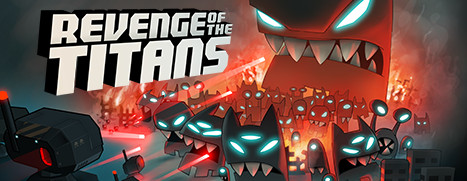
Looking around the net for ideas, and browsing Android forums, I found an ad for Revenge of the Titans. Cool game with retro graphics and nice animation. I can do retro graphics. So, instead of monsters, aliens would descent from space into your backyard… well…

No! Backyard does not seem like a good idea. I guess I’ll need a new game name as well. I have two ideas here:

  1. Aliens attack a remote defensive station on the border. They disable the automatted system, so you have to manually override the controls and shoot them. The game would be called MANUAL OVERRIDE or EMERGENCY OVERRIDE. I looked up on Google Play and Internet, it seems these names are free to be used.
  2. Aliens land on a docking bay of a large spaceship and you have to keep them away. They could hide behing some barrels, landed spacecraft, etc. I’d like to have some stuff in the game beside enemies that is destructable. The game would be called DOCKING BAY or DECK 42, or something like that.

Not very exciting titles? Oh, well. I hope something better will come to me as I’m making the game.

Day 4: A Twist

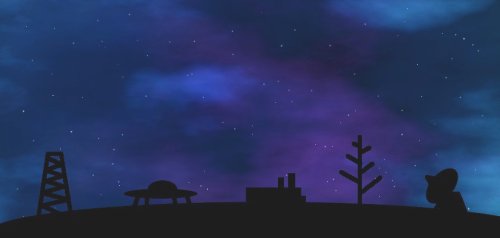
I have been trying to draw some docking bay graphics and it looks like s***. So, I’m diching the “docking bay” idea. The combat will happen in space. Yep, that’s it. Aliens would come from one side of the screen, and you would shoot them before they leave it on the other end. At the bottom there will be some destrucable stuff. Aliens could hide behind that, and maybe you can shoot it down or make holes in it by shooting. Here’s an example with a tower, satellite dish and some other things:


The idea is that you have limited time (say, one minute) to shoot down as many aliens as you can.

Since the game will have a space theme, I’m browsing my font collection, to find some cool gallactic font. So far, ArdourGM looks like the one I’ll use for in-game text like points, option screens, etc.

The graphics above are created using Gimp, and insipred by this nebula tutorial. After reading that and doing some my own tweaks I was able to draw the above picture in a couple of hours. I hate when I lose that much time on a single thing, but this background would be used for most of the game.

(Entire project history is on my blog: http://bigosaur.com/blog/)

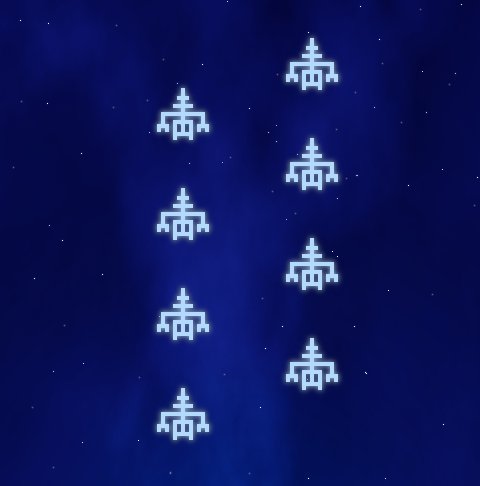
Day 6: First aliens and screen orientation

OK, I got some really retro aliens, and they are flying around. Sorry for no demo, it’s an Android game, all I got is .apk and you probably wouldn’t want to install .apk from a complete stranger. Basically, the background loads, and stars load, and stars slowly move. To scroll the stars I’m using setV() and setV2() on the stars texture, slowly increasing the timer. Like this:

scrollTimer -= delta*0.014;
if (scrollTimer < 0.0f)
scrollTimer = 1.0f;
sStars.setV(scrollTimer);
sStars.setV2(scrollTimer+1);

And then some aliens show up and they move to the right. That’s about all that works now. I’m still learning libGDX, so a lot of time goes into googling and reading tutorials or watching videos.

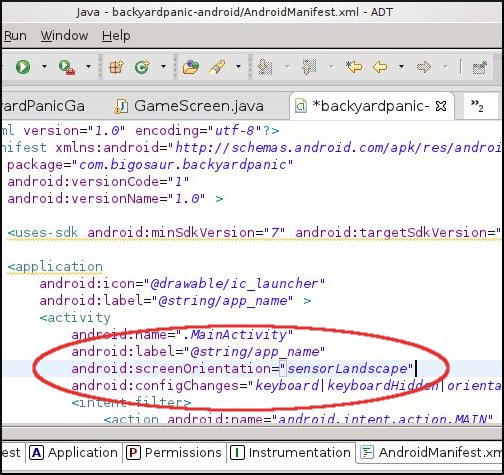
Helpful tip: I noticed that some games built with libGDX have fixed screen orientation. If you flip the device, the game shows upside-down. I found a very simple solution to this in some obscure comment in some SO thread. Just replace landscape with sensorLandscape in AndroidManifest.xml and device flips the screen automatically.

(Copied from my blog)

Comments

05. Oct 2013 · 08:58 UTC
I wonder what’s the best way to include source code snippets in the posts?

Day 7: Change of layout and screen orientation

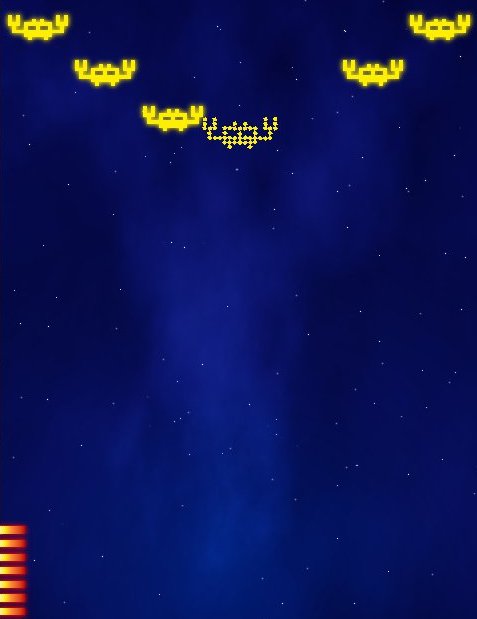
You can shoot aliens now. Since the graphics is retro style, I decided to explode the alien’s large pixels (I draw aliens using large zoom tool in Gimp, and then I enlarge the image 5x without any interpolation). I wrote a custom particle manager code and use built in tweening in libGDX to send each piece in a random direction away from center.

You may notice that there is no you on the screen. This is on purpose. In case you did not realize yet, this is a first person shooter. ROFL. Well, at least technically, it is. You don’t get to see yourself, you only shoot at enemies. In some test version I also tried to scale the aliens to give a feeling of depth and them coming from far away, but it’s hard to shoot small sprites on Android using your finger, so I gave up on the idea.

To make the game more interesting, the laser gun you’re using would need reloading. You got 10 shots and then you need to hit the Reload button at lower left corner of the screen. I’m still not sure about this feature – needs testing.

As I was testing this, one thing bothered me a lot: While I shoot the aliens, my index finger is all over the screen and it’s hard to see what’s going on. Then I looked at different Android games on my phone and realized that it would be much better if screen was oriented in portrait mode. When in portrait mode, your index finger does not come from below, but from right side (if you’re right-handed, of course). Most of the screen is still visible in this case. I’m also changing the flying direction. Instead of going from left to right, aliens are coming from the top of the screen.

Because of this, I’m also changing the main game concept. Instead of playing a fixed amount of time, you would play until you allow one of the aliens to get past you. My initial idea was that you would play for one minute and score as many points possible during that time (something like fruit ninja arcade mode). But now I’m thinking you could have 3 lives or something like that, and if you let some aliens pass, it’s game over.

I also changed the nebulas in the background. I wrote before about that tutorial how to draw a night sky with stars and nebulas in Gimp, but I had to experiment a bit to get the look I wanted. It works by using Subtract layer effect on two layers with rendered Solid Noise, and then colored using Overlay with a single color and a gradient. The problem is that Subtracting those two layers always created a “small” nebula, while I wanted the whole screen to be full with color. I draw the stars by placing a bunch of random dots using pencil and a couple of different colors. I separated the stars in 3 layers. On one of the layers I added a 2px drop shadow (with no offset), on second one I used blur and I left the third one as it is. The trick to nice stars is that those drawn close to each other should always be different color or have different sharpness. This is the way it is on the real sky. The stars that look close together are lightyears away and only appear close from Earth.

(Copied from my blog)

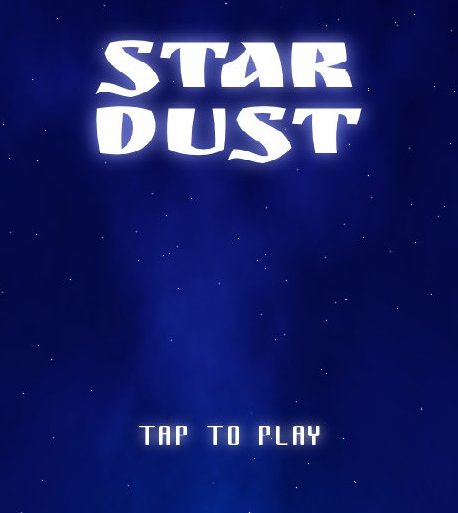
Day 8: Star Dust

I’m looking for a new title for the game. Got one, but need to research more to see if it’s available: STAR DUST. I tried some fonts and I think I’ll use the one called Ruslan Display.

I polished the algorithm for alien explosions today. I’m also thinking how will the enemy waves look like. There would be 10 waves of enemies, and then a boss and after that the game would speed up a little bit and some new enemies would be introduced. At each tenth level (10,20,30…) there would be a new, unique boss. This algorithm would repeat until player dies. The speed would be capped at 2x starting speed as it seems to me that takes a lot of effort to play if you want to destroy all aliens.

And then, there will be powerups. Here are current ideas:

Time limited, collectible during game:

  • shield (sits at bottom of the screen, protects against one alien going through)
  • score multiplier boost (x2)
  • rapid fire (just hold your finger down and move around)
  • mega bomb (destroy all aliens on screen)
  • hyperdrive (skip 10 waves of enemies, but gain points as if you destroyed them)
  • gallactic ninja (cut enemies with a jedi sword – fruit ninja style)
  • auto reload (auto reload lasers)
  • spread fire (fire 3 or 4 lasers at the same time)
  • extra life (start game with 4 lives)

Permanent, can be upgraded between plays:

  • rapid fire duration
  • shield duration
  • galactic ninja duration
  • auto reload duration

Day 9: It’s a shooter, and it has first person perspective. Yet, it is not a darn FPS.

Looks like I’ll have a hard time classifing this game when I talk to people. I could say it’s a “retro arcade”. Although, it differs from retro arcades where you move your ship around and it fires bullets straight. Here your position is static, and gun fires wherever you tell it to. Come to think of it, I’ve never seen a game that plays exacly like this, so don’t try to classify it in some existing genre. The closest I got was “it’s like Space Invaders, but without a ship”. This got people completely confused.

Today I reworked the alien spawning code. I also redraw all the aliens in white color, so that I can change color at runtime using the same sprite. In case you didn’t notice, aliens are single-color. I’m thinking to leave it this way, except for bosses. Maybe just add some glow animation or something like that. Who knows, maybe some artist will see a potential this game has and create some cool graphics. Feel free to contact me about this.

I’m thinking there could be an event in the game when enemies would “upgrade” to better graphics. Accompanied with a message “Aliens have evolved”, which would bring in some metallic look and feel, for example.

Explosion code is also unified, so now I just supply a 2D array of “pixels” and enemies get blown to pieces. This has been working for some time, but now I got that code clean and universally usable for any kind of alien. Except maybe bosses, which might fall apart in stages. I still need to ponder on that one.

Anyway, if you’re interested in playing, here’s an .apk file of what I’ve done so far. Features are obviously missing, but you can see what I’m up to.

Day 10: Making it more fun to play

I’m having doubts whether the current concept is fun enough to play longer. Maybe it would be better if aliens would move left and right as well. I implemented that now for two new attack formations and it looks and feels much better. I also added the camera shake code when you hit an alien and it explodes. The game feels more alive now. The reload button works, so now you can empty your 10-bullet clip and have to reload. Makes the gameplay more interesting as you have to break from shooting spree to reload the gun. I replaced the ugly magenta color of some aliens with cold, whiteish blue. It looks much better.

I’m thinking maybe it would be better if player could only touch the lower part of the screen – area within his shield. This way the upper part would always be visible – not hidden underneath player’s finger as it happens often now. Maybe if shield is half screen size at start and as enemies hit it, it reduces until the gun is naked and vunerable. Although, this would mean having to draw a gun as well. Probably not a bad idea though, I might try this.

Star Dust name is taken, I tried some 20+ others, but it seems that it’s really hard to find a free name, as there are many space-theme games.

(copied from my blog)

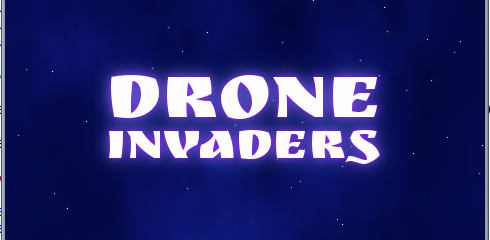
Day 12: Introducing DRONE INVADERS

I finally decided on the name. There were many game names out there, but I only found 6-7 available. This one seems to fit the game theme the best. New title screen is ready, using the same Ruslan font.

Today I learned difference between Comparable and Comparator in Java. I changed the bullet code, so that you can fire multiple bullets (laser fragments) at the same time. Also, you don’t need to touch the alien to shoot it, but rather just fire in its direction and bullet hits it. Instead of going with full collision detection, I simply extrapolate bullet trajectory at the moment of firing and see which alien it hits first. This worked fine for all levels until the Boss level. Since Boss spits other aliens, he gets to be the first in array and bullet would fly through all the aliens and hit the boss. I left this behavior if you touch the boss directly. But, when you just shoot in some direction I’m sorting the aliens by y-coordinate to shoot the nearest one.

This new feature changes gameplay a bit. It’s now easier to play, and more enjoyable as aliens you shoot are no longer obscured by your finger. The game has turned from “precise touches” to “shooting fest” and only that 10-bullet clip prevents you from destroying everything in two seconds.

I guess I’ll now have to make alien movement even more challenging, so that the game doesn’t get too easy.

Day 12: Part 2

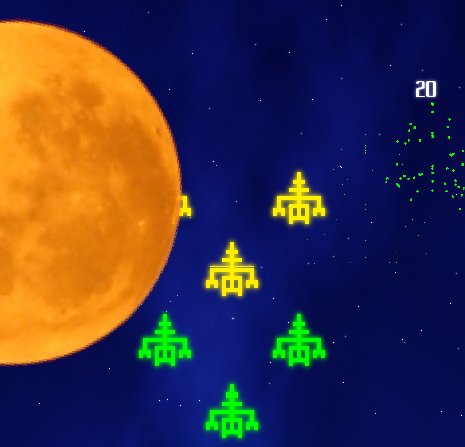
I started to like the game too much, and decided to work on it more before going to sleep. On levels 16, 26,… I added a big moon, and aliens are hiding behind it. The moon slowly moves across the screen, just in time to finish before the Boss level. This makes the gameplay really challenging. It was also challenging to do detection whether aliens are hidden behind the moon or not. Since moon is round, rectangles are not very easy to use. I looked into pixel-precise detection, but I’m afraid it would slow the game to look individual pixels each time a shot is fired – especially since moon is rotating all the time. So I just reduced the original sprite rectangle by some 12% and I’m doing the rectangular checks instead. It is not pixel-precise, but it works really well. The way it works, bullets fly over the moon and aliens fly under the moon, so you can shoot those who haven’t reached the cover yet.

I’m really satisfied with the gameplay now. It’s fun, challenging and engaging. Now I need more bosses, a couple of more alien types and powerups. Without powerups it’s a real challenge to reach wave 60, so I’ll try to create enough content to have new stuff show up at least until level 100 without repeating bosses. I guess it will be easier with powerups. We’ll see once I add those.

This is the first time I’m feeling it’s going to be a great game, rising above the average space shooter.

Comments

11. Oct 2013 · 17:57 UTC
Looks like a cool game, I really like the artstyle. :)

Day 21: Monetization of Android game

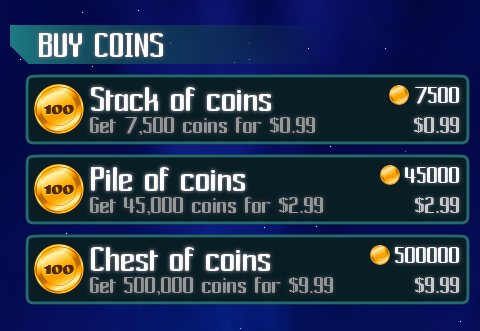
I’m making this game as an experiment, so I don’t expect to earn much money. This game is going to be free to play, with option to buy coins in the game if you want. I like the way it’s done in games like Pudding Monsters where players can play everything without paying at all. Drone Invaders will be completely playable without paying a dime, so it is not a kind of “pay to win” types. However, I still want to enable players who can’t wait to have fully powered up weapons right away.

I opened the Google Play account without problems. It was $25, which is fine. I just read some blog post where a solution to saturation of Google Play was suggested – it proposed to have $5000 registration fee, so only developers who are serious would apply. I’m not sure if I would apply for $5000, it seems so me that only big studios who are already making money on other platforms would participate.

However, opening a Google Merchant Account is mission impossible from my country. So, what are the options. Well, you can still add payments with services like Fortumo or Centili, but this has two problems: 1. it goes against Google Play terms of use, so you either risk getting your account suspended or you only publish to other Android app stores (there are some 30+ as far as I can tell, and some stats say they make up about 30% of the market, although this seems too high to me). 2. to enable payment via SMS, your game needs to ask for two system permissions which users probably won’t like: send and receive SMS. Although this is the only way to enable monetization in some countries, if you aim for US market, it’s a bad idea.

Third option is to start a company in USA and register account that way. This is of course the right thing to do if you expect to earn some substantial amount of money from your game, but having an US company brings in some costs. There are specialized agencies that can register you a company in Delaware. Delaware is a USA state and a tax-haven. Of course, you can always tranfer the earned money from there to yourself, and then pay the taxes locally on that transfer. I’m not ready for this step yet, as this is my first game and I have no clue if I will make any money of it.

Luckily, I have a friend who lives in US, so we opened an account under his name, and the game will be released under that account. At least merchant account is available for US individuals. I still don’t understand why Google won’t allow merchant accounts from my country, when I’m receiving money from their AdSense directly, without any problems. I guess not all departments of Google have the same policy.

Day 22: Sound effects

Although I have a wast library of wav sfx files I accumulated over the years, I’ve seen other game devs use Bfxr to create their own effects, so I decided to give it a try.

This is nice, because you own the effect 100% and you don’t need to prove where did you get the audio file. Some of the sites I used to download my sfx in the past are no longer online, and tracking people who made those is impossible. For example, my favorite mod music is Aspirating Milk which I found on modarchive. I tried to contact the author via e-mail in the tracker file, but got no reply. It was probably his address at university or something.

Bfxr requires Windows or Mac, while I prefer doing my development on Linux. I thought about running it on Wine, but didn’t even bother to try because I found this:

http://www.superflashbros.net/as3sfxr/

It’s a super easy to use and simple Flash app you can run in your browser. I highly recommend it.

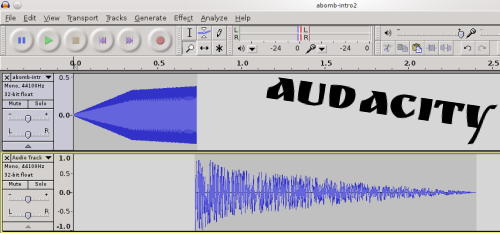
These sfx programs produce various simple sound effects. Some complex sound effect can be created by mixing a couple of simple effects in a program like Audacity. I used it to create sfx for Atomic Bomb powerup:

Mixing sound effects from as3sfxr in Audacity

BTW, I basically completed the game, I’m now testing on various Android devices. I’ll probably do the release on Google Play store tomorrow or day after.

Comments

Draygera
21. Oct 2013 · 23:14 UTC
What distro do you use? The last Linux distro I used was Arch Linux and that one is good if you want to fully customize your system.

Day 25: Some stats and first sale!

I’m not sure how does an average Android game fare, so I’m making my stats public and hopefully someone would compare with theirs and tell me is this good.

As for the marketing, I posted to Java-gaming.org, to my Twitter followers (which were around 200 at the time), and to Hacker News. Story on HN was picked up really fast, and reached the main page and stayed there for a day, I got about 150 new Twitter followers out of this and a lot of re-tweets of my blog post link.

Here’s the stats page:

http://slagalica.tv/drones.php

UPDATE: I’ve got my first sale!!! If you’re the one and reading this, Thank you!

Someone bought the smallest coin package (7500 coins) for $0.99. My profit from this is $0.69. Well, looks like I need just one more sale to complete the October challenge :)


Comments

gambrinous
25. Oct 2013 · 11:59 UTC
Congratulations!
jplur
25. Oct 2013 · 12:38 UTC
Great work, been rooting for you!

LD30

Day 3: Enabling immersive mode on Android

While testing the math from my previous post, I noticed that wrong set of images gets picked up on some of the Android devices. Those devices have on-screen buttons (home, back, menu) which are shown inside the screen. Luckly, the solution is simple, just enable the immersive mode and buttons would go away and you have the whole screen to your game.

As a side-effect, players would be much less likely to hit the home button at the bottom of the screen and exit your game mid-play, as they would have to drag the finger to make the button appear at all.

The immersive mode is available since KitKat. If you don’t want to bother with the docs, here’s the code you can simply copy/paste into your project:

http://bigosaur.com/blog/32-handle-immersive-kitkat

The code uses a 5 second delay before immersive mode is activated. This is useful in case user lanuches the app by mistake.

If you’re making an Android game, please implement this.


Gods of Sparta: fixed version

The second beta version is ready for testing. Everything should work now. The music in main menu screen is still missing, but everything else is there. Please test and tell me how you like it and if you think something needs to be improved.

https://play.google.com/store/apps/details?id=com.bigosaur.gos.android

If you installed the first beta, please remove it from your Android. Due to updated libGDX, the application package name has changed (from com.bigosaur.gos to com.bigosaur.gos.android), so Google is treating this new one as a separate application and won’t update the game if you have already installed. You have to install this one as if it was a completely different game. Sorry for the inconvenience.