This is what you get, potators
And carrots. Do not get in my way when I am giving potators what they deserve.

And carrots. Do not get in my way when I am giving potators what they deserve.
Cheers! I have now successfully set up SFML 2.0 (for C++) to compile for OS X, Linux and Windows! This confirms my main framework for programming. Initially, though, I was as confused as a pOtaToR.

Let me explain what I went through, and let me see if I can help you too, in case you are also having problems setting SFML 2.0 up in a cross-platform environment!
So, I have two laptops for this purpose. One is a Mac and, naturally, what I use to compile for OS X. I am using Xcode 4.6.2, to which I updated just two days ago or so. The other laptop is running, now good and old, Ubuntu 10.10 Maverick Meerkat. This is where dual cross-compiling magic happens; I natively compile the Linux executable here, of course, using G++, but also the Windows version, using MinGW. My Linux IDE is Code::Blocks. I will be working on the Mac, only moving on to this laptop when I need to compile for the other two systems. The Windows version also runs fine in Wine.
I did have some trouble here and there when it came to setting it up for the various systems, and I thought I’d briefly mention them in case anybody else wishes to work with a multi-platform SFML 2.0 setup and is running into problems similar to those that I have had.
For OS X, I first downloaded the SFML 2.0 OS X release candidate and tried setting up the frameworks and the Xcode templates. This all seemed unsuccessful, initially. I never got the templates properly working in the end either, but I didn’t need them. I set up an empty project instead, and started setting it up.
I never needed to manually set, in the project’s build phases, any frameworks to link with, because I decided to do it with linker flags* instead, but if linking errors crop up, I would suggesting manually dragging the SFML frameworks here. The build phase settings are found by clicking the project name at the top of the Xcode window’s left file hierarchy bar (shown by pressing cmd+1 if it is not visible), and then the target with the same name. At the top of the main box will be a few tabs, and one of them is for the build phases.

Ignore the AngelScript target – it has nothing to do with SFML. I just happened to be testing AS in the same project.
What I did have to do, however, were two things, located in the build settings. Those of the project, above the targets in the white middle column visible in the above picture, rather than those of any specific target. If your only target is the application itself, though, and you don’t have a second one like my AS one here, it doesn’t matter, though.
-framework sfml-system -framework sfml-window -framework sfml-graphics
If audio or networking or anything is needed, add those as well. The other linker flags are found as such:

Setting linker flags in Xcode
I also had to manually set the path to the global frameworks’ folder, under the framework search paths, for some reason, which Google helped me find out. I set it to /Library/Frameworks and I did it in the application’s target, but the project’s global build settings will work just fine too.

Setting the frameworks’ search path

Setting non-C++11 compiler
That was it, and I had it working under OS X!
For Linux, I tried doing things in various ways until I eventually ended up compiling SFML myself using Make, following this wonderful tutorial for Ubuntu written by a certain Xandier314 in 2011. This means that I did not download the release candidate for Linux, but the latest development snapshot found at the very top of the download page.
As the article itself says, the tutorial focuses on Ubuntu specifically, but should be applicable to most Linux distributions with the exception of package management which might work differently in order to acquire the prerequisities needed to compile SFML. Surely any programming Linux user would already know how to do this on their specific system. If not, Google is your very best friend.
Having followed this didn’t end my problems right away, though. Compiling or linking still didn’t work properly even after installing everything. The solution, however, was simple, even though it did require a little searching on my part.
sudo ldconfig
This did the trick for me.
export "LD_LIBRARY_PATH=/path/to/folder/"
The folder path is to where the libraries were installed. This was probably in /usr/local/lib. To confirm that you have successfully changed the path, you can type the following command into the terminal:
echo $LD_LIBRARY_PATH
If Code::Blocks still refuses to find your libraries or headers, you might have to set things up within the IDE as well.

Setting search directories in Code::Blocks

Adding libraries to link in Code::Blocks
That was it! I was now able to compile and run my application both in debug and release mode for Linux.
This title is, of course, slightly deceiving; I did not actually use Windows to compile the Windows version, and I’m sure it would pretty easy to set up there by following the instructions on the website either way – or perhaps not, seeing how the tutorials for OS X and Linux proved to result in problems to which I had to find solutions elsewhere. Either way, I do not possess any computer running Windows, and this section is about getting SFML 2.0 up and running for cross-compilation using Code::Blocks in Linux. The very same Ubuntu previously used, specifically.
Getting this to work assumes that you have already got the MinGW Windows cross-compiler for Linux up and running. I will not go through the steps of installing it. You can find the downloads and information needed here. I will tell you, however, that in order to set up the search paths to set the MinGW compiler for use by Code::Blocks later, you will need to go from the program’s top menu Settings > Compiler and debugger and then move on to the tab Search directories and add the path to the bin subfolder of your MinGW folder.

Setting compiler search directories in Code::Blocks
Getting it to work in Windows after having gotten it to work in Linux was surprisingly quick and without pain, actually. I made a copy of my Linux project and started making a couple of changes to it.

Setting search directories for MinGW in Code::Blocks

Setting libraries to link to for MinGW in Code::Blocks
[EDIT: So you’re not supposed to use the -s suffixed libraries as shown in the image above; libsfml-system(-d).a, not libsfml-system-s(-d).a]

Changing Code::Blocks toolchain executables
You should now be ready to compile and see the project properly running for Windows as well, through Wine! Remember that for me, only the release target willwould (before I solved it; see above) work, so in case you get any errors when trying to compile or link the debug target, make sure to try out the release target before you deem your endeavours a failure. Also remember that you will need to clean the project first if you did like me and copied the Linux project and compiled that one earlier, as there will be incompatible leftover object files from there.
I hope this was helpful to somebody! If not, I’ll at least have these notes for myself in the future!

Tags: potator, tutorial sfml 2.0 mac osx os x linux windows ubuntu mingw g++ gcc cross-compile help
Perhaps somebody saw my post about how I set up SFML 2.0 for cross-compilation. I have one more thing to share. It is in no way necessarily connected to SFML 2.0, but that was what I used here, so modifications would have to be made for other frameworks (or other languages than C++).
What I have made is a very simple demo where a “character” with a rectangular hitbox may be moved with the arrow keys and unable to go through other solid objects, also with rectangular hitboxes – walls, simply. Topdown view.
Here is the source code:
http://pastebin.com/gHvAQ1as
To note:


This is the only thing I’ve done for LD that may be considered a “warmup” so far. I did it during a one-hour train ride when I had nothing better to do. Perhaps somebody will find this useful during the competition.

Kaala was the name given to the little engine.
The above picture says a thousand words along with the title of this post, of course. To hear a million words, go try out the HTML5 demo yourself right away in your browser. Use WASD for movement.
I am sure having fun trying to provide some helpfulness this LD around! So far, I’ve written about how I set up SFML 2.0 for cross-compilation and made a little rectangle collision demo in SFML 2.0 for you to use. I have now spent the evening fixing some bugs in my old, simple 2D platformer engine that I wrote in June last year using SFML 2.0, which I later converted to HTML5 using Canvas some time in September or so the same year. I transferred the bug fixes to that version as well and then I packaged into a grand present the following:
The code is messy at points and very uncommented, but at least the C++ version has a good file hierarchy of subfolders and classes. The JavaScript version has everything in a single file but at least still uses “classes” as JS provides them.
If you do want to use it, check the code out and try to play with it. I won’t explain it in detail, but I can give you some clues.
Well, I’ve spent the last few days setting up my tools and making some demos/engines/warmups. Since the dare starts 04:00 my time, I didn’t sleep last night, so that I could sleep during the day today, and then be rested in time for the commencement of the dare. I have now awoken, a couple of hours before the start, and having slept all day and going to have little time for cooking during the competition, I decided to make the final preparation. Not code, but food. Food containing potatostuffs, naturally!

There is more to eat in the glass container, as you can see. I have also been considering ideas for the candidate themes. I am as ready as a book. Let’s do this!
Both parts of image relevant.

Also, screenshots:


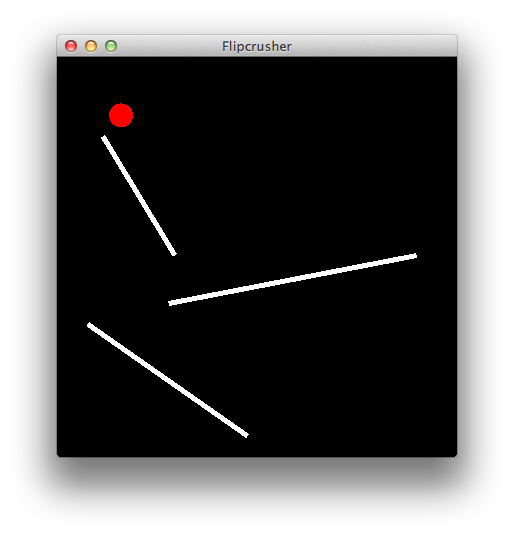
So, we have now understood that the compo is only for one-man teams and thus our team of two will have to aim for the jam instead. 24 more hours! Well, needed. I just managed to pull of somewhat convincing-looking physics for a second level in our game, and we would never have been able to actually build the level and move on in just two hours. Woohoo! Look at that ball fall and roll!


Not you! However, you will step into the shoes of one. For this was a scumbag, right?

You’ve screwed up. You’ve offended and hurt people. You’ve lost your loved ones. You’ve only got one chance to redeem yourself. Maybe. Perhaps not a good chance. Perhaps not a worthy chance. Who can tell? Figure it out. Play SCUMBAG.
http://www.ludumdare.com/compo/ludum-dare-28/?action=preview&uid=6155
This is a depressive visual novel and text adventure sort of crossover. Just click around. Talk to people. It’s all conversations, this game. An easy game with a difficult objective. Play it a few times to figure as much out of the background story as you can. It only takes a minute or two or three each time, probably.

Me, Ava, of Royal Railway, made this with my friend Mehdi over the course of the last three days as a jam entry. I did sleep a lot, too. I had to rush the end of it. Oh, well.

Tags: ava skoog, depressive, fucked up, game, hipster, indie, LD28, LD72, mehdi forozandeh, melancholy, royal railway, sad, scumbag, swag, sweden, text adventure, Visual Novel, yolo

Another one by Ava and Marte – your favourite turtle doves. We participated together last time with Fitzberry & Leif, and now we are back with one more dimension to explore – from every angle possible!


So grab your keyboard, or your gamepad, which might also be supported! Have a go! Help this poor fellow out of that scary television screen. Send it blasting off the table with a loud and static crack! That’s what it deserves.
Tags: ava skoog, cute, entry, jam, kawaii, ld31, ldjam, Ludum Dare, Marte Kvamme Strømmen, physics, platformer, puzzle, Screencap'd

I (Ava) wasn’t sure I’d be submitting something this time. I decided to wait until the theme was announced. The theme did however provide an immediate idea, and it seems to be an odd one out there in this time’s sea of submissions; you’re not a combatant in this game.
It might not be much of a game either. Unconventional, if you will. It’s a short, mildly interactive experience meant to abstractly convey a message by the help of symbolism rather than words.
After getting the idea for this game, I decided to watch a relevant documentary online before I started. An important subject touched me even more after watching that, and so the work began. It was all wrapped up by finding some statistics.
Give it a play — it’s but a few minutes long and played right in your browser without plugins — and see if we (Marte, Eva and myself) managed to do the subject any justice at all with this short, short presentation. Submit your ratings and leave a comment on the page.
Thank you!


Tags: ava skoog, bullying, eva jolene, Marte Kvamme Strømmen, suicide, unconventional, words

Ava and Marte reporting in as usual. This time accompanied by two others: Morten and Ida.
—
We took on a grim theme dear to the four of us, and our hopes is that something will come out of it for those who play it.
Turn on the lights and discover monstrosities in the comfort of your own chair! “Turn on the light” is a psychological feelbad game in 2.5D, with a hint of puzzles.
Perhaps you will discover something about yourself.
—
—


Tags: ava skoog, dark, enlightenment, ida iki, jam, LD33, ldjam, light, Marte Kvamme Strømmen, morten formo, psychological, puzzle, turn on the light, You are the Monster
Ich bin Ava. I haven’t written anything on the front page the last few times. I counted and apparently this is my 10th LD. It will be my 4th time collaborating with Marte and 2nd time with Morten, who are both with me this time just like the were last time.
This time around, we’ve set up some proper synchronisation.
We’re all using SourceTree to manage our files with git through Bitbucket where we’ve set up a source control repository for our Unity 5.3 project. We’ll also be trying out nested scenes to split work up in a nicely non-intrusive way. Cool beans. Top banana. Recommended for teams!
I guess you can call me and Morten programmer-artists and Marte an artist-musician to define our probable roles during this jam.
The obligatory tool list goes something like this:
Team list again:
So we decided to use growing hair as our take on the growth theme, and what better role model than Rapunzel herself?
Marte did do some work on personalising the classic character a bit nonetheless.
Meanwhile, I spent the day programming some swinging action. Will connect hair to head properly and so on eventually.

I think these posts are much more fun to write when we’ve already gotten started a bit and can give you a hint of what we’ll be making this time, so here goes.
This is Ava’s 11th LD and her 6th together with Marte and 3rd together with Morten. Here are the ones Ava and Marte have done so far, Morten being present for the last two of them:

Our work is usually divided all over the place. This time it looks something like this:
Ava and Morten have both also done 3D graphics before, but we don’t really need that this time.
A game! We shan’t reveal the whole shenanigans for now (hint: certain animals shift their shape in one way or another), but we’re letting the theme inspire us both mechanically and narratively. You’ll see. Ava and Morten are currently busy implementing one mechanic each, while Marte is piecing together a level.
For now, gaze at glorious prototyping graphics that will be refined as we go (in order of who’s working on it: Morten, Ava, Marte):

(click here for animated version)

(click here for animated version)

This one is apparently obligatory, or so the tradition says. I think it goes something like this…
Woohoo!

Trying a .gifv rather than a .gif this time. Gets an ugly border but hopefully at least it doesn’t stop working after the first two or so views of the post like GIF’s have been doing lately…
Here’s the current progress of the game by Ava, Marte and Morten!(actually it’s from a few hours ago and some more progress has been made since)
We’re following the theme both narratively and mechanically.
The octopus is the dynamic shapeshifter of the game, which is a mechanic. The tadpole gradually grows into a frog during the game, which is a narrative. You swap between them and use their respective abilities to solve puzzles and clear the way.
Friends tho they become, they cannot stay here together! :’c An octopus belongs in the salty sea water and the frog must stick to freshwater. Some nasty punk threw the bottle with octopus into this puddle.
Marte and Morten have already gone to sleep. Ava just wanted to do some final work on the frog, but now thinks it’s for the best that she too go to sleep not to fall out of sync with the others for the final day of the jam. Good night and good luck to all jammers!
Tags: ava, cephalopod, frog, marte, morten, octopus, progress, puzzle, shapeshifting, tadpole
Been scouring through the blog, finding many poor souls seeking teammates but getting little to no response. Thought I’d try and compile a list to help out.
If you want to be added to this list, please provide a link to your blog post. If you want me to remove you from this list, or if I’ve misinterpreted your main role or what sort of people you are looking for, do tell.
Will keep this updated as well as I can until it starts, at which point I’ll go jamming and that’s the end of it! c:
If someone strikes your interest, click the link to go over to their post and leave a comment there rather than here (or better, if they’ve provided contact information in their post, use that).
Programmers:
Musicians:
Unsure/mixed:
I went back through the blog about two months, so if I’ve accidentally caught somebody who was really referring to Mini LD, oops! Do tell.
Tags: matchmaking, teammate
We posted an update earlier today with some very crude beginnings:
We’ve now come a bit further, and 2/3 are asleep, and the last one is about to turn in as well. But how about a little update first?
Our first day has had work kind of separated so far.Morten has been programming without any graphical assets:
Ava has been working on those assets by animating a character without any character designs, just animating the rig and club:
Marte has been trooping along despite feeling ill, designing some of these characters, explaining why the animations look a bit weird (getting up really fast after falling; floaty feet): they’ve got hover boots!

Woah! That hair. What’s with that? Well… Our idea is to make them very JRPG because our deal is to try and mix JRPG stereotypes with sport game stereotypes in a wonky way…
Maybe in the next update you’ll actually get to see what we have in mind for that ancient technology...
Tags: ancient, ava, hockey, jam, jrpg, marte, morten, sports, technology

Ava, Marte and Morten have once again magically managed to finish an entry last minute! No LD game ever ends up quite as was initially expected, but nonetheless we seem to be able to tie things up in at least some sort of way by working into the submission hour every time!
Pucketeers of Atlantis ended up being a kind of game that I don’t think any one of us would really play regularly—a sports game—but we figured it might be fun to play with some ridiculous elements. Like a Mario Kart version of sports! And indeed, that does exists in the form of Mario Strikers, and watching some gameplay we realised that that series had already incorporated a lot of the ideas we had individually thought up. Yikes!

Passing a puck! Oh, and collect those boxes to get power-ups to activate!

Ouch! Exploding pucks! Dangerous. Very dangerous.
If you feel like playing a neverending game of explosive hockey with Atlantean robots as well as non-Atlantean human beings on your team while wearing ancient Atlantean hover boots, then this might be for you! Oh, and a friend. Or something like that.
It’s a two player game—no more, no less.
You also need at least one gamepad, but two would be recommended, since that’s a lot more fun. We realise this might lead fewer to play, but perhaps we chose the right LD for such a daring decision.
Tags: ancient, atlantis, ava, hockey, jam, mario kart, mario strikers, marte, morten, Of, pucketeers, rink, sci-fi, sport, sports, technology
Post mortem sounds depressing! And wrong—the game just came into being, did it not? c; Here’s something about our two-player explosive hockey game (Pucketeers of Atlantis) post jam, at the very least!
Do begin by having a peek at the game to have an idea of what we’re talking about in the first place!
Let’s begin here and now. The final game we submitted for the jam. Well, you can see above. It’s a two-player game, primarily intended for gamepads, where each controls a team of three characters to battle it out in the rink.
The twist: a periodically exploding puck, and little item boxes that pop up from time to time that can be grabbed in order to be activated when the player is holding the puck (two of these were implemented: one making time go slower for everybody except the current pucketeer, and one making everyone else fall over, both offering a momentarily opportunity to go straight for the goal).
It is perhaps not the best take on the theme, ancient technology. The idea was that the puck and hover boots and items to pick up and some of the characters (robots) were supposed to be ancient relics of long forgotten Atlantis, but that is admittedly a stretch in the first place, and it’s not exactly evident in the game itself, but needs to be spelled out.
The final game that you now see wasn’t entirely planned as such from the beginning. The original idea was “(J)RPG hockey”, and there were all sorts of wonky ideas floating around, including turn-based elements, strategy, stats and very exaggerated features of all sorts, as well as closeup one on one sequences when dribbling or tackling.
Not much of that stuck around, partially due to time constraints, partially due to reconsiderations of what would be fun to play, but at least the characters still look kind of like those of early Final Fantasy games (no time for proper human modelling, sorry!).
Extended! Brushed up! Packaged. Networked? There are currently some considerations to do a little more work on this game beyond LD, making it more fun, perhaps allowing a third team on the field at the same time, and perhaps even some rudimentary online play.
Who knows? Such projects have a tendency to blow up and not happen, but it’s a fun thought, and there will probably be some experimentation at the very least. We’ll see!
Tags: 3D, ava, hockey, jam, marte, Mortem, morten, multiplayer, Post, post-mortem, puck, pucketeers of atlantis, sports, unity
After using Unity for most of our more recent entries, I’m considering trying something simpler out this time, and just a few days ago I found out about a JavaScript framework called p5.js, which is basically a JS port of the Java framework Processing, in case anybody’s familiar with that. It makes it simple enough to draw things and play sounds in the browser in no time.
In order to learn how to use it and to get some fundamental stuff going (animated sprites, for example), I wrote up a few JS “classes” today. I’m still not sure whether I’ll be using p5.js at all, but in case somebody else wants to use my boilerplate stuff, feel free! c:
A glorious demo (live [warning: thunder audio at the beginning]: http://formo.ninja/LD37/test/):
Fundamental files:
Less interesting but perhaps handy…
You’ll need to tie it up yourself, but I’m sure you can figure it out. The sprite and animation classes want an object from loadImage() and the animation requires a delta time, which you can calculate easily by using millis(). Animation class in particular is a bit tricky perhaps, with a bunch of settings, so read the comments in the file.
Tags: animation, boilerplate, code, javascript, p5.js

