rxi

LD25

Does my game world have toilets or not?

Like last Ludum Dare I slept through the first 8 hours (I think I went to bed when it started?), I’m not sure I can vouch for this being the best technique.

I was going to go for a rogue-like-procedural-dungeon-thing, but since that seems to be quite a common theme among a lot of entries according to the blog posts, I’ve decided for something a little different.

Like last time I’m starting with the assets instead of the code. I think I can code much faster and better when I have some sprites to work with. I’m using my own C Libraries as the base code, so I should avoid any “huh?” moments or “what!?” bugs due to not fully understanding how a framework / library works.

Here are my assets so far:

office

I’ll need to add a photocopier/printer and think of a few other things one would find in an office, I also have to battle with that definitive decision every developer has to make when creating a video game: Does my game world have toilets or not?


LD26

Base code declaration

I’m in!

As the rules require, a link to the personal base code I’ll be using is here. I’ll be writing my entry in C99 and am using libSDL1.2 as is reflected in the base code. I’ll be compiling my submission for Windows (32bit) and Linux (x86 and ARM11). I spent some time today trying to make sure I didn’t miss any bugs in the base code, and checking it works smoothly, but if I do need to make changes I’ll simply update the zip file I linked to above.


basecode


I also wanted to include a run down of the base code I intend to use (though I may abandon some of it depending on the game idea / theme), brace yourself:


video.c

Everything to do with the display through software rendering. Software rendering lets you do a lot of fun and retro effects very easily (as well as some cool lighting stuff), and since I tend to stick to large-pixeled games, speed is never an issue at all, and compatibility is always good. Some of the functionality includes:

  • Opens a window and draws a scaled pixel buffer to it
  • Basic sprites which can be blitted to the screen or one another. They have multiple blending modes (like the ones in photoshop), viewport support, alpha blending, per-pixel alpha, color masking, rotation, clipping (for sprite sheets) and .TGA loading.
  • Bitmap fonts (shares the same functionality as a sprite, and can be blitted to sprites)


audio.c

Handles the loading and playing of 11025hz 8bit mono PCM sounds and music.


input.c

Provides functions for checking whether keyboard keys are up or down, or were pressed on this frame.


tween.c

Written during LD25 (and then expanded on later). Handles tweening of values (ints, unsigned bytes, floats, RGB colors).


entity.c

Written for LD25, handles basic rectangular collision detection (like flixel’s) and movement (like flixel’s) and grouping (like flixel’s). I may not use this depending on what type of game I make and how adventurous I’m feeling.


mem.c

Wraps memory allocating and freeing, I also keep count of the current unfreed allocations and at the end of the program if it’s not zero I’ve either accidentally not freed some allocated memory or freed something twice (both of these cases would be bad). This helps me catch any problems as I go along.


Mental Hair


npc_anim2

I’m aiming to make a content rich world, which, given the time frame, I’ve decided this means I have to use a lot of random generation and build as many things in code at runtime as I can (assuming this would actually save me time). Just got the random composite NPC generation good-enough. I thought I’d aim to have a bit of a plot, which I don’t think I’ve ever attempted in a game before…

It seems my NPCs will occupy a world where everyone has mental hair. Deal with it.

Priorities

dialogbox


Dialog boxes and randomly generated NPCs? My priorities are totally right… Now to create the world!

Pretty colors

colors

Decided to goof around with the tileset generation a little bit, making it generate a new tileset for the room I’m in every couple of frames. Though it’s probably not the best idea to mess around too much given the time constraints, I did manage to find a bug which would have bit me later on which is good. Sort of tempted to have it regenerate the tileset every frame (I’m not actually going to do this).

Also check that door out. Where does it go!? (no where).


Rooms

rooms


Finally getting somewhere I’m happy with on this one! Rooms are loaded from a text file and can be switched between during gameplay, the idea is finally taking some form! Every room is based on a prototype shape, each rooms tileset is randomly generated. The idea is that all the things that aren’t that important can be randomly generated, and I can make the content with fairly broad statements. For example, the three rooms I have at the moment are created from the following text file:

begin
 name = test1
 proto = test
 east = test2
end
begin
 name = test2
 proto = test
 west = test1
 north = test3
end
begin
 name = test3
 proto = test
 south = test2
end

They’re all currently based off the same “prototype” room (so they share the same shape) but there will be more prototype rooms. They will of course have more things in them, for example, chairs, bookshelves, NPCs. NPCs that are vital to the plot will be explicitly added via text files but I don’t see any harm in having a couple wandering about.

It is a bit funny playing as a different character sprite each time, since the player’s sprite is randomly generated like the NPCs. It does in a way make me want to implement some sort of A Scanner Darkly plot with the whole concept of “scramble suits”, but I don’t know how that will fit in with the plot….


Submitted

grr2

Very unfinished, but I submitted anyway, though I nearly abandoned the whole thing. There isn’t much actual game play. It has a plot for about 40seconds or so and then that gets abandoned leaving the rest of the game to feel like a whac-a-mole treasure hunt with no narrative. Going to bed now, but I’ll make a linux build of it tomorrow and may do a small write up on some of the more interesting concepts I tried out.

Link to submission is here

Linux

pi

I’ve compiled builds of my game for Ubuntu and Raspbian (for the raspberry pi, since I have one sitting next to me). I’ve stuck everything in one archive with the windows version and provided a readme.txt file with it with instructions on how to run it on each platform.

Link to my entry is here 


LD27

Preparation and preloading

convoluted

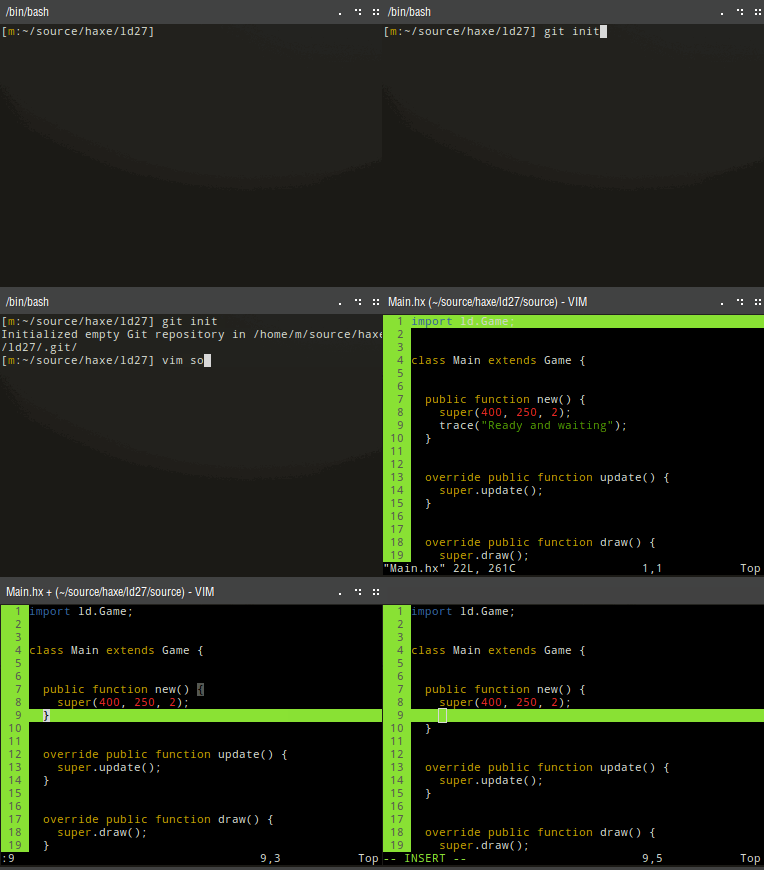
Decided to work on sorting a little bit of base code out today. Unlike the past Ludum Dares I intend to use Haxe rather than C. It’ll be interesting to see how the results differ when I don’t have to chase down rogue memory errors for several hours or implement basic data structures. All the other nice things Haxe has to offer will without a doubt come in handy, too, and targeting flash will hopefully make it easier for everyone else to play the game!

The image above depicts the preloader, I may have gotten a little carried away with it during my struggle and eventual failure to get embedded fonts to work in a haxe preloader… I’ll hold off posting the base code until closer to the compo in case I make any changes to it.

Tags: flash, haXe, preloader

Base code

basecode

This will be the first Ludum Dare where I won’t be using C, and have instead opted for Haxe and NME which, through recent usage, I’ve found quite lovely. It’ll be interesting to see how different this game turns out given I won’t have to deal with some elusive segfault and the 5 hours it takes to track down, or an alignment issue in my bitmap loading.

I’ve written a small amount of base code to cover a few of the most tedious things I imagine I’ll have to deal with. I’ve tried to keep it quite minimal, though, as not to influence any game mechanics/decisions before the competition, leaving me free to try whatever I want — for example, in not wrapping sound handling it leaves me free to code the sound synthesis all from scratch (I did this during LD24/LD25), and in not having collision detection it leaves me free to experiment with different collision techniques. I’ll probably hack away at the base code itself as I go along, and some I probably won’t touch at all.

The base code can be found here and consists of the following:


ld.Game

Provides a BitmapData buffer for putting the game’s pixel in. Also handles setting the elapsed time after each frame, and provides update() and draw() functions for overriding. Provides a console for outputting debug stuff.

 
ld.Preloader

A fancy preloader.

 
ld.Tween

The bare essentials for handling tweening.

 
ld.Input

Handles mouse and keyboard input events and provides functions for checking the state of the keys/mouse button and checking whether the keys/mouse was just pressed on this frame or not.

 
ld.Rect

Represents a rectangle. Has inline functions for returning the top/left/bottom/right/middle of the rectangle, which is always useful and makes dealing with rectangles (which I often make ample use of) a lot less tedious.

 
ld.Timer

Handles the delayed calling of function after a number of seconds, or the repeated calling of functions on a timer. This will be something I will rely on for all my timers, which is a deviation from simply using floats which count down to zero on each frame.


warmup

To test the base code I also wrote a terrible warm up game last night. Play at your own risk:

http://www.ludumdare.com/compo/ludum-dare-27-warmup/?action=preview&uid=16007

Commence day one

startingup


Woke up. Saw the theme. Lots of ideas, none of them are good. Do they need to be good ideas? Probably need coffee before I start thinking, hm, coffee, possible game idea? No. Commence day one.

Crappy collision resolution

collision

Thought of a game mechanic and started coding! Didn’t give myself too much base code but I have some test sprites on screen and have some rubbish collision resolution. I’m playing with the idea that every object has a separate priority value, when two objects collide the one with the higher priority pushes the other one out of the way. This should work well for the game I intend to make. Some code:

http://pastebin.com/6deMzMAm


Spooky

darkly

Oooooh, ahhh. Let’s pretend the green rectangle is an animated sprite of a person with a breathtakingly fluid walk cycle animation… let’s also pretend that the green rectangle — I mean amazing player sprite — can’t walk through walls.


Character sprite

deal_with_it


Oh yeah.

Bleep bloop

context

Look at the little guy in action! He has his own little computer too. Go him! I decided to up the pixel scale from 1:2 to 1:3, because you couldn’t quite make out the little guys goofy walk cycle, which is probably the most important part of the game. This also resulted in a larger game window, but a smaller bitmap buffer, so it runs even more smoothly on my dated computer.

Going to try and not leave the game play up to the last few hours (and subsequently end up with none, like last time!). Going to need to start focusing on actual proper game play soon! Will probably start with some of the narrative bits, while I cement the gameplay mechanics in my head. One thing about doing all the graphics and a lot of the polish earlier on is you end up not wanting to let the game down, so it’s a good motivator. Colored rectangle placeholders are far too easy to give up on.


Words

bleepbloop

Text, hurrah. Should I go for a different font? This one is used quite often and I think is the default for flash punk and some other frameworks! It is a lovely font, though. Does anyone have any suggestions for alternatives?

Cylon

cylon

My battery charging stations look a little too cylon.


Rendering

grrGO FASTER!?


Finished

finished


Well. I’m at the very least happy to call this one “finished”. There’s plenty of things I’m happy with in the game (graphics, music, atmosphere), I got to try out a few ideas which have inspired more ideas. The game ended up in a way I never would have imagined at the start.

Here’s the entry page for the game if you want to give it a go!


As usual I’m glad I participated. I’ll be spending tomorrow evening playing other people’s entries. Judging from the work-in-progress screenshots people were posting, I’m quite excited to try out the final products!

Now to remember what sleep is.

MiniLD 16bit DOS game warmup

testris

I wrote a small test game (tetris clone) in TurboC while I was trying to get comfortable with writing games for DOS, I’d be happy to try and answer any questions if anyone is intending to target the same compiler / platform for the upcoming low-level MiniLD. I found this to be an excellent resource.

As I’ve just been using emulation and don’t have the actual hardware, I was also wondering if anyone has a 486 that they’d be able to test it out on? Assuming it runs you can hold F12 during gameplay to see the FPS. The game is over here. If you want to play it on a non-DOS system it should run on 32bit windows, dosbox can be used to run it on any other platform.