LD12 August 8–11, 2008

Towlr Update

If you’ve already experienced Towlr, you don’t need this.  But if you plan to sacrifice any friends to Towlr, I’ve made some useful fixes and changes.

http://junk.mikekasprzak.com/Research/Towlr/Towlr2.zip

First off, I’ve removed the ESC and F10 keys, since they’ll just make the player sad (or relieved).  Next, I changed the background color to gradually become more red over time, to add to the “driving you crazy” factor.  Finally, I named the executable correctly, so in the future people can stop asking me if it’s towel-r or t-owl-r.

Enjoy.

EDIT: Linux Version (Experimental)
EDIT: MacOS X Version (Intel) (Experimental)

Tags: postcompo

Stacker High Score

I actually enjoy playing my game! I finally beat level 14!

MrPhil Stacker High Score L14

Has anyone else done better?

Tags: MrPhil

Demonic Tower Timelapse

H’okay, here’s the timelapse.

Music by me.

Also, if you tried (and failed) to run the newer Win32 version I uploaded this afternoon, I redid the changes with py2exe and it should all be working properly now. Linking with pygame.mixer.music turned out to be a matter of sending the correct options flag to py2exe. You can get it here.

Tags: timelapse

Annoying!

I just realised that none of the traps are functional in my final entry – damn! I commented them out of the code at the last minute to test the final section of the game, and forgot to put them back in afterwards. Ugh, frustration.

Well, obviously it’ll be judged based on the no-trap version, but here’s a version with working traps anyway for anyone who wants to compare:

Tower Rescue v0.2

They actually make the game a hell of a lot more punishing, but that was how it was intended >:)

Comments

11. Aug 2008 · 16:24 UTC
“Oh god.”
20. Aug 2008 · 11:22 UTC
Well, the game is already way too hard and frustrating as it is :)

Oops!

Ok, here’s a little background info that I forgot to provide. The game’s name is “The keys to the Tower”. The game takes place in a tower, just not a good one. And you play as a block of… something… with a keyhole in it.

Tags: background info

Journal, final entry

20:37
Back from dinner. No photo, batteries dead.

22:22
Colorized three levels. I hope I can make it…

23:02
One level to go. IRC log:

<Tenoch> Codexus> only 6 hours left ._. PANIC! PANIC!!!!!! –> me too buddy, me too…
<Dragowlene> what say you
<Deepflame> It’s 40mb and xvid encoded
<Dragowlene> with 7 levels
<Dragowlene> can I call my game final?
<Tenoch> !D
<Dragowlene> somebody who’s tried it
<Tenoch> my levels are empty…
<Tenoch> like… empty
<lexaloffle> Edwardowlka – I had trouble getting anything to work too. That’s not haXe’s fault though — I really don’t understand Flash. Or OOP for that matter @_@
<Tenoch> Are there logs of the chat during the compo time?
<Tenoch> that’s something I’d want to show my children.
<Tenoch> when I have some.

23:43
All levels colorized. Made a clouds background, with multi parallax. Oh yeah.

05:41
Yeah right. Finished. Now a bit of sleep before completing blog, journal and postmortem.

In the 23:43 -> 05:41 hole, I made a loooot of things. That is, all the gimmicks inside the game, the trooper, the winning conditions, texts, interlevels barriers, some gameplay, difficulty ajustments (too much adjusted, apparently), etc.

Then in the last hour or so, sounds and three musics. Oh my gawd.

I don’t have photos for this last part, since I had other things to do, and also, because the batteries are dead and I don’t have a charger.

See you soon for the postmortem :°)

Tags: journal

Making of (kind of…)

About the submission:

The owliver.love file is really a renamed zip. If you unzip it, you’ll find inside:
– the Lua sources
– the images
– the sounds
– the three musics

So: archive, check; source code, check.
Custom library code: none. Everything is either the Löve engine, or code written during the compo.

List of tools and libraries:

– As stated before, the Löve game engine (a Lua wrapper for SDL). Awesome stuff. Never coded things that fast. In fact, it’s almost magical. Idea -> code -> working feature. Of course, there are always a few bugs you have to correct, but the power you feel in your hands is really amazing. Lua is amazing anyway. When you need something, just make a table. It always works ;°)

– Text editor: gEdit, with autocompletion and symbol browser plugins. Plus, of course, built-in syntax coloring.

– Compilator: none, this is Lua! (ah!) Save your Lua file, and rerun the game from the closest console. In fact, when Löve detects a crash, it doesn’t quit, but instead goes in crash mode. A “restart” button is available so you don’t even have to do “up arrow + enter” in the terminal, once the bug corrected. You gotta love Löve.

– Graphics. For the levels: pencil, paper, sharp marker pen to increase contrast, scanner, Inkscape to vectorize, resize, re-bitmapize, GIMP to colorize. And for the ingame thingies and text, Inkscape. For the intro screen text, made a screenshot of text in Abiword, then included with the guy in Inkscape.

– Level making: hand coded in the source. But made extensive use of Inkscape to get coordinates of stuff. I drew rectangles and dots in Inkscape, read their coordinates there, copied them in the level files. Them during level loading, the coordinates are converted into game coordinates. I supposed it could have been even better to parse the SVG files, but no time to explore this.

– Sound… I made all audio during the last hour… Sounds are all randomly generated with the great sfxr, in about 7 minutes. Music is made with ZynSubAddFX, a marvelous synthetisor for Linux, and QSynth, a soundfont player. Both apps controlled with my MIDI keyboard. Drums are from Hydrogen (awesome drums app for Linux), and the “mixing” is done in Audacity.

Additionnal things:

– IRC with X-Chat
– Timelapse video capture with two shell scripts:

while true; do scrot -e ‘convert $f -resize 50% $f.jpg; rm -f $f’ & sleep 20; done

and

mencoder “mf://*.jpg” -mf fps=10 -o timelapse.avi -ovc lavc -lavcopts vcodec=mpeg4:vbitrate=900

– Far too many motivational posters with http://wigflip.com/automotivator/
– Photos with my Kodak EasyShare C713 (stupid battery charger that I can’t find…)
– Everything done on a GNU/Linux machine running Ubuntu 8.04, except scanning the levels, since the scanner is plugged to the family’s MacMini.
– The pizza! I’ve been asked several times what kind of pizza it is. I sure looks good, but well… Just a pizza 😀 So, it’s a Buitoni “Four à pierre” Royale. I don’t know if the name is the same outside France, though.

I don’t see anything else to add yet. I’ll work on the postmortem now.

Tags: makingof

Voting

Tags: motivation

Tower Master ‘FAQ’

Just because sometimes some things aren’t as clear as you thought they’d be. :)

Q: I’m just one person, I can’t test a multiplayer game! When I try to play myself, it says “name already in use”.

A: Go to server.txt and edit your name. Each time you click host or connect it reads data from this file. So you just have to change it by alt+tabbing to it.

(Will make edits if more crazies pop up!)

Tower Collapse Inner Workings

Since there have been a few question regarding the “simulation” i’ll explain a bit:

There is no grand simulation inside. It’s all tile based. I refrained from using a physics lib (there have been enough entries with one already) because i’d have to learn it during the compo time.

Every tile has two damage counters, one outer, one inner. The outer is mostly used for the appearance (cracks in the window) while the inner is responsible for the strength left. Once the inner structure value is down to zero the tile collapses.

Collapsing is done by moving all the tiles above one tile down. The tile below the collapsed one gets a damage applied which is calculated by the number and “health” of the tiles above it. This can lead to nice chain reactions of a column collapsing in itself.

Since the collapsing code only works vertically i have the particles. Half of the particles are able to inflict damage when hitting other tiles. Therefore it’s also possible to have columns affect each other.

Oh, and about Twin Towers: You actually have to raze the two towers on the left and right and protect the building in the middle. That’s probably the reason why some can fail spectacularely in that stage.


Did i mention that the game also has flying toilets?

Time Lapse!

Here is my time lapse. Enjoy!

Tags: timelapse

Post Mortem

Here is my post mortem entry. It’s a bit long so click the read more thingie to view it.

Tools used:

Platform: Win32 (XP Home SP3)

Libraries: OpenGL, GLEW (to handle OpenGL extensions), SDL (for initialization and keyboard/mouse input) and DevIL (for image loading)

Tools: Visual C++ Express 2005, Cinema 4D (with a custom export plugin) and Photoshop CS2

The many things that went wrong:

  • Rustiness: The last time I finished a LD48 game was more than 3 years ago (with 2 additional very unmotivated attempts in the next year that I gave up quickly) and since then I have done no game development, some work related OpenGL though but not recently. So I was really rusty!
  • Lack of preparation: Aware of the aforementioned rustiness, I knew I should prepare myself but I didn’t do much. I didn’t try to code a warm-up game, I barely tested that my previous entry still compiled and concluded that I had the libraries I needed installed and that was all.
  • Doing everything from scratch: I spent the first day just to get the graphics working. I really need to have a kind of library to avoid going through that again. I want to have fun making a game not write a Vector class or an object loader. And I gave in to temptation and got one or two tricky but boring things from my previous entry (only very basic stuff though like the timer class to get a good quality timer on windows since SDL_GetTicks sucks, I think I’m still OK with the compo rules considering some people use engine and physics libraries)
  • Export plugin not ready: During the compo I couldn’t find a compiled version of my Cinema 4D export plug-in. And it wasn’t compiling anymore due to changes in the application’s SDK. Fortunately I was able to solve those problems relatively quickly but I should really have tested it before the competition.
  • Visual C++ bugs: I was really surprised because I had never had any problems with it before but it kept bugging and I had to quit VC++, reopen it and then I had to put back all the windows in their place again. How annoying.
  • Things I wasted time on: I wasted a lot of time on adding fog to my shader and getting it to look just right before finally deciding it didn’t look good. Also I wasted time doing the Mario64-style camera which didn’t turn out quite alright and is not activated by default in the final game.
  • No time for animated characters: My biggest disappointment. It doesn’t take a lot of time, in my previous entry Lightstream48, I had made some cool characters in just a few hours and I wanted to do the same.
  • No sounds: I had Propellerhead Reason ready to make a small music and my microphone connected to sample a few noises but I didn’t have the time.
  • Not enough gameplay elements: I had lots of ideas to make a more interesting game but instead had to try to make levels with only a few of them implemented. So most of the levels are based on jumping skills rather than puzzles like I originally wanted.
  • Bugs: There are lots of little bugs in the gameplay like you can walk off the border of the map in some places and jumping isn’t implemented correctly so sometimes it’s difficult to control the character.

The gray area of things OK

  • Is C++ the right language for a LD? I used to be quite happy with it, but this time I was annoyed by the extra typing it requires. Header files are such an annoyance. Maybe I should try an alternative next time?
  • Time management: I worked a total of about 32 hours. That’s a bit below what I could have done. My plan was to start at 8am on Saturday morning, I slept past 10 and watched the Olympics. But it could have been worse.
  • A bit slow on slow PCs: The minimum requirements for this game are a bit higher, but considering that some years have passed since my previous game that’s normal. Off course it’s mostly slow because it’s badly coded but still… it’s time to upgrade people! 😉

The few things that went right:

  • Per-pixel lighting: it looks real nice so I’m happy about that.
  • More 3-dimensional gameplay: In my previous games it was really only 2D gameplay with 3D graphics so that’s an improvement.
  • Save points: I’m really glad I included them, it was tempting to code some other gameplay elements and leave that for later but without them the game would have been too hard.

Conclusion

I’m not entirely satisfied. I wish I could have had more time to finish my game. Now what I want to do is start a library with all the basic stuff I need for a LD48 game and publish it soon enough so that next time I can use that for my game and be able to concentrate on gameplay and content.

Tags: LD #12 - The Tower - 2008, post-mortem

Escape From The Tower of DOOM: post-mortem

Before the competition started, I made a list of ideas for all the finalist themes. Luckily The Tower was pretty much my first choice (along with escape) so I had a pretty clear image of what I wanted to do right away. In the end the game turned out to be pretty close to the one in my head :).

My development process was rather odd, as I did pretty much all the coding on my mac and all the graphics on my ubuntu box. I think most people would expect the opposite. The reason for using ubuntu for the graphics is that I’m used to the gimp and it kind of sucks on OS X, however I don’t have a really good reason for doing the code on the mac, I guess I just like using this machine more.

What went right:

I had a pretty clear plan in my head for this theme so I was able to get started right away and have something playable very fast. After that I had a lot of code-test-fix-test-refix-code-… cycles which I think were a pretty good way to make progress fast while not breaking everything along the way. Python is probably a good choice for this kind of development since with no compiling and linking to do I often felt free to test after even very small changes. Btw, by test I mean playing the game and trying to make it misbehave, not automated unit testing.

The game was not too ambitious. I figured it would be better to have a small rather polished game than a big unfinished and buggy one, so I tried to set my aim rather low to something rather simple but that I could pour a lot of chrome on. I feel I did pretty well here with the small details. The game was almost done on the first day and the second day was spent mostly on fixing little details and tweaking the levels.

The sound, this was the first game I included sound in and I think it worked out pretty well, I used three tools to make the sound effects: cfxr an OS X port of sfxr; say a text to speech tool; and Audacity.The level 2 sounds were recorded in Audacity along with one of the robot’s killing sound, the robots were done with say and the beeps and jump sound were made with cfxr. Then I used Audacity to transcode to vorbis.

What went wrong:

The collision code was horrible for a rather long time. I tried doing single rectangle to rectangle collisions and figure out where to place the character depending on his current speed. That didn’t work out for me as the player would often pass through walls or get stuck in ceilings when changing direction or jumping into walls. So I made a new system with two rectangles for the player, one tall thin one for vertical collisions and a short fat one for horizontal collisions. That didn’t work either despite quite some time lost fiddling with it. In the end I just made 4 rectangles for the player, one on each side, and tested them against all the walls. I feels horribly inefficient, but it was simple and it seems to work.

The levels are a background image and a list of rectangular walls, that seemed like it would be much easier to code efficiently than collision against a black and white bitmap, but it made making levels much harder. In the end I wrote a level tool that displayed the level image and let you drag rectangles onto it and spit out the list of rectangles. This made it a bit less tedious to make levels but it was still a pain.

Difficulty, since I was testing the game a lot, I got pretty good at it so I think I made the levels too hard. My girlfriend did some testing, but since she doesn’t play computer games a lot I didn’t didn’t weigh her concerns about difficulty as much as I should have.

Bits left out:

Originally I had planned to include a gun in the second level where the owl head is now and have a mass of zombies on the bottom floor that you couldn’t jump over, but in the end I figured it would break the flow of the game and that it wouldn’t be that much fun. 

Another idea that didn’t make it was having boxes the player could push around. Unfortunately I had that idea rather late and while I probably could have coded it in fast enough, I would have had to redo a lot of the levels or make new ones and that would probably been too much work. I wish I’d thought of that at the beginning since I think it would have allowed for some more interesting “puzzles”.

Finally, in my first image of the game there would have been a first level without monsters but just rather static fire to avoid. I decided to cut that very quickly though because there is no way I could have drawn decent looking animations for fire (and I didn’t add animated characters until rather late and wasn’t sure I wanted to deal with it) so I left it out. I’m not sure whether it was really a good idea since it might have softened the learning curve. On the other hand it might have been less fun and players could lose interest right away.

Lessons learned:

Make proper resource loading right away, for almost all the development cycle all the files, code and media were in one big directory and were all loaded directly. First I noticed that when the sound didn’t initialize that caused crashes so I made a quick audio module so I only needed to do error catching in one place instead of all over the code. And do get some caching as before sounds were reloaded almost every time they were used. Finally near the end I decided to put all the media in a subdirectory to make things cleaner and have an image module to cache images. Which brings us to lesson two:

Don’t make big wide ranging changes right before you release. Changing the way I loaded images was a pretty straightforward thing, but it required changes in tons of places all over the codebase. Inevitably I missed a few, usually that would be a problem because I test a lot, however I wanted to get the game out of the door, so I didn’t test it nearly enough. So the first version I released would crash in some common conditions. Thankfully it was still well before the deadline so I managed to fix it in time but it was rather embarrassing to ship something so broken.

There we go, sorry for the wall of text.

Tags: post-mortem, postmortem

Comments

Notch
12. Aug 2008 · 10:11 UTC
Interesting read, thank you. =)

yeah???

whachu lookin at??

I’ll enter the next one, ok??

Debriefing the Tower

Wasting the Night

The Tower. Seemed pretty straight-forward, but I still googled it for inspiration and to see what possible alternative meanings there are. I saw something about a tug boat, as in “someone who tows”, and thought that was sufficiently out of the box to be considered clever, and would allow me to make a game that really stood out from the rest since it wasn’t about a big circular stone building.

After considering boats dragging other boats, an idea formed about a space game in the style of Elite 1 / Wing Commander, where you played the role of a Tower responsible for rescuing stranded ships. I had some vague ideas about trading as well.

Instead of going to bed after seeing the theme as I had promised myself, I stayed up another three hours, building a first prototype of the game (you can try it here). I didn’t go to bed until I realized there was no reasonable way I would be able to finish the game with all the art it would require.

Starting the Game

After some six hours of sleep/dreaming about a new game idea, i suddenly woke up and realized what direction I wanted to take.

Just before I woke up, I half-dreamed about the Yoshi’s Island title screen, and that type of rendering would fit perfectly with the code I already had. I had the code to render hundreds/thousands of z-sorted sprites fast, and I had the basic code for mouse interaction and applet support. I also knew from earlier that I could do tiny pixel art fairly successfully in short time.

It seemed a game like The Settlers would fit fairly well in that style, so I took the obvious route and decided that the task was to build a huge tower. I mean, it WAS the theme after all, so why not just slap one in there? I made some art, did some basic interaction, and coded together a horribly hacky Job class for giving the peons tasks, and things were going great.

Fixing the Balance

Of course, by now the game was horribly unbalanced, and there was no win condition, not to mention that The Tower wasn’t all that central at all. I thought about having higher tower mean you could have a higher maximum population, I thought about having a timed game that rewarded points for how fast you could finish the tower, but nothing really worked. And there were no enemies!

But then it hit me. Why not have the tower spit out the enemies? Then the task would become to bring the tower down, and there would be a natural way for the game to become more difficult as you came closer to your goal (the tower would spit out more and more enemies). I decided to keep the time based scoring, and went with this idea.

Unfortunately, random maps would have to go. There was no way for me to be able to write a good enough level randomizer that made playable maps in the short time I had left, so I kept the hand drawn test map I had made and kept the randomizer using the fixed seed I had used for testing. This really helped a lot for making sure all users had a similar experience.

I toyed a bit with the idea of having the user read some instructions before starting the game, but since most people just click past those and the fun in the game was mostly about trying to tame the very peculiar AI, I skipped that and just added tool tips to the houses. I chose not to mention how to Break the Tower since it had the same color as the rocks you were already trained into mining, and I figured that clue would be good enough.

Then there was pacing and balance testing, and heaps and heaps of tweaking.

Adding the Polish

As final polish, I finished up the intro screen and added a win screen. I decided against a loose screen, as detecting when the player had lost (out of rock and no barracks? no more peons and no residences?) was too hard, and in reality the player would’ve lost long before those conditions happened, and the besides, the game was simple enough that the player would rarely lose once he had built some momentum.

I like that, by the way. Games don’t have to be hard, as long as they’re interesting. There’s really not that much interaction in Breaking the Tower, it’s mostly about taking care of your little ant farm of tiny pixel people, and it seems to work fairly well.

With just a few hours left, I decided to add sound. 22KHz, 8 bit mono sound, for maximum retro feeling, all generated in run time. Surprisingly, it went really well, although in retrospect the death sounds are confusing and sound too similar to the spawn sounds.

I had estimated the play-through time at about 30-60 minutes, and decided that was good enough, so I packaged it and released it.

Morting the Post

* One very nice thing with making games for a competition like Ludum Dare is that you know exactly who the target audience is.. it’s yourself. It’s people insane enough to write a completed game in 48 hours. This makes it a really fun experience. Instead of asking myself if the player would appreciate some detail, I just asked if I would.

* I probably should’ve spent more time on the pathfinding. Right now, it’s

10 Walk towards target
20 If not collide, goto 10
30 pick random direction, walk for a second
40 goto 10

And that’s obviously not very advanced. It works surprisingly well most of the time, though, and it does give the peons some apparent personality.

* Making the houses give out jobs to peons in sight works OK, but it would’ve been better to build a big global task list that free peons pick jobs from. I realized this far too late in the development.

* Many people don’t get how to Break the Tower. I should’ve made it more clear that you have to use masons. And some people take over 1.5 hours to beat the game, which feels like too long.

* The art direction was perfect for the duration of the competition and the level of my art making skills!

Comments

nilsf
12. Aug 2008 · 12:07 UTC
Arrg, I lost an hour playing the linked miner game. Really nice. :)
HybridMind
12. Aug 2008 · 17:33 UTC
Hah! I also lost an hour+ on that link to Miners.. that game was awesome too!
Morre
22. Aug 2008 · 16:25 UTC
The link to the first game prototype doesn’t actually work, it’s the same link as the google one. Shame on you for copy-pasting without swapping URLs! :)

Dark Tower Post LD fixes…

Had some great feedback on IRC so I decided to try and fix up lot of the faults people found with the game.

Now with lives, score and a difficulty curve.

Dark Tower Revisited

The Tower of You – Postmortem

For like half of the LDs I’ve participated in I’ve said or thought that I would do a postmortem. But I never got around to it. Thought I’d do a postmortem this time to make up for it. And this time is one of those times that are perfect for postmortems, for several reasons. Like, I almost failed but didn’t. That’s great postmortem material, you know. But still, I’m lazy, so I’ll do the standard postmortem procedure of The Good, The Bad and The Other.

It’s long though, so be warned! Slightly updated 15th, new text at end.

The Good

The theme. The theme had great potential. Lots of space for interpretations, while giving a lot of ideas.

The D programming language. I’ve used C++ in all other real LDs, and it’s a language that I know very well. It requires no hesitation of thought when coding in, but it does really nag you in some ways. Especially during 48h compos. Slow compiles. Needs forward declares. Manual include files. Lambdas needing boost. Actually, lots of things needing boost. Clumsy dynamic/associative arrays. Manual memory management. Those are the things, mainly. Most of those works very well in D. The drawbacks of using D was, though, that I didn’t know the language as well. But that gave me a great opportunity to improve. And less libraries available, more problems with compiler setup and so on, but I set those things earlier, so it didn’t really matter during the compo. Mostly, in the end, I wrote things as I would have written them in (LD) C++, except there were less corners in the way. I’m definitely using D over C++ in upcoming LDs. Then there’s always Python, of course.

Hex tiles. Tiles are always great. They’re easy to work with, yet providing for many things. I’ve used tiles in all LD games I’ve made except for like one (which didn’t fare so well). But square tiles are a bit boring, and I really wanted to figure all the hex tile stuff out for reasons outside LD, so I thought (once again) this would be a great opportunity to do it. Having figured out the initial indexing and so, which went fairly quickly (as things do in LDs), it was a pleasure to work with. Just keeping an array of references to the neighbor tiles made almost anything you wanted to do easy. And hex tiles looks interesting, and have potential of looking great. All in all, good from all points of view — I even learned stuff. Which I usually don’t from tile code.

The Bad

The initial idea. Not exactly the idea of a tower, and using resources, and expanding land and all that. That is so general it can’t be bad. But in the same way it’s not good without more specific stuff. I spent a lot of time on stuff I later threw out. I can only say that during a large part of the Sunday, I had the same feeling I got when doing my Evening Journey entry. It had an idea that gave the idea of OKiness. But when you got right down to it, it didn’t really work. Evening Journey failed and became a non-entry, because I couldn’t really whip up another game in the set up stuff. Fortunately that didn’t happen here. But anyway. The original idea had workers, and you got workers from the land within the tower radius. This was a rather large part of the idea, and was also thematic, based on the Tower of Babel: the idea was that as the tower grew, more people would become interested and join. Then for each worker, you set an action. Like produce resource from land tile, build road or expand tower. First the worker actions were reset each turn, then when that require a lot of work, I let producing of resources stand, but that only made it more obvious that things didn’t work. Then I tried automatic building of the tower at end of turn with all left workers and materials, and then it became even more obvious it wasn’t going to be a game. It was too complex, drained a lot of time, and didn’t work. Lesson: Don’t start with complex. Because if complex doesn’t work, you have wasted lots of time. Better start with simple, and if simple seems to work but isn’t enough, expand it, or if it doesn’t work, throw it away and try another simple.

Initial controls. This is a bit like the above. Several actions were possible per tile and lots of actions were done in a turn. This required controls for all those cases. First I figured the context info for a tile could have buttons for whatever could be done. Then I got lazy and made it to different keys instead. This got messy though, both code-wise and user-wise. Spent way too much code on it just to throw it all away when I simplified the control scheme later.

Testing and Tweaking. This is related to the above, too. And some in The Other part comping up. I didn’t have time for any tweaking. For example, the parameters to the landscape generator (written almost first) was never even touched after having got a game running. No balancing, especially in levels. AI could be drastically improved too. And I had no one else test it before I submitted (which provides point below). And so on. This all stems from time issues, which stems from the above points.

Non-standard libraries in non-standard bin paths. For some reason zlib1.dll was required for running the game exe, but I never noticed. Was simple to fix when reported though.

Divide by 0 error. Reported by one user, but I have no idea how it can happen. Searching for all divides in my code gives no instances where it should be possible. Which leaves library bugs or compiler bugs. Yeah, D still have some problems in those areas.

Documentation. I didn’t really have time to write any. I was so tired when it was all done, and I had to get to sleep so I could go to work without problems the next day. Time issue. Complexity kills time. Remember!

The Other

Graphics. The general idea for the graphics I think was great. I really had great plans. But due to time issues the placeholder graphics were left in the release. I just never had the time to redo them. Yet the placeholders didn’t look too crappy. Which is perhaps why it was left in for so long. This is perhaps lesson to make placeholders more ugly so you just have to replace them.

The ‘last minute’ gameplay, controls and AI. Having a way too complex UI and ‘game’ that didn’t work, I did a last minute fix. I used most of the basic stuff, but drastically change controls and rules, and threw in a simple greedy/random AI. Workers were dropped completely. And instead of producing and consuming resources, the tower simply requires a certain level for a certain level, and the resources were simply set by what land was controlled. Actions were reduced to only one: building. This is mostly road building, but there’s also expanding the fundament at one point, and also, of course, building the tower in the first place. The good thing with this was that it solved the controls. You just had to click where to do your action/build. This was also the complete turn, so no need to explicitly end the turn. I did most of those before adding an opponent, and by itself it, too, was empty. Naturally. Adding a simple AI helped a lot. But at first you just won by just grabbing as much land as possible and cutting the other player off. So I figured I needed to stop early exploitation like this. This was when the possibility of taking over land was introduced. Based on the tower height and the distance, a simple check was made. Meaning if you expanded widely before having a high enough tower, you could just be cut off. And suddenly there was a game. It was not a great game, and I wasn’t overly happy with it, but I felt it really could do as an entry, and that made me happy. Having looked at the initial reception now afterwards, I’m happily surprised, because it seems better received then I would have thought. I liked it better when replaying it a little today than I did Sunday night before submission. Still, as I mentioned, tweaking never happened. The gameplay has severe limitations. Which is why this isn’t on The Good.

Food-photos. This is kind of fun, doesn’t take long, but it’s starting to feel like an unnecessary distraction.

Preparations (not code stuff). I was busy doing other stuff until the actual compo begun. Which means I didn’t shop the day before, so I had to go do that on Saturday. I also forgot to buy everything I needed, so had to head out on Sunday too. And on Saturday I was also doing washing. Why am this under The Other, you ask? Well, while taking some time, the time taking are made up for by getting a slight break which opens the brain for some other thoughts. I feel it actually helps.

No sound. The game type doesn’t really require much time, which is the good part. The bad part is, of course, there being no sound. Several reasons: Lack of time, lack of microphone, lack of having tested sound lib for D on beforehand.

And I believe that’s it. Sorry for this wall of text and it’s rambly nature. I blame not really having written anything in a while. And now I got some toast to eat.

Small update: I realized I hadn’t mentioned this. So. One thing that was originally intended was canals. Canals were supposed to be built from fresh water lakes and used to give water to unwatered fields and and clay tiles, to make them productive too. There were also supposed to be boats for fishing further from the coast. Didn’t have time to implement it for the first idea, and didn’t have time to figure out how to get it to work with the second idea and UI.

Tags: postmortem
Timelapse vid for Owliver

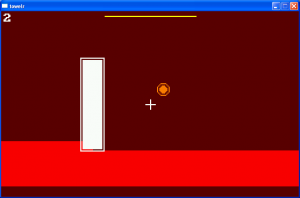
Here is my timelapse video.

A few epic moments: the big ABBA chat (0:38), the epic failure of creating the level graphics in Blender, then Inkscape (2:48), the time when my friends came over to play Armaggetron and Jump’n’Bump while I was drawing the levels (4:34)…

Soundtrack: ingame music + surprise song from a band that enlightened the IRC channel with all its splendor…

http://www.youtube.com/watch?v=j1PSloOTokg

Tags: timelapse

Comments

12. Aug 2008 · 13:47 UTC
Yeah ABBA! Cool timelapse!

AkinTower – Time Lapse

The day before:

The competition have started I was sure that the theme would be evolution, I went to sleep early with a mind full of ideas about the theme, but when I woke up, which was at 6:00 at the morning a surprise striked me ~ oh boy! its “THE TOWER” >_<

So, it began:

I love tower defence games so I have decided to make a tower defence game about a very unique character, Akin, which is a character I made, he came to me in a very strange dream including nika nad well what ever… >_< I made a stuffed doll out of him which you can see in the game and in my journal early photos 😀 I made a doll out of him because everyone said that its not possible… weaklings… anyway his a cool character and he was fiting the game – bringin it abit of originality.

 I was thinking about using him in the game while taking photos of my work space hhh :) probably because he took over my keyboard 😛

First thing I’v done was to draw the enemy… then a test map, after doing that I wanted to start abit coding, a problem apeared, Fenix using Bennu (game compiler) didnt want to show me graphics no matter what >_< I strugled with it for an hour and in the end I managed to solve the problem by deleting everything @_@, then I started coding… coding and drawing arrows and then Akin him self and the mouse pointer and in this day I’v managed to make great progress 😀

In order to stay alive and awake I was drinking energy drinks and listening to 1576 heavy trance music… and yep it helped alot! I had to sit and eat with the family and lose another hour and I had to drink some vodka too 😛 well that wasnt a problem hhhh any way…

First day was great!

final day

Was in panic to finish the game… time is short and I have much to draw and code… I’v drew a new background and fixed many isuues with the shooting and the bounchinf fireballs and added 2 more enemys that I was thinking about yesterday…

now grandparents came and again the family sits togever and eats… again drinking vodka while on energy drinks XD ahhhh… what was I  thinking… I was coding from tierdness >_<, firmly and realy fast I’v took a photo of my self with my two trusted axes and photoshoped it… and realy fast put it in the game… damn! my levels aren’t implimented! :O okay… realy realy fast I’v managed to write a spawn algorithm and had to disable a super attack >_< because I had no time to code it… baaa… I didnt have time even to put sounds which I had allready recorded with the music >_<

oh well… the panic was worth it… I was so dead tierd I had to go to sleep… and I was so willing to sleep that I couldnt fell a sleep >_<

11 min left

I could berly upload the game in time thanks to Ghotistix that helped me upload it 😛 he came just in time hearing my prays for help XD then in 3-5 min I had a post with a screenshot taken realy fast and some text that was writen so fast that It still has mistakes XD oh well hhhh

any way thanks for reading this and playing my game :) wish you to have fun and I’m thinking og improving it because I realy like this game 😀

           see ya dudes!

Tower Infinite – Post-mortem

Ludum Dare 12 is the first of this event that I have participated in, and I must say I had a lot of fun making my game for it. I learned a few things about game development in the process, many more to do with the actual process rather than technical details, but some there too.

What Went Right

  • Planning – Once I found out the theme, I took a large portion of Friday night to plan out the concept for my game. It took a little while, but once I decided on an infinite procedurally generated tower platformer, the technical gears started turning, and I quickly formed a lot of the ideas for the implementation.
  • Time Management – After I planned out my game, I found that I didn’t have any trouble keeping up with my goals in time. Those goals that I had imagined were realistic and doable. In fact, I ended up releasing my final version about 5 hours before the deadline.
  • Implementation – On the programming side, I mostly used techniques that I was familiar with, never branching out into the particularly difficult or unknown in ways that would cost me large amounts of valuable time and effort. As for media creation, while it is not exactly a strong point, I used some clever methods and helpful tools to create it, so it was not heavily time consuming, and Tower Infinite ended up with quality better than the usual programmer art (I hope!).

What Went Wrong

  • Deficiency of External Playtesting – It was unfortunate that I failed to get enough feedback from players other than myself. I knew exactly how the game worked, but such is not the case for all. While this did not lead to terribly awful problems, I could have handled it better and probably submitted a slightly better game.

Conclusion

Overall, I think things went fairly smoothly with very few exceptions, which is particularly nice for me, this being my first Ludum Dare. I definitely enjoyed it, and I hope to do it again if I have the time for it.

Tags: LD #12 - The Tower - 2008, postmortem

Tower Infinite Post-LD Tweaks

This is version 1.01 of Tower Infinite that fixes the one main disappointment that people have had with the gameplay, which is that the recharge rate of the jet power was a little too slow. Here comes the link:

Tower Infinite v1.01

WeatherTower post-mortem

Postmortem:

So I feel fairly recovered from the weekend.  I’ve played and reviewed a handful of the entries, and I’m pretty impressed by a lot of them.  So, here are my postmortem thoughts on the whole deal.

The General Could-Do-Better’s:

I had spent about a week in the month prior to the compo dusting off my aging C skills in preparation.  I should have spent more; once I got past doing the familiar my speed dropped considerably, and I lost a lot of Sunday to frustration.

Better sleep strategy.  I got a decent 7 hours friday night, but saturday night was only about 6.  Since I was extra-tired from coding all day, that 6 hours was not enough.  Next time I should try for a little less sleep friday night, and MORE sleep saturday night, to refresh.

I had no food on-hand.  Although most food places are very near the apartment, it still ate up two hours or so over the course of the weekend.  I was planning on going to the store before the compo, but didn’t get the chance.

Game CDB’s:

I didn’t have a clear goal for my game.  I knew what elements I wanted to incorporate, but not to what purpose.  I was aware of this the whole time, but I did not get to a point where I decided it was definitely a problem until it was too late to go with my backup plan.  The result was an unfortunate deviation from my personal goal of Keep It Simple.

Sound.  I lost a lot of motivation by sunday and just didn’t have the desire to add sound or music.  I made a few effects that even shipped with the package, but are unused.  Next time I’ll put some more early focus on this.

More Feedback.
I spent time making different states of decay for the towns, but not stages of growth/decay for forests, farms, barrens and clouds.  This would not have taken much extra time, and is a complete product of my laziness.

General Feel-Pretty-Good’s:

I had a lot of good prep-work done beforehand.  I had a project backup system in place, a framework for the basic allegro system, Makefiles prepared, etc.  This helped me focus on the GAME at the start rather than the tedious bookkeeping stuff.

I did manage to stay very focused for the majority of Saturday, which I’m proud of.  Watching my timelapse I realize how few breaks I took during that first 24 hours.  A+

I Actually Finished.  This is big.

Game FPG’s:

My graphics came out a lot better than I was expecting.  They had a definite old-school PC RPG feel to them, like Ultima4 or 5.  My Tower graphic is pretty rawkin’, and a definite highlight IMO.

After taking a day away from it and playing it again today, I feel that the overall concept has potential, if I get more concrete on goals.  I actually had some fun playing it and trying to protect a town for as long as possible.  I may revisit this concept in some form down the road.

All in all, an enjoyable experience.  It definitely gave me the urge to make another game.  That’s pretty cool!

Tags: postmortem

WeatherTower – Some additional notes

A.  There is no win condition.  You play until the towns die.  The more life a town has, the more mana and score you gain.  As a town gets weaker, it provides less score/mana.  So it’s really just a ‘high score’ game.

B.  Can’t test on every OS.  Worked on Slackware, win xp, and Ubuntu.  OS’s that have problems playing it (such as Fedora 9 or Vista) may just have inherent problems to begin with.  Both FC9 and Vista are… well, you know.

Tags: notes

Oups

I just realized I misspelt my name on the menu screen in my entry. :(

Tags: LD #12 - The Tower - 2008

Comments

13. Aug 2008 · 18:34 UTC
lol

Answering questions

Ok, people seem to have been asking a bunch of questions, so here are some answers. You have to collect all 7 of the keys. The key that’s backwards kills you. That’s all.

Demonic Tower Postmortem

Time for some thoughts. Check them out below the cut.

Making The Game

When I first saw the theme The Tower, I thought of the Tarot instantly, but I’m crazy like that. It’s not just Tower, it’s The Tower. An archetypal image of doom if I’ve ever heard of one. So, the game design was pretty straightforward to me. I took my love of games like Magic: The Gathering and turn-based strategy and combined them into one overbearing strategic puddle. When the theme discussed was evolution, I was considering an evolving space-shooter, something like a combination of Gradius and Warning Forever. I kind of wish I had kept thinking along those lines.

The programming was really simple, but time consuming; there are 38 unique card effects. Some of them are still bugged (Knight of Cups), however, I got most of them debugged in time.

Lessons Learned

In general, I think I bit off just a little more than I could chew. I love this game idea, and I am going to continue with it. But I had to make major sacrifices to get it done in 48h. The idea is simply too big for a compo like this. The interface sucks. A lot of status effects aren’t displayed at all, or are displayed with different names when they wear off. Combat is not at all balanced (defending is unbalanced, which makes the entire suit of shields sort-of suck).

Most of this was a concious trade-off. Once I was locked into doing a game with the Tarot, I had to implement ALL the cards. A lot of time was taken just coming up with unique effects for each card. After that and the implementation, I had to make a lot of sacrifices in usability, display and general game mechanics.

Some of the things are fairly easily fixed. The player phases (Move and Attack) could be combined into one phase; when you move into an enemy, that could trigger an attack. Since you have the option to end your turn at anytime, it would be essentially the same thing as we have now. The reason the enemy phase is split up into two parts is so that you can play cards like “The Moon”, which reduces all damage to 0, after an enemy moves next to you.

But I think in general the reliance on phases is a bad holdover from physical card games. This should be transparent to the player. I think in the future the enemies will move and attack one at a time, but there will be an “end turn” option which will yield to all events until your next turn.

The ultimate example is that there’s an enemy in the game which is never fightable! You see it in the first and last levels. I simply did not have enough time to balance the game to the point that I would have wanted to put it in. The original idea was to make TWENTY levels, so that by the time you were fighting this thing, you had raised your stats to the point where it was beatable.

The Future

I’m happy with the game and how it turned out. I think it’s still a good idea. Despite the trade-offs I had to make, it’s fun and when you beat the harder levels, even if it’s just by luck, you feel good. But I think if I could do this LD again, I would make something else. I’m definitely going to continue with this game; I’ve been working on moving things to OpenGL so that I can do some cool animations with card flipping and playing, and so on. I just wish I had started with something that didn’t lock me into a tedious task of coding 77 cards.

I hope you had fun playing it and you will leave me ideas for future versions of the game.

Owl Tower Quest Postmortem

It’s now Wednesday, and I finished my game Sunday evening. I’ve had a few days to think about it and my experience.

What went wrong

Graphics – I didn’t have a plan for creating graphics, nor a pipeline for doing so. I ended up finding and using a for-kids drawing program, which was just as advanced as I needed, but if I had put more thought into it I could have tried to create something more original.

Preparation – I had used Java2D to do some moving of an image on a tiled background, but I stopped short of using the color key to make it transparent, (wrongly) assuming it would be trivial. I still don’t know how to do it, and I wasted about an hour trying to get Java to make the background transparent, when I discovered that if I saved it as a gif, I could make it transparent using Gimp. That was work that didn’t need to be done during the competition, and it burned me out on learning for a few hours.

Motivation – I don’t know what concrete steps I could do to improve this, but once I had a level up that mostly worked, I had very little motivation to improve it. I was concerned about getting something playable enough to enter, so when the keyboard controls were easier than I expected, and the graphics rendered fine, I was not prepared to tackle the next hardest problem, because I couldn’t see what it was. I now wish I had a project plan that prioritized tasks and had estimates of time and effort, because it didn’t seem worth it to do better graphics, or add more levels, or add more variety since it was such a relief to have gotten that far.

In that sense, I definitely could have worked more on my entry, but I ended up taking back some time that weekend for doing real life stuff. I don’t regret it, but it did make my game less finished and less fun.

Not taking hard problems seriously – I don’t know why, but I slapped in collision detection long after I put up walls and the player. This was dumb, and my solution was even dumber. I strung a bunch of if-then statements together, and instead of making sure a move was legal, I just undid it in the collision code if it turned out to be illegal. This resulted in passable, but buggy collision detection, and only got worse when I added stair cases and vertical walls separating floors and doors. It also made the player jumpy near walls, since the player was moving, possibly being drawn, then moved back when the wall was determined to be hit. I should have wrote tests for what needed to happen, and then write a sensible way of dealing with obstacle management.

What went right

A good start – I made my design quickly, and sketched out an entire level before I started coding. Then, when I started coding, I didn’t need to make design decisions that could slow me down. I had the tower up in about 10 minutes, with a moving player who couldn’t pass through walls in another 30. That was great motivation, and allowed me to incrementally improve my game, which was great for my morale.

Preparation – I used Java2D a few times before, but in the 3 weeks leading up to the competition, I made 3 separate projects with it. This really helped me understand what things were doing, rather than going the cargo cult programming route. Also, eclipse was ready, I had a basic Java WebStart XML file so I didn’t have to mess around with it, and I was loading my resources in a WebStart-friendly way. All in all, the time between my first successful build of my game and my first successful WebStart deployment was very small.

Conclusions

I have definitely learned that it is far easier to improve upon an existing product than to nitpick about design and implementation before anything actually exists. So, I am a convert to rapid prototyping.

Overall, I learned a lot about making a game, and my code is now a perfect candidate for some serious refactoring and test writing. I’m looking forward to improving my entry, and building on the idea.

Tags: postmortem

Crystal Towers Postmortem

Okay. Well first two days i was mostly getting feedback and trying to restore my brain to usable state 😀 Yesterday started to implement all changes that i hope will make game more fun.

You can still access old version and sources trough links in my Final journal.

And here is new version:

Changes:

Movement – now you can speed up block and it does not loose speed when you release the key. Makes it easier many ways as far as I can say in :) Try it and say what you think.

Rotating – I finally understood how to rotate block on precise angle. So now blocks rotate to 15 degrees per one press or 450 degrees per second if you hold the key. May be I should make rotation slower but seems almost right now.

Block spawning – now blocks spown with random angle applied to them. Well not really random but n*15 degrees. I didn’t liked what I saw in replays so far. People preferred not to rotate blocks 😀 And I don’ like that 😀

Next thing about block spawning is that you don’t lose control over block instantly. You loose it after a second. So you can still try to fit it better or even push other block where you want them. Then also all blocks friction was raised making structures more stable. But until you loose control of block its friction and mass are very small so that you could slide it in to tight places without fearing to push other blocks too much. After you loose control over it friction is turned on and mass is set to original one.

Replay code – after remaking controls i remade how replay code is encoded. Before size of replay was 28 bytes of header with game global info like random seed and scores + n bytes of you nickname. And then it was encoding information on player actions. Before size of player actions was 45 bytes per frame if you push all 5 buttons each frame 😀 But old control style was so that it was usually 0-2 actions per frame making it 0-18 bytes. Well I rewrote encoder to make it a lot smaller. Now it is 0-3 bytes per frame. But it seems that current control styles makes player to push buttons more frequently which resolves in more frames encoded then before. So it seems that replays didn’t get much smaller… :(

Camera – when camera is fixed on controlled object it looks slightly lower then it. No need to look higher 😀

Bug fixes

– Problem with Space dropping resolved because of control style changes.

– Added wordwrap to replay menu so that all code is seen.

– Fixed highscore row sizes and redesigned scroll bar.

– Fixed problems with controller class sometime remembering last game input in next game.

– Fixed some menu navigation bugs

Known issues

– Ok it seems that my changes broke replay system. IT works fine at start but wrong afterwards… Will need to see what is difference…

Things still to add

– Redesigning highscore rows to fit graphic better

– Add next block field too see what falls next

– Adding speed up and slow down to replay system. Still experimenting with different ways of doing it…

– Finding ways to optimize this game without breaking current game style. Have few ideas to try.

– May be adding ‘Look down’ to see what is below. Not shore it is needed. What you think?

– Adding sounds

– Finding some suiting music. Have some music to share?

And here is some replay. Not a record but some unusual style 😀 Warning, game may lag with so many blocks :( Height is 112 meters 😉

eNoFwVto0GUcx+H)9-d-D7-3-V+08mJRBqOxMEvqYmF0mLTKAjEzRBZ2JFxmMIUikEDLQ6hNTUjD

MDJ(F0EuJS(mdIA0GTJCdCku1y(vugkroosUe(6NI2MXft+xr3)v+svzUxlaM7Sy-+cXt-S)Dw7S

Kb(hjtELfc5CWNbBU7DV2OnshY)OCIw6n8BR8Q2cEqfhN+MiXBJ-oy7TLVW3uX(Rn2sRWiwtQ8ul

(9Hz(hfQZukNtF)ahcZdJ9G0awb9afoLu8qsA+uR3Yz1yRZgT5itxjbKdmD7Ze9hZ2XnseliF9Vc

TdNjzYM0T6(ZRfO6mk00b6oZ(vnMmqM0X3vzHc1(NZMEKRihQ2EWocfC)MISC0sJKy0MEbZY2EbY

4+EdwgGFjwmfWxgjjCtMEM4(nCcWi53EXo-ziXcr)kxcovgYccDi48T3LR4iHvf4)fGE4hnilMUL

xD8ULxEvK14h3WV(MWlQ6RXSeqXXSFtD2kbarfQ26QOlD0kfWT(EmrQ0RZrx9Av5WuXryF3K3eRb

leeR71)uJ6+1-BJ5nedXyds9D5N-UD5F)qc8hV9j)gufbd6F3+h+Ez7X-Xb8nuB9+)3yh-BF8kfw

5eYD+L)mz+Gr5Wvw-eYj+Kj7Efxb92)Fj8sn8D)u)+Iz5r-i-8mvUO5VWUB5wMtCyoDKCsoqK+so

G1Q2UbaHMkzZo7K)ckDlIGVU5TDlS5WvK)9Y+ZdKqKJerzqbOkd1LnWt1Ze(G7xu(u7y+hb1C9Ux

6jHVE9STqh)USatnqT9Znaa9QW037R1q76R91NultCusfYZ2t7Xv0h5W+yn-A23nj1k=

Tags: postmortem, update

Crystal Towers Timelapse

Well no video :) Just some time scale of how things went. Well times are not precise but close.

Saturday

9:00 – Read theme and went to sport gym.
13:00 – Back and ready to develop :) Decided to use some opensource engine as result should be opensource. Started to look for some.
13:15 – Well sourceforge was having some problems so I was not able to download box2D AS3 remake. Well I went for APE

16:00 – Took me some time to read documentation and try to fix few things engine lacked and produced this. Well seeing current game you can see why I dropped the idea of using APE :) This is not even close to my needs :) Source forge was still buggy and I could not download box2d sources so I took a break with watching some Heroes series and eating.

18:00 – Returned from break :) Heroes were intriguing 😀 Well started to read forum about AS3 version of box2D hoping that sourceforge will fix problems soon. Well it did and I started to experiment.

Sunday

1:30 – Finished experimenting with box2D. Made graphics you see right now and hand platforms and randomly falling but still buggy blokes. Probably you may say that some 30-40% of game was ready.

9:00 – Got up and while eating my ordinary breakfast was writing journal about my progress. Watched another episode of heroes and went to shop for pizza ingredients and some cola.

11:00 – returned to work on crystal towers.

16:00 – Well finished writing controller class. Tested all blocks. Finished PlayerMimiker for replays and tested it a bit. And went to a break with pizza and some more episodes of heroes :)

18:00 – Returned to work. Well got to a stage i hated really much. Making a working user interface. Flash IDE is bad for that… I hope they will merge Flesh with Flex sometime in future. So somewhere after 4 hours of programming my brain was a mess. I started to get lost in my project and feared to break something in a last moment.

Monday

2:30 – Finished my Final version and posted it.

Conclusion

Well I suppose that it was stupid of me to nto experement with engines on week before but I was not shore if I participate and was not shore waht to experement on before competition. Well I ended up learning two Flash physics engiens over weekends 😀 Other then that everything went smooth probably beocse I tried to keep things simple.

Tags: timelapse

Timelapse

No, I didn’t record one. But I’d like to next time, if somebody can tell me how. SO, if you can, comment here to tell me how I can record a timelapse on Windows XP please. 😀

Tags: timelapse troubles

Comments

14. Aug 2008 · 20:49 UTC
I wrote a little app to take screenshots and webcam shots at the same time intervals. That is how I got my synced picture in picture time lapse. It isn’t ready for public use yet — its just a hacked up thing right now, but I think my project for next LD will be to make it nice and pretty for everyone to be able to use. At destroysound’s suggestion, I’ll also make it command line accessible.
demize
15. Aug 2008 · 01:20 UTC
Ah, cool. But any idea how I can record a timelapse without webcam for the NEXT contest? 😛 I like your idea, and if I ever decide that I want to record webcam as well, I’ll use your app.

Ludum Dare

automotivator picture

LD12 – post mortower

On 8/8/8 @ 8pm Ludum Dare 12 began, and the world would never be the same. The theme was ‘The Tower’, once again the theme ‘evolution’ was downed through natural selection. I didn’t find the theme very inspiring, but I was also brain drained from taking two finals earlier this day. I aced the classes though, so I was feeling good. One class was calculus, which probably influenced my choice of game.

I wasn’t having any particularly awesome ideas friday night, I wrote the basic “Hello, Tower” code. By the way here’s what I used:

Slow old laptop, which I’ve done all my coding on for about the past year. I like to write comfy code on the couch. Windows XP.

My IDE is Microsoft Visual C++ Express 2008, library is Allegro, graphics in Gimp.

Anyway I went to sleep without a decision at my usual 11pm, too tired to think. The possibilities I had come up with at this point:

  1. Grow towering corn stalks by watering, but watering off center will cause corn to grow at an angle and eventually fall.
  2. DeSprawler, pluck people from suburban houses and drop them in big city apartment towers.
  3. A tetris game where you cleared equations instead of lines.

I woke up at my usual 8am, still not enthused about any idea. After lunch, about 1, I had decided on and started to code tetris. Now, I’m glad I finished it and I’m happy with it, but I could have come up with something more original, but so much time had already passed, I figured this would be simple to do in the time I had.

Also, funnily, I almost did a tetris clone for a previous LD. In LD6 (Light and Darkness) I started a game which involved working at a solar panel assembly plant. Solar panel parts would come on a conveyor belt, in tetris-like shapes (but I was going to have many more shapes) and you would pick them up with the mouse and drop them into a grid. The object was to fill as many grid cells as possible, but to make things trickier, the lights were slowly dimming, but completing a panel would raise the light level depending how much of the panel grid was filled. I didn’t finish that game in time, but now that I have a tetris engine, it would be pretty easy to finish it up to some extent. I put this into consideration when deciding on my LD12 game, which is actually not a good basis for the choice.

So, Saturday was making tetris for about 10 hours, rotation is the tricky part, I drew out all the pieces in all the positions on graph paper and typed in about 300 lines for this data. It’s all modularized so I could easily add more pieces and positions (I was thinking, tetris with 8 direction rotation, bricks on diagonal lines). I tested and got the numbers and symbols in the bricks and tried forming equations. They weren’t coming out too well, always the wrong symbols, I was thinking of giving up now because the game seemed overly frustrating. At this point there was not the tower of equations in the start. The game hardly had to do with the tower theme.

I played Notch’s entry: Breaking the Tower for at least an hour on Saturday night, too much fun, I had a few tabs of the game open and would leave them alone to just gather up resources while I coded. Note to self: there will be time to play other people’s games when they’re good and done after the compo ;] These web browser games are great, such easy distribution! This is exactly why I learned Java earlier this year, to distract people so I could win at LD ;]

Saturday night I went to sleep at about 1am, pretty much given up, woke up at 9am, lollygagged, at about 11am I decided I would go ahead and finish it. Sometime after this I came up with the tower idea, put that in, and now I was making equations! I got into it, making the equation checker, and I was doing pretty good on time. The game was a grid on a black screen with green text until about 4pm, 4 hours from the end, when I started making graphics. Making the background with help, code for level starting and sequencing, and tile graphics came pretty quick.

About an hour from the end, I remembered that in LD10.5, the game I submitted didn’t run for some people because I didn’t include any runtime libraries. So I researched that, found some libraries I hoped would work, but I didn’t actually get to test them on a virgin computer until after the end. This was because when I built the game in release mode, I got a screen full of tiles! One hour from finish and here’s the showstopper. Only happens in release, so I couldn’t debug easily, I was stumped. I narrowed it to some problem accessing the grid data, and switched _setstr to strcpy, and it was fixed! Whew, 15 minutes from the end and I almost didn’t have a game. Built my zip, wrote my post, uploaded and that’s a wrap. gg.

I’ve posted pictures of some of my meals, workspaces, kitties, and screenshots as the game was being made at a picasa album here: http://picasaweb.google.com/greencow/LudumDare12

Tags: post-mortem

Comments

Notch
18. Aug 2008 · 03:00 UTC
Sorry. 😉

Timelapse and Postmortem

Well, I’m back from spending last week in LA at the siggraph conference. Looking forward to playing all the entries.

Here’s a link to my timelapse video. Thanks to Daz for the ETL screencap program he posted, which I used to make this (plus ImageMagick to add timestamps).

A quick postmortem: I was using this compo as a chance to experiment with Ogre3D, so I didn’t expect to end up with something too polished, but i did hope it would be at least playable, which didnt quite happen.

What went right:

  • Ogre particles — easy and they look great.
  • Art assets. I tried to focus on the minimum that I would need, and they turned out pretty good.
  • Learning Ogre. I learned a lot more this way than just reading docs would have taught me.
  • Great theme. I had a lot of good ideas for this one (maybe too many).

What went wrong:

  • Camera — I spent a lot of time messing with the camera. Afterwards, i realized I should have just went with a fixed close-to-overhead camera.
  • Starting with ExampleApp was more trouble than it was worth. In the end, I wasted a bunch of time rearranging it.
  • Too many ideas: The theme generated so many ideas for me, I kept changing my mind and adding things. I should have gone with a straight up tower defense.
  • Too ambitious. Didn’t get first-playable until Sunday.

I posted a little list of tips on LD Survival, and ended up ignoring almost all of them.  That’s okay, I had a great time and got a bunch of experience with Ogre3D.

A technical note: I was using Ogre’s OpenGL mode during development, and noticed at the last minute that the D3D mode was much faster. So the readme encourages you to use the D3D mode. However, I didn’t realize until afterwards that it blows up after a few minutes, so if you get everything flying off the screen, switch back to OGL. I probably forgot to initialize something.

Tags: postmortem, timelapse

Timelapse and Post-mortem (Finally)

Timelapse. You may recognize the music 😉

Preface

Since I’m only a few months into my game dev journey, I set a few concrete goals to ensure that I would finish with a game:

  • Have gameplay decided on before bed on the night the theme was revealed
  • Have gameplay/art 90% done by bed on Day 2
  • Finish gameplay/art, do music, menus, polish, package, etc on the last day
  • Also eat a lot of unhealthy food

The Bad

My Idea: My main concern was to make my game about owls. In the end, I accomplished this, but I should have thought it through more. After getting most of the gameplay implemented, I started to realize that the scope of my game was way too small considering the time I had as well as my ambition. I was sure that it was too late in the 48 to start over, and I lost motivation.

Motivation: (That was a pretty direct segway.) I didn’t really feel like finishing my game. I didn’t put much effort into it until night fell on Saturday (awesome). That’s when I made the game’s song, and finished gameplay for the most part.

Packaging: I provided three versions of my game: an exe made with py2exe, an app made with py2app, and a source version. I guess I need more practice with py2exe. It took me a while to get my game packaged, and I even had to change some code in the game to make it work. My py2app experience was great, but the .app ended up being over 20 megabytes large. That sucks, sorry guys.

The Good

Music: I am really happy with the way my simple song came out for my game. I had a whole other song ready, but it just didn’t fit the mood of my game. The completion of this song actually brought me out of my motivation problems in the second-half of the competition.

Code: It should be no suprise that I had no trouble implementing this game. There’s really nothing impressive about the way it works. Some aspects are even quite underwhelming, such as the collision perhaps. Overall, I got to spend some quality time with vim and python…what more could I ask for?

Motivators: This section is pretty self-explanatory.

I Had A Wonderful Time: LD12 was a blast, I learned a bit and had a great time. A success overall.

Looking Ahead

I have a lot of ideas on how I can improve for my next LD. I feel like I can make a bigger and better game. I also think I can improve the efficiency of my music recording and packaging processes.

Thanks Guys

Tags: postmortem, timelapse

Incoming Fodder – Post Mortem

I would call my game Incoming Fodder both a minor success and a minor failure.

My goal for this competition was to create sound and music in the game, and of course it must be playable. So I made a lot of sound effect, some good some bad, mostly bad when things get crowded there are so many sfx playing it’s annoying. The music, or what you might call it (You can kill the music) was a complete failure. There was a MOD player lib for flash that I though would be awesome to use, took about an hour to get it to work.

Then I needed to create music. I suck at composing, I know it, doesn’t matter what tools I use, it’s just awful. I might have a tune in my head, trying to get the music to sound like that never ever happens. So I scribble down something trying to make it sound like music, copy paste. Crap, I better sing the tune next time.

I chose flash 9 as platform, that was good. Learned a few valuable things, like it’s not easy to pause things running with event listeners without preparing for that before you build your system. I had to skip pause, lost some time there.

Game play wasn’t as developed as I wanted. I really don’t know why I didn’t have time to improve here, I picked the idea of the game so I could spend more time on polish, but I guess I wasn’t interested enough in the idea to really devote to it. I need to be quicker in this area. I need to focus on that in the next LD.

Coding OOP is lovely, I had one moment of awesomeness this time. I’ve built a tower that can shoot arrows, then I built a castle to protect, after a while I realized that the castle also should shoot arrows, so I made castle inherit tower and voilà it shoots arrows! I did have to make it own 3 more towers to make it have 4 arrow shooters.

Graphics was the least of my priorities and it turned out ok, the defeat screen it the best of the whole game.

Tags: flash, OOP, post-mortem, postmortem, tower, tower defence

Tower Postmortem

Here’s the postmortum I promised last week.  I haven’t read the comments on my entry yet and I wanted to get my thoughts down before I did.

THis LD48 was my third, if you don’t count the two that I intended to enter and never did.  My number one goal was to finish, and the number two goal was to do something fun.  I’m happy that I completed goal number one, but failed on goal number two.

Technically, I didn’t really even submit a game.  There is no real end condition or repeatable system that goes until you fail.  I never got a chance to actually implement the “monster at the gates” scenario, as I fought with a stupid bug at the end brought on by stupid changes on my stupid part.

What did I do wrong in the LD12?  I didn’t spend enough time on it.  I should have squeezed three or four more quality hours in.  My mother-in-law was visiting, and that led to the normal distractions as she visited with us and our newborn.  I probably could have completed something that resembled a game with a little more time, and I know that the time existed.  I just didn’t use it well.

I didn’t get any real animation done with the monsters or the dude.  It would have been nice, but time didn’t allow it.  I also used some sound, and while it wasn’t nearly to the level that I wanted it, I thought it was neat to hear the monsters gargle when they died and the arrow whisp away from the dude on the tower. 

I think my usage of the angle/power aiming mechanism was a bad idea.  I think I should have gone with the “point-and-click” method, which would have been easier for the user and fits better with the action oriented design.  The arrow was made up of separate graphics rotated to the closest 15 degree mark.  I could have implemented a rotation transformation, but that would have taken longer and probably been more CPU intensive.   

So what did I do right?

I met the theme of the Tower by simply having a tower in which the dude fired from.  I didn’t stop there, and created a middle floor from him to fire from and also made the doors at the bottom open and close.  The tower isn’t just a pretty graphic.  It’s functional and strategic.

The part I liked the most about my entry was the graphics.  Most of them were sketches from my initial game idea sheet.  I scanned it into the computer and photoshopped color into it and cut it into separate parts and images.  I think it gave my entry a unique style that I’d like to use again in a future competition.  I’m not a great artist, but I think if I don’t try to make everything perfect, it comes off better.  Reminds me a little of the original South Park or other ‘construction paper’ style.

Another thing that I really think I did well was keeping the coding distractions to a minimum.  By this, I mean that I didn’t get sidetracked coding something that wasn’t important ‘right now.’  In the past, I will start to code something that may come in handy later, but doesn’t really help me too much in completing more important foundation pieces.

So all in all, I think I did ok.  I can see that I learned some things from the last time around and I really look forward to taking the things I learned here for LD13 in December.  Same goals, but I will try to think through the game for a little while before coding to make sure that it is actually a game and hopefully fun. 

Tags: ld48_12, postmortem, tower

Tower Defender Post-mortem

My 2nd Ludum Dare didn’t go as well as my first. While I managed to get Tower Defender submitted, it can’t be called a game so much as a tech demo.

What Went Right:

  • Simple game mechanics still work.

    Like my LD#11 Minimalist entry, I wanted to use simple mouse-movement-only controls. I feel that mousing over your units to make them attack made sense, and while I only had archers available in the end, it seemed to work. It’s too bad there wasn’t more of a game built around the mechanic, but I intend to flesh it out after LD.

  • I had an office door I could close.

    My cats are incredibly reliable. If I am doing anything that looks like productivity, they will insist on sitting on my lap, resting on my arms, and otherwise preventing me from working. Being able to close the door on them helped keep me focused on game development. Towards the end I got lax about keeping the door closed, but the cats left me to work for the most part.

  • Using Test-Driven Development

    Test-Driven Development, or TDD, is great for designing your code. Also, since code changes often, you can feel confident that your changes won’t break functionality since your tests will tell you if they did break. More than once, I was surprised that a seemingly innocuous change resulted in failing tests, so I was able to keep the game working at all times. I know that I wouldn’t have caught one specific crash problem right away, and it might have resulted in a non-working game for hours, preventing me from submitting anything. Since I found those problems sooner, even in code that wasn’t directly being tested, I felt that using TDD was the right thing to do.

What Went Wrong:

  • Learning Test-Driven Development while using it.

    I know quite a few people would disagree with the use of TDD during Ludum Dare, but I think what burned me was my inexperience with implementing it. I spent too much time trying to figure out how to apply it to rewriting code that I already had written. My first bunch of tests were helpful, but all I ended up with at the end was a slightly smaller Game class with a separate Timer class, and it seemed that if I applied TDD to the entire project I would barely have an SDL window by the end. While my normal projects might benefit from test-driven design, my LD game needed to get finished in 48 hours, so I had to alternate between writing tests first and skipping tests. I’m sure once I get some TDD experience, I’ll be much faster and know when it is in appropriate to write tests. For LD#12, it was a learning experience.

  • I still didn’t have a good handle on SDL

    Last LD, I noted that I hadn’t practiced using SDL much, and right before LD#12 started, I realized that I still hadn’t done so. I never had to render animated sprites in SDL before, and I skipped it in favor of static images moving around, but not before spending precious time learning what I would need to do it. Again, there was too much wrestling with technology instead of game development, and this time it prevented me from finishing my game.

  • Working long hours really does screw with your productivity

    It’s common in the programming world to find people working Twelves, especially in the game development industry. Crunch times are intuitive. If a project needs to get done in a week, and there are two weeks of work to be done, then have everyone work longer each day. Well, it is common knowledge, even if that knowledge isn’t applied, that working longer hours doesn’t translate into greater productivity.

    I experienced these issues firsthand with the 2nd day of LD#12. I realized I had worked about 12 hours straight by the end, and I was making sillier and sillier mistakes. Sometimes my tests would save me, but since I didn’t write tests for a good portion of my code, I had to figure out what I did wrong most of the time. Bugs were finding their ways into my code a lot easier, and debugging was painful. When I did LD#11, I got plenty of sleep and took frequent breaks, and ended up with a finished game. I wonder if I could have done LD#12 better if I took a few more decent breaks during that 12 hour stretch.

  • I didn’t get game play until the very last minute.

    I knew that getting game play up as quickly as possible was important, especially in a timed competition, and yet I believe I struggled so much with the technology that the game didn’t start to form until I had minutes left to package it up and submit it. I think if I had used a few more hours in a productive way, I could have made something enjoyable.

What I Learned:

  • I still have a lot to learn.

    It’s weird when you feel confident going into a competition like this and then hit a wall due to your own lack of knowledge. I was depending on TDD, SDL, and common game programming concepts such as OnMouseOver, but I didn’t have much experience with them before this competition started. I like using LD as a learning experience, but next time I’ll focus on learning only one tech or tool for LD at a time.

  • Test-Driven game development is awesome.

    Yes, the learning curve slowed my productivity down, but I already saw many benefits from using a test-first design for my coding. I could see that my code base was going to be much better for it, particularly in terms of my ability to make cross-platform games, but I had to stop applying it due to time constraints. I was already trying to incorporate TDD into my main development before LD, but now I see that it’s going to provide better benefits than I originally thought.

  • I need to work on my pacing for LD.

    It seems most of my productive work happens during the 2nd half of Ludum Dare, and it makes me wonder what happened during the first 24 hours. I saw that more than a few people had working prototypes up and running within a matter of hours, and I want to make sure my future LD entries are in a playable state as early as possible, too.

Once again, 48 hours resulted in a bunch of code and experience I didn’t have before the weekend started. Even though my submission can’t really be called a game, it has potential, and I had a lot of fun working on it. The next LD is in December. A few months should give me time to develop my skill and technology base.

Tags: postmortem

Towerball Post-mortem

This was my first Ludumdare entry, and not knowing just what I could manage in 48 hours I decided to stick with a simple idea and tools and libraries I’m familiar with. The original game idea was to make the player hit all the walls in a 2d space with a trickier-than-usual to control ball, although this didn’t quite work with the Tower theme. Hence, I decided to turn the walls into a scoring mechanism, and to make a tower to ascend or descend instead.

The bad

Idea and gameplay: A few hours before the theme was announced I had an idea that I wanted to do. When the theme was announced, I realized that I could fit the idea within the theme, with a few sacrifices. Focusing less on hitting the walls and more on reaching the goal led to a few problems; for example, if you miss one shot when at the end of a level, you risk going all the way down. If this happens, you might as well start over. This isn’t good, especially from a beginner’s perspective.

Difficulty: The game ended up being too hard for many. I’ve had others saying it was too easy. I suppose the difficulty curve is to steep; I also believe that the dampening function in the game wasn’t intuitive enough. A quick tutorial and a gentle difficulty curve could’ve made this more fun.

Bugs: There aren’t many bugs that I’m aware of, but there is one that is pretty nasty – going through the walls. This happens occasionally if you hit a corner. Being pretty rare I didn’t think of this as a big problem, but I think I should’ve spent more effort on fixing it.

The good

GUI: Having controls in the bottom left isn’t all that great, I should’ve made a tutorial instead. Apart from this, however, I’m pretty happy with the little details in the GUI. I should thank the testers for this, especially GBGames in the #ludumdare irc channel. Small details like turning the screen red when you’re dampening and an additional power indicator close to the cursor helped make this game at least fairly intuitive. I’m also happy with the way the minimap turned out.

Style: I’m pleased with the style of the game, and what little textures I actually made. The graphical style works nicely for me, and I believe it makes the game look at least decently polished.

Sound: The sound effects in the game are minimal, and all made with DrPetter’s SFXR. That being said, I’m happy with how they turned out. They’re not annoying, and introducing them to the game really improved the feel, giving the balls a certain “heaviness” they hadn’t had before.

Fun: Being in the contest was lots of fun. I also think my game is pretty good fun to play.

Conclusions

With a few hours to go, I was so satisfied with the game that I didn’t focus all that much on developing levels. Or anything else related to the game, for that matter. In retrospect, I should’ve spent this time designing a tutorial and perhaps a title screen and a difficulty choice, rather than chatting around on IRC (which was loads of fun, by the way).

I’m glad I entered the contest and I’m happy with the result, and I’ve had a lot of fun participating. I’m sure I’ll be back for another LD 48 in the future!

Tags: LD #12 - The Tower - 2008, postmortem

Text Game – Afterwards

Post mortem, thoughts on things, etc. This post is mostly just going to be me rambling about my game, and this particular Ludum Dare. Basically, I didn’t really like the theme. Sure, it’s not a bad theme, really, but I couldn’t think of anything original to do. My ideas pretty much went from “Climb the Tower” to “Tower Defense” to “Build a Tower”, and back. Honestly, both styles of games would be pretty cliche, and I didn’t really want to do that. I figured there’d be plenty of other games with these basic rules, and I was right. That said, there were plenty of awesome and inventive games made too, and games that took these ideas and turned them on their head. Congratulations to everyone who submitted a fully fleshed out game, and good job to those who worked all weekend. I am not one of those people. (Rest of this, plus solution to level 3 after the more.. link

I decided with about 6 hours left to make a simple text adventure, using some of the base code from other projects I had done to make it online. To anyone who downloaded the source and wants to know what code is original to the competition, and what was reused code, well, the connect.php and Page.php were both reused from elsewhere, everything else was either modified code, or original.

Anyway, I spent about an hour getting the entire thing to work, including setting up the database that would store the game content, and the code for making a choice. Then I spent more time getting a editor set up, so I could make the game easily, by just clicking a link, filling in some text boxes, and hitting “save”. This made the game easy to make, and it only took about 2 hours to finish, polish, and put online. I still ran into a few bugs, such as the ‘reset game’ bit not working, and I added in a ‘start over’ option around the end of the competition time.

The two major problems I have with the game at this point are that it’s impossible to draw a map of level 3, due to the way some rooms loop backwards (it’d be possible if you looked at the page source for each part, and mapped things out that way, but it’d be time consuming, and might not help), and that I didn’t add in items. Adding in items would have made it possible to have puzzles that didn’t require having a maze, or going to the correct room first. Thus, it would have made branching paths and other complicated things that make a text adventure good, as opposed to just a choose your own adventure book about Schrödinger’s Cat.

As for level 3, I’m sorry if you got stuck on it. I realize that I should have put room numbers in the areas, so it’s at least possible to find your way out. The ‘good’ thing to know is that it’s still a pretty small area. There’s only 10 rooms in the entire game that consist of level 3 text, and the way out is located when you reach a room that you can go only straight, or left. Go straight.

Maybe I’ll expand on this little engine and add items, then I can make a much more complex text adventure that would actually be fun, and challenging. Who knows. Until the next LD, folks.

Tags: postmortem

I need help, food related.

Alright, so I’m at that point in my life where I’m cooking my own meals. Problem is I have no idea what to cook and not much experience. I’ve been experimenting but I’d like to expand things faster. So here’s the game, I list all the foods I currently have access to and you name something non-simple that I can cook. General instructions appreciated. Preferably, something I can cook in 25 minutes in the morning, toss in a sandwich bag or some cellophane and eat it at school.

Foods after the jump.

In no particular order:

Broccoli, bell peppers, tomatoes, corn, mushrooms, zuchinni, carrots, eggs, potatoes, spelt bread, pita bread, tortilla/wrap bread, lettuce, chicken, various pastas, pasta sauce, granola, olive oil, salad dressing(maybe), Provalone and monteray jack cheese, goat’s milk (seriously, think of it as really whole milk), orange juice, frozen shrimp, various spices, rice, oatmeal, peaches, and white onions. And probably some more I can’t think of right now.

Please nothing involving a microwave. Preferably something I can cook in a frying pan or casserole. Thanks.

Tags: food

Comments

nilsf
22. Aug 2008 · 19:25 UTC
Cake!

The easiest recipe ever: weigh 3 eggs, take the same weight of flour, butter and sugar. Mix the butter and sugar, add the eggs (optional: only add the yolks, whip the whites and add them at the end, probably not super important but apparently makes it lighter), add the flour slowly (well slowly enough that it doesn’t clump) put in in a mold or pan, (you should probably butter the sides so it doesn’t stick) and put it in the oven for 40 min or so around 200ºC. (When you stick a knife into it it should come out dry when done.

Good luck with the cooking. :)
PoV
23. Aug 2008 · 00:44 UTC
I’m trying to come up with an awful dish that contains all of the above. :)
23. Aug 2008 · 21:48 UTC
PoV: Next LD theme?
greencow
03. Sep 2008 · 13:38 UTC
I’d recommend a plastic bowl with a tight fitting lid to put these in.
29. Sep 2008 · 13:09 UTC
Mmm, Soy Vey! That’s good stuff.

Help?

I program games and stuff so I thought I would register on this site, but how do I judge? I can’t find the button. Thanks!

Tags: help

Comments

23. Aug 2008 · 22:05 UTC
You can’t judge unless you put in an entry. Stick around for the next LD in December, enter a game, and then throw the first stone!
SpaceManiac
23. Aug 2008 · 22:15 UTC
Oh, okay! Yay!

Ludum Dare 12 Results

The voting for Ludum Dare 12 has finally ended.  You can view the final results here:

http://…/ld12/?compo_limit=57

Congratulations to all our winners, and to everyone that entered.  We look forward to seeing you next time.

The next main competition will be in December.  Date to be announced soon.

Don’t want to wait that long?

Stay tuned for Mini LD #3 in September.  Details to follow.

Mini LD #3 – Theme Sept 1st, Compo Sept 5th

If you can’t get enough of Ludum Dare, then get ready for Mini LD #3 coming up next Friday (September 5th).

This one is hosted by myself.  Hosts get the privilege to do some pretty wacky changes to the norm, which I’ll be  abusing on several fronts.  The first, you’ll be getting your theme extra early.

Theme announcement, Monday September 1st.

In IRC, I’ve been hyping this one as a “very different” theme.  One that I think really suits a few extra days to think about.  Then we convene as usual on the Friday, and make it happen.

Stay tuned.

I’d also like to encourage any LD veterans to consider signing up to host a Mini LD Compo.  It’s pretty straight forward.  Sign up, show up, announce a theme, and write a few posts to round out the whole thing.  Your usual #ludumdare administration will be glad to help.  To learn more, see the Wiki.

http://www.ludumdare.com/wiki/mini-rules

And to sign up, see the Wiki.

http://www.ludumdare.com/wiki/mini-host

We’re still looking for someone to step up and take October.  Got a great theme that hasn’t done well in theme voting?  Here’s your chance.

See ya next week.

– Mike Kasprzak (PoV)

Finished rating

Yay, I finished rating everything I could. Just in time too! Lots of cool games, I have to think of a few trophies to award soon. :) Unfortunately I wasn’t able to run 9 of the games.

Thanks to everybody who rated my entry. I’m planning on making a post compo version with an easy (or maybe it should be called not as hard) mode. How should I implement it though: I’m thinking either give the guy a few hit points or having less monsters or maybe more checkpoints. Perhaps a mix? Please let me know what you think. Oh and I’ll also fix the typo in my name. 😛

LD12 Postmortem

Quite literally, postMORTEM. ANyway, after reading the comments, seeing my ratings and my own opionins, I’m ready to do this. Maybe next time I’ll write this during the compo, but I only decided to do it now.

The good:

– I got a game released. I wasn’t really expecting to get one done, but I did.

– The gameplay. WIth GM, collison detecting/stopping you from moving in only one direction can be tough. I pulled it off though.

– The tower and key sprites. I’m not very good at computer art, and not much better and paper art, so these were pretty good sprites for me. I am thinking that making part of the key in 3d would be good, but as of now, I’m just learning to use Blender, so during the creation part, I couldn’t have done it.

The bad:

– The player sprite and the wall sprite. I could have done better with those.

-The game itself. It needed more levels and, quite obviously (:P), a game over/you win screen.

-The fact that I used GM to make it. I wanted to use SDL to make it, but I had no time.

Overall, if I added more levels, more detail and more traps, I think that it could become sort of fun.

Until next LD,

Demize

Comments

25. Aug 2008 · 15:00 UTC
I think you are right on all counts — great work finishing and with some more content could be fun.

TowerAssault0 Post-Mortem

I too was waiting until after seeing the final results before I would post my post-mortem.

First I’d like to say well done to everyone who took part and completed a game within the time limit, and thank you to everyone for giving me honest reviews. I had great fun taking part and learned an awful lot about game development during and after the contest.

(post mortem continues after the break)

I have to say that I agree with most of the ratings and reviews given for my entry TowerAssault0. Although it’s not bad for something that took ~2.5 hours in the creation, it was entered into a 48-hour competition and on that basis my entry stinks, and I’m glad everyone judged it on that basis as this gives me something constructive to build upon for next time. :)

What went right:

– Actually getting something almost playable out the door.

– The graphics turned out quite nicely by my own standards.

– From my aborted earlier attempts, I now have the beginnings of a fairly robust 3d game engine in flash, and I now know my way around Flex/AS3.0 somewhat and should be able to start developing with it properly.

– I’m quite proud of my submission considering how little time I had to spend on it.

– The learning experience. I learned heaps about deadlines and problem solving through this, and will be eager to use the fruits of these lessons in the next competition.

What went wrong:

I don’t want this section to turn into a hand-wringing self-deprecating whine, but a lot of things seemed to go wrong for me in this contest (most caused by myself)

– Lack of preparation. I basically started the competition with no knowledge of flex or AS3.0, and had to learn as I go along, and had not previously developed a game to completion since Amos Pro on the Amiga some 13 years ago. In hindsight I should have done some warm-up projects using the platform I was targetting.

– Overambition. Using a new platform is bad enough, but trying to create something completely unfamiliar (a wireframe 3d first person tower exploration game a la the freescape games on the 8/16 bit computers of yore) while combatting the above problems was completely beyond me.

– The awful awful online Flex documentation.

– I left the decision to abandon Flex/AS3.0 for my competition entry far too late, and then tried to port stuff back to Flash8/AS2.0 and continue on the weaker but more familiar platform, with some success.

– Failing to learn from my earlier mistake, it was very late in the competition before I realised that I would have literally NOTHING to show for my effort. This led to me to a choice between the total failure of not submitting anything at all, and the poor fallback option of rushing a quick-and-nasty flash game out the door. Had I decided to abort earlier than I did and go down the route of quick-and-nasty flash game I might have been able to add more gameplay to my entry and make it better.

– Out of time – I wasn’t able to finish my entry, the plan had been to give the player several attempts to hit the castle before game over, but as I ran out of time I wasn’t able to code all the things required to reset the game back to initial settings keeping the castle at the same distance, so I forced it down the route of a browser refresh. A cheap and nasty way around it. This got the most criticism of all, and deservedly so.

– Spent too long in IRC and not enough time writing code. Enough said 😛

I’m going to rustle up a post-LD version and will post it here in the next couple of days when I get a chance to work on it.

Tags: LD12 - The Tower, postmortem

Post compo version

I made a post compo version, fixing the typo in my name 😉 and adding an easy mode.

Get it here.

Tags: LD #12 - The Tower - 2008, post-compo

Comments

Stanza
28. Aug 2008 · 02:04 UTC
OSX version doesn’t seem to be working. It pops up a window telling me of a run error, and offering to let me open the console.
27. May 2009 · 07:27 UTC
Вообще, откровенно говоря, комментарии тут гораздо занятнейсамих сообщений. (Не в обиду автору, конечно :))

Strange Warnings When Compiling

Well, this is kind-of compo related, as I’m devoloping my library thing the wiki says I can have. I keep getting these warnings when compiling:

1>c:\program files\microsoft visual studio 8\vc\include\xlocnum(590) : warning C4312:
‘type cast’ : conversion from ‘uintptr_t’ to ‘void *’ of greater size
1> c:\program files\microsoft visual studio 8\vc\include\xlocnum(566) : while
compiling class template member function ‘std::istreambuf_iterator<_Elem,_Traits>
std::num_get<_Elem,_InIt>::do_get(_InIt,_InIt,std::ios_base &,std::ios_base::iostate
&,void *&) const’
1> with
1> [
1> _Elem=char,
1> _Traits=std::char_traits,
1> _InIt=std::istreambuf_iterator>
1> ]
1> c:\program files\microsoft visual studio 8\vc\include\xlocnum(1367) : see
reference to class template instantiation ‘std::num_get<_Elem,_InIt>’ being compiled
1> with
1> [
1> _Elem=char,
1> _InIt=std::istreambuf_iterator>
1> ]
1>c:\program files\microsoft visual studio 8\vc\include\xlocnum(590) : warning C4312:
‘type cast’ : conversion from ‘uintptr_t’ to ‘void *’ of greater size
1> c:\program files\microsoft visual studio 8\vc\include\xlocnum(566) : while
compiling class template member function ‘std::istreambuf_iterator<_Elem,_Traits>
std::num_get<_Elem,_InIt>::do_get(_InIt,_InIt,std::ios_base &,std::ios_base::iostate
&,void *&) const’
1> with
1> [
1> _Elem=wchar_t,
1> _Traits=std::char_traits,
1> _InIt=std::istreambuf_iterator>
1> ]
1> c:\program files\microsoft visual studio 8\vc\include\xlocnum(1373) : see
reference to class template instantiation ‘std::num_get<_Elem,_InIt>’ being compiled
1> with
1> [
1> _Elem=wchar_t,
1> _InIt=std::istreambuf_iterator>
1> ]

Anyone know what’s going on, or how to fix it? I’m using SDL and VC++ 2005 Express.

And also, anyone know an easy way to keep <pre> tags inside the column thing? I had to find where it went over and make my own line breaks… And I don’t know if it’ll still look right if you have a different screen resolution. Thanks in advance!

EDIT: Aiee! I give up… I’ll just use some other type of formatting…

Tags: compiler warnings, help, SDL, VC++

Comments

jovoc
26. Aug 2008 · 00:41 UTC
I pasted your error message into google. It said to turn off 64-bit warnings.
SpaceManiac
26. Aug 2008 · 19:25 UTC
Thanks a bunch! Much better now.

Mini LD #3 Theme

Here it is.  Bright and early Monday morning, the theme for Mini LD 3 is:

Tool

You’re welcome to take our regular open interpretive approach to themes, but I’d like you to hear me out first.

There are a ridiculous number of possibilities for this theme, but I’d like to focus on one.

Think back to Ludum Dare 12, or any compo prior that you’ve entered.  In making or planning your game, what “something” would have saved you hours of work, or allowed you to do that wilder game idea of yours?

That’s what you’re making this weekend.

Now because this is a Mini LD, you’re not required to share your source.  You’re welcome to collaborate with someone, and are encouraged discuss with others in IRC.  And to shake things up, I’ll throw in the added note that you’re not even required to share your tool.  You’re encouraged to, but if you’ve got some proprietary tool that you’ve been meaning to make, this weekend is looking pretty good.

What I want from you though, is to talk about it on the blog.  Your file format thought process; User interface considerations; What problem you’re solving; How much you hate mappy; And so on.

Tool development is a secret art of game development.  Not that it’s particularly difficult, just we don’t really talk about it.  That’s my goal with this Mini LD.  To get some genuine discussion out there for arguably one of the most important secrets of game development.

And hey, if we get ourselves another sfxr in the process, that’d rock too. :)

So take the week.  As much or as little time as you need, and think about what you’d like to make.  What problems you’ll need to solve, any preparations you’ll need to make, and so on.  Then join us this weekend and make it happen.

Since this is a Mini LD, and the theme is known early, I doubt I can control the start time, or random bursts of inspiration.  You’re encouraged to schedule your work for a convenient start time the weekend.  However, if preparations go too well, tell us all about it

I’ll be collecting and posting a summary of this week and weekends events on the Monday.  Please let me know in your posts what you’re actually making, and that you did (or didn’t) finish.

Not sure what to do?  Here are some suggestions:

  • Map Editor (Tiles, Elements, Polygons)
  • Data Editor (Numeric Data, Points and Polygons)
  • Menu Editor
  • Animation/Particle Effect Editor
  • Font Editor/Builder
  • Sound Effect Maker, VST Instrument (if sfxr isn’t enough)
  • A File Format (with loader and saver)
  • A wrapper library, or generalized interface for several libraries (compression, image files, etc)
  • A process for managing content (graphics, audio, maps, dialog/text/localization, etc)
  • Write an article
  • Crash course yourself in a topic (physics, trees, sound synthesis, a programming language, etc)
  • Ask the chat room (#ludumdare on irc.afternet.org)

Bottom line, pick something to either benefit you, or benefit the community.  Good luck.

– Mike Kasprzak (PoV)

MiniLD #3, What a great idea

My first miniLD, and such a great idea from PoV.LD’s max my productivity, so this mean i will have a tool that i need created very fast.

I’m curently jugling the idea of a “Cave story” side scroler. For this i need a tile level editor. And allthough it will be made for a side scroler, it could be usefull for any kind of tile based level. Ill se how far i get with it over the weekend.

Since i have been working on this project allready, some of the stuff will be premade, but i hope it won’t brake the spirit of the competition. I allready have the file format somewhat done, and im was already doing the ingame loading part, and i do want to finish that befre the compo, im not going to just drop it all and let it sit for a few days.

I will however do a lot of the interface stuff myself, thats just how i am. I will use a partialy created library from me, that will covers messeges to GUI objects (i will post the source before i start). The objects don’t realy exists yet (just the container object),  so that will probaly be the main thing.

As for the levels, the idea is, to make a tile world, build from particular levels.  And when you move from one level to the next, it’s neighbour load into the world, without loading screens.

Let give the thing codename  TLM for now. Maybe add an x or z when i’m done. 😀

PS: I created a tile picture thingy, and before saving it in jgp i played a bit with the settings. From a crips, clear, few color picture, i got that monster, but i thoght it was more amusing than the plain tile thing.

Tags: precompo, tile level maker, TLM

Comments

03. Sep 2008 · 07:13 UTC
Nice idea, especially the world part.

LD12 Post-mortem – Mr Blocker

Thanks to everyone who played my LD12 entry, Mr Blocker. As a number of people observed (myself included), it’s not much fun. Partly this was because I was very limited on time, so I deliberately chose a very simple concept so that I could finish in time.

As the game stands, once you have a reasonable idea of how the disasters work, it’s basically a matter of coming up with a strategy to work around them and following that. The simplicity of the game means that there is little variety in useful strategies. Following a strategy just means dropping blocks in the planned places, so there is not much skill or variety in that either.

My original idea regarding the style of play was that disasters should be unstoppable: the player either builds towers specifically to be destroyed by disasters, or builds towers in such a way that the effect will be minimal. A number of people suggested adding a way to avoid disasters, or allowing a level to be completed as soon as the targets were met, rather than after the time expired. That goes against my original idea, but it might make the game more interesting.

I might release an updated version with tidied code, a readme and key repeat for dropping blocks. Thanks to Morre for pointing out the lack of automatic key repeat; I use a strange keyboard with that built in, so I didn’t notice. I won’t be adding any more levels or other features because I don’t think the game would be entertaining for long enough for them to be worthwhile.

The only complicated part of the code is that which determines whether the targets for the level have been met after the time expires. There is a little complexity in the code to determine what gets destroyed in a disaster. Mostly, the code is fairly straightforward.

Because of the simple nature of the game, I thought there might be some entertainment in working out how disasters behave. However, this seems to have caused some people confusion and frustration. In case anyone is interested, here is how they actually behave and how to deal with them:

Lightning – destroys the tallest column on the field and any ajdacent columns of equal height. If there are several columns of equal height, it chooses so as to cause the most damage (by destroying as many adjacent columns as possible). If there are still several options, it chooses between them randomly.

A number of commenters worked this out. The obvious strategy for dealing with lightning is to build a single column higher than any others to draw the strike.

Earthquake – destroys the tower with the greatest height/width ratio. The height is measured from the tallest column of the tower, rather than being some sort of average. If there are several towers with equal ratio, the earthquake chooses between them randomly.

You can limit the damage done by an earthquake by building a tower one square wide and sufficiently tall to draw the earthquake. If you need to build a tall tower, you can put a couple of blocks next to it to increase its width.

Fire – starts at a random square on the surface of the field (at the highest point in a column). Moves one square horizontally in both directions and rises to the tops of the new columns. If it would have to move down to remain on the surface of the field, it stops. Any squares the fire passes through are destroyed.

This seemed totally random to some people. You can reduce the damage by dropping single blocks along the play field and on top of your towers to break the path of the fire.

Comments

07. Sep 2008 · 04:24 UTC
woman yes student juicy day deliver night red australia

Thoughts on Mini-LD #3

I’ve been thinking about Mini-LD #3. I’ve decided I want to make one of these:

  • A C++ wrapper library around an older C library,
  • An editor/loader/file format for data in Chipmunk, a physics library
  • An editor for a game with a concept of levels but no level editor (or at least finished)

I’ve started already on one of the first one – a set of classes to simplify interaction with the SDL graphics library.

The last one I’ve made before – and for a Ludum Dare entry! The Castle Smash Map Editor has a thread at the Hamumu Forums, but all the download links there are invalid. I don’t have a real website to put it on, so unless you people have any ideas, you can download it from MediaFire here. The zip actually includes Castle Smash, because that’s just the way I did things.

I think, given the current state of things, that I will go for the second choice. Good luck to everyone else who participates, and have fun!

Tags: castle smash, castle smash map editor, final, mini-ld 3

First tool finished…

…before the event even started! Hacked together a 2D Vector class in python so I won’t have to worry about the license and bloat in other libraries. Yay.

You guys are free to use it in any way you like, you might want to mention me in the credits for making an awesome, easy-to-use vector class but that’s completely optional. 😀

Feel free to look at it and laugh at my mediocre python skills.

SOURCE: Vector.py

Update: I also made a nice build script that packages my source directories into a zip, but that one’s not for sharing, bwahahahaa! (It’s custom-made so I think you’d make your own faster than actually trying to modify mine to work with your projects.. :P)

Comments

05. Sep 2008 · 08:21 UTC
Nice ! Maybe you could paste some license info at the top of the script so anyone ste^H^H^Husing it will be confident it’s okay ? (BSD or something ?)
phren
05. Sep 2008 · 19:30 UTC
Yeah I’ll probably do that as soon as I look up a nice one I want to use. :)

tinypy sprint

So for my tool project I’m going to work with some other tinypy folks to help get the GSOC sandboxing project finished and get a release done :)

tinypy is a minimalist implementation of python in 64k of code. Over the summer Denis Kasak has been working on getting tinypy sandboxed so it can be useful as a scripting language for games (or whatever). We’ve very close to being finished, and I think with this final push, we’ll be able to get the project wrapped up :)

I’m going to be mentoring that, as well as closing out a few bugs that have been found in the parser over the last three months. I’ve been pretty busy with my iphone stuff, so this will be a good chance for me to catch up on things.

I’ll keep you posted.
-Phil

MiniLD3 – My Tool Ideas

I’ve got two ideas for this weekend.  I’m pretty sure I’ll do #2, but it sounds hard, with lots of math.  I don’t like math.

#1 – Pixel Editor

This is a unique idea.  It’s a paint program, with features intended for pixel art, lots of zooming and whatnot.  So what’s special?  Well, it can ‘render’ in various ways.  Think of the Puppygames type of look – big pixelated things, but they’re done up all nice in photoshop with glowing outlines or whatever.  You can take your pixel creation (zoomed in to at least 2x) and render it with several different effects, saving your work in a 32bit png:

– An outer glow around it in whatever color you like

– ‘Tetris blocks’ (each pixel is a shiny block rather than a single color)

– An overall highlight, treating the whole shape as one huge tetris block – if a pixel has no left neighbor, shade its left edge, if it has no right neighbor, brighten its right edge, etc

– ‘Piping’, highlighted stripes on the internal edges of the shape

– Other!?

I think that would be a really cool tool for making that nice modern-retro art.  Almost a SFXr for graphics, in a way.

#2 – Hitsuji Editor

I saw people talking about doing this in the chat too.  They called it a manikin editor.  I just want to take the concept of the editor I made for my long-ago LD entry Hitsuji and make it nice and more powerful, so you can do freeform creations instead of sheep holding swords.  The concept is to make models by stringing bitmaps together with pivot points, then you can rotate and translate them all (scaling would be nice too).  Then you make animations for them, and it stores it all much like a 3D model, only it’s 2D.  Then obviously you can put that in a game and animate it all nicely and smoothly.  I love how it’s trivial for such a model to transition from one animation to another.  I could see a lot of potential for games made with these types of characters.

#1 sounds a lot easier than #2, and it’s more original.  But it’s definitely not as useful…

Tags: mini ld

Mini LD #3 – Tool Making Weekend Go!

Hey there Sports Fans,

Our special “Tool” making Mini LD weekend has now begun.

I’ve received a few requests from people asking when the start time is. Well, if you haven’t started yet, now is a good time. And if you have, keep going!

There’s no fixed end time, but I will be making a news post on Monday collecting a summary of the various entries and efforts. Again, you’re not required to share your tool, but do share your progress with us.

If you didn’t catch it, the theme for Mini LD #3 is “Tool”. In summary, build something to help you (or everyone) make games quicker/better, and talk about it.

To learn more, see the announcement.

http://www.ludumdare.com/…/mini-ld-3-theme/

Good luck, and see you Monday.

– Mike Kasprzak (PoV)

My ideas/plans for the tool compo

So, the compo has started. The sort of ideas I have:

  • HUD editor/library. Basically, this would be a GUI editor/library with no support for direct interaction, mostly just pretty ways of displaying data.
  • Start work on a multithreaded scriptable game engine. I kinda want to learn some multithreading and scriptability, so I’m thinking maybe I could start building an engine that does those.
  • Library for making replays of a game. This requires close integration on the game’s part so I’m not sure if I could quite make this into a reusable library, but I think this would be an interesting feature to implement. The idea would be that this would be useful for both debuggin and as just a nifty feature on its own.
Will have to see what I actually end up doing and what I manage to get done. I just moved to a new apartment so I’m kinda compelled to get all of these boxes around me empty.

Tags: ideas

ASLW

Well, seeing how it’s most important to finish an entry for LD, i guess my first candidate is more or less done. I’ve done a log wrapper, becouse i needed something to debug my program, while im doing the other thing (i prefer log text over poor debuggers). If i don’t make it, i guess ill tag ASLW as final.

Tags: ASLW, log wrapper, MiniLD #3

It starts…

As LD12 was my first entry and I started with no tools or pre-conceptions (and failed quite spectacularly!) I have several smaller ideas which I can play about with instead of aiming for one big one.

Ideas:

– Ultra-ultra simple 3D Modeller for very low-poly models

– Asset Management and loader (Graphics, sound, models)

– Maths libraries (I suck at maths though)

– Multiplayer server? (already written the main guts of this in PHP, just need to get it finished and working)

– Tile/map editor for my RetroRemakes entry.

Tags: MiniLD, thoughts

My plans for MiniLD #3

I like the tool theme, but I don’t really have much time for MiniLD #3, since I’m trying to get a Flash game finished for the meez-inside contest. It is nice that the LD is going on at the same time, just to set the mood, so I’ll have the IRC on and watch the posts here.

However, I’m not skipping this competition completely. For this game I’m using a tool I made myself, Tile Studio (tile/sprite/map editor), and there are some new features I want to add. Also, there are a couple of small bugs in the program, which really need to be fixed. So I’ll be improving Tile Studio this weekend.

Good luck to everyone!

Mini LD #3 Progress

Update 1:

I decided to go for option 1, the ultra-simple 3d modeller.

The other options didn’t set my “ooh shiny!” reflex ablaze, although they are probably significantly more doable in the time frame.

In the same vein as Ludum Dare I have given it a Latin name – Carpe Lutum (Seize the Clay).

I have put all the woes I had with Flex in LD12 behind me – i had so much trouble because I was trying to treat it like normal Flash, and it will resist you every step of the way if you try that. Use it like an app platform and it purrs like a kitten.

Here is a screenshot of my interface as of hour 5:

Carpe Lutum Screenshot 1

Tags: Carpe Lutum, idea, interface, screenshot

Comments

phren
06. Sep 2008 · 02:56 UTC
Woah, pretty ambitious! Looks like a great start though!
06. Sep 2008 · 07:51 UTC
oooh, what you using to power the 3D? papervision? away?
edwardoka
06. Sep 2008 · 09:10 UTC
I was just planning on using my own libraries for flat shading or wireframe for the 3D view, I’ve already got the best part of that written in AS2 and it shouldn’t be too traumatic to port it over.
06. Sep 2008 · 11:37 UTC
very very cool :)

My plan

Since I don’t have too much time on my hands today, after I get back home I’ll do this:

I’ll find myself a nice music tool that supports my digital piano without a hassle, so I can make some music for my team’s pyweek entry. I’ll also familiarize myself with the software to make creating and editing music feel more doable next ludum dare. :)

I’ll also try to set the last bits of tools up for pyweek, created the packaging scripts already!

Wall of text!

My first thought when I saw what the theme would be for this MiniLD was, this is the perfect chance to finally start making that pixel/paint program I’ve been meaning to do for literally half a decade! So far I’ve gotten by with Gimp, but I really don’t like its interface, and it’s pretty obvious it wasn’t made with pixel art in mind at all, among other things. Its tablet handling is also buggy, though to be fair that’s actually a GTK issue. (On the other hand, GTK was made for Gimp, so, uh.)

Anyway, a gfx editor needs an interface. This is part of the reason it’s been delayed for so long, there just hasn’t been any cross-platform interface lib that I’ve been satisfied with, and apart from GTK’s buggy support I haven’t found any cross-platform tablet libs either. Tablet support isn’t exactly essential for a pixel editor, but if I put that in it wouldn’t be just for pixels. And it doesn’t have to be cross-platform, the Linux tablet evdev interface is pretty easy to use (or was, until Xorg started blocking it), but it’d be nice. Still, I’ve made some half-hearted false starts on a tablet-less version using a custom interface in SDL, but SDL is also limited to one window, which is really not that big of a deal either, but still, multi-window support would be nice.

While these things shouldn’t have prevented me from getting it done, they have been.. irksome. Which bothers me. That’s the problem with being a perfectionist, if you want something to be perfect the first time around you’ll never actually get anything done. But! I’ve been getting slightly better at avoiding that problem, not least of which thanks to Ludum Dare and some other game compos. If you’ve seen some of my entries you know what I mean =)

Also, SDL 1.3 has been getting to a usable state lately. It’s still in development, but it supports multiple windows and pressure-sensitive tablets, and it’s cross-platform. This kinda leaves my excuses baseless.

In short, it’s time to make this thing.

It still needs that interface, though! I actually started working on a simple library for that earlier this week with the intention of getting it done and ready to be used before the compo started, so that I could use it for my tool and maybe others could, too. While that didn’t happen, I did get some things done, and I like how it’s turning out. It’s based on SDL 1.3, using Lua for the interface. You can do stuff like this:

    Frame {
        w = 100,
        h = 100,
        Button {
            label = "Click",
            onclick = function () print "whee" end
        },
    }

But it also supports a kind of hybrid immediate mode!

    if Button{ x=10, y=5, label="Click" }.clicked then
        print "hurray"
    end

I say hybrid because I’m not sure it could be called a true IMGUI, since some things like drawing are really delayed actions (though it happens behind the scenes, so you usually don’t have to care about this). This way immediate and retained mode can be freely mixed, so you could eg. have immediate-mode stuff inside a retained-mode frame’s onhover handler, and it’d all combine seamlessly.

I call it “SIF 2” for now, but that might change. (If you’re wondering about SIF 1, that’s an ancient project that never really got anywhere. I guess I could just call it SIF. Or probably something completely different.)

Anyway, it’s not quite ready for use yet, so now I’ve got to decide what I want to do for this MiniLD! Do I keep working on the interface lib, even though that means I cheated by starting way before the deadline? Or, do I make some other tool without using the interface lib, so I can keep it within the 48 hours? I do have an idea for another very simple tool that could possibly be slightly useful. Decisions..

Salvation

In the mist of portability problems, java comes to the rescue. Because i use linux, and my artist and X-editor uses windows, i have a problem that tools have to be portable. I don’t want to use GTK+, becouse i don’t think i works well in windows, in don’t know QT (maybe i should learn it?), i was very much prepared to write my own UI in SDL, so it could port (that would never work as well as it should). But this morning i realized (duh), that java solves my portability problem. And i might even get a nice builder, which will make it that much posibble to finish TLM. Might even work. 😀

Tags: java, MiniLD #3, TLM

Swimming in a texture pool

I have a seemingly endless list of libraries and tools I want, and a few I need to finish up my current project. So I’ll be starting with something I need. If all goes according to plan, I’ll get to start another one tomorrow.

So I need a Texture Pool. In other words, I want a nice way to say “hey, load blah.png”, and it’ll use it’s brains to know that I already loaded “blah.png”, and return me the same copy. Pretty straight forward stuff.

This Texture Pool is a piece I’m adding to my graphics library. Said library is designed to wrap multiple graphics API’s. Currently it wraps OpenGL (1.5) and OpenGL ES (1.1), but it also has a slightly out of date software renderer too (lacking texture support, but does geometry and transformations).

The Texture Pool itself I’d like to eventually support several formats. Currently it supports a hybrid format of mine, LZMA’d Power VR (PVR) files. The way it’s structured, it’s easy enough for me to support ZLIB, BZIP, or RAW PVR files as well, I just don’t currently. And while I don’t yet support them, I have stubs in place for PNG and DDS files.

I have some other wild goals for the Texture Pool down the line. Right now, one of my main target platforms requires square power-of-two textures. So I’d like to build a tool for combining multiple smaller images in to a single texture atlas. I’d also like a way to automatically fatten up a PNG image file, yet still somehow remember the original dimensions. This slicing information I’d like to be known by the Texture Pool, so I can draw centered or aligned texture elements with just a call, instead of having to build geometry or remember dimensions.

My solution to both is a custom file format, vaguely like an archive format. As an added bonus, I want it to be able to support storing multiple images in the same file. But the important point is to create this “many to one” relationship, where I have a single texture and some way to say it contains many elements. I’m leaning towards throwing together a text based format and tool to generate a sliced file, so I can start using this right away.

Alas, that’s a tomorrow issue.

Today, we’re building a Texture Pool. After some breakfast, we’ll do it.

Tags: Pool, Texture

Ludumdare World Map idea

Well, I haven’t actually done anything but I’ve been pondering!

I think a neat tool website feature(?),  would be dead-simple to use WordPress plugin that allows users to place themselves on a map and can be installed here on Ludumdare for future competitions.  I did this by hand a long time ago but it’s time to enter the 90’s or whatever.

After some initial looking around I can’t find anything existing that really fits the bill.. a requirement would be the end result has to show the names directly on the map, not just those dumb balloon things.  It looks like this can be done with Google maps using elables.   Hmm, would be nice if they were clickable to bring up more info as well…

Also, it should be smart enough to only show people on the map who have made at least one post in the active competition so the map stays more or less readable totally zoomed out, at least for that mode.

Hrm.

so far so good…

really not used to making editors for stuff, but I think I’m blundering through pretty well:

(heres a link to a web version so you can play with what I have so far)

use the arrow keys to move the cursor, and click the tile types to alter the current tile.

—

didnt quite think the tile thing through, so I’ll have to have a way of having more than one plane per tile. after that I’ll be getting on to textures :)

Tags: editor, level, tile, tools

ChipmunkLand Compiles & Runs!

I’ve named my “tool” ChipmunkLand!

ChipmunkLand runs!

It can’t load files yet, but it does say “Usage: … filename” if you don’t give it a command line argument. I’m sticking to command line arguments because I’ve never made a usable GUI before. I’m using OpenGL and Glut so I can just use the drawing code from the Chipmunk Demos.

Tags: chipmunk, chipmunkland, glut, opengl

Drying off

Alright. So I started out this morning by writing a long post where I detailed my decisions that were going in to my Texture Pool design. I nearly finished it, before finally realizing my argument could become moot with a couple simple hacks.

Disappointed in that, I put my head down and got to work.

While working, I realized I could combine both methods, and get the benefit of both.

And eventually finished.

So the Texture Pool is done, but it is late, so I’d rather call it a night. I may revisit earlier post, since it does have some meaningful information in it.

As for a Sunday tool, we’ll see. I gotta read over my notes and think a bit about how badly I want the image slicer stuff, or if I should get on to the slightly hacky screen builder. Hmm..

Toodles!

Tags: Pool, Texture

hey!

hmm just whipped this up in 2 hours..hmm i’ve been meaning to make a sprite/animation editor to port to the ds, so i can use my ds to draw and animate sprites with the touchscreen. but, i think i’m done for tonight, and probably for the weekend. i’ve got tons of homework due as school started again last week and i lost the first week to burningman. ciao!

Comments

07. Sep 2008 · 04:37 UTC
nice! :)
09. Sep 2008 · 20:19 UTC
Sweet ! Can’t wait to see the DS version … that would be a really nice, natural way to draw sprites … just kick back on the couch and poke away with the stylus until it looks right.
23. Sep 2008 · 20:23 UTC
Will be seriously awesome if/when you finish it — its like a portable little tablet!
08. Dec 2008 · 04:49 UTC
o hai, didn’t see the comments before..

i made that in c++ with allegro for windows, i haven’t worked on it at all since i posted this, and likely won’t anytime soon.

Epic fail

I’ve just slept about seven hours longer than I intended to, and have awoken with the beginnings of a migraine, so shan’t be finishing my entry any time near the time limit. I’ll still finish it though.

ChipmunkLand died

I gave up on making it load files, and in the first place it was never much of a tool. So, yeah. I gave up. Maybe I’ll release my modifications to the Chipmunk Demos, or something.

On an unrelated note, I self-congratulaified myself.

Tags: chipmunk, chipmunkland, final

XPAK

My tool is a little pack utility. Similar to the Q3 pak file.

No need for instructions or anything, simply right click insert/remove/extract tiles etc.

Src code provided.

Xpak(1mb)

Tags: final

Bleh, but yet yay.

Bleh, homework, yet yay, other things coming up to compensate for my lack of a finished Mini-LD #3 entry. Look forward to…

  • A Flash movie thing,
  • A Half-finished Flash game,
  • Maybe my modifications to the Chipmunk demos,
  • and something I’m not publicly announcing yet, but those who have been on #ludumdare recently may have experienced…

And also, going back through things, Towlr is awesome. I emailed it to my friends. Buahahaha!

Tags: chipmunk, flash, towlr

Chronolapse Progress Report

Since the mini LD started, I’ve been filling my time with diablo, TF2, C&C3, amusement parks, and other non-coding activities. However, I have been sneaking in coding time here and there, and am making progress on my tool, despite being well outside the ‘deadline’. I posted a gui shot to IRC, but forgot to put it here, until now!

Chronolapse GUI

People’s biggest complaint seems to be that it is rather dense. Well screw those people. 😀 Seriously though, it is a semi-heavy tool, but I’m hoping I’ve put it together logically. I’ll be writing instructions on how to use each part and I’d like to think that, with a little tool-tip help, each section is pretty self explanatory.

Since I haven’t really discussed it here yet, my tool, codenamed Chronolapse, creates time lapses. Right now the only working webcam library I have is windows only, but that might be addressed later. The goal is to make it a snap to make time lapses like the one below. Here is an overview featurelist:

  • Synched Screenshots and Webcam Captures (can do either one or both)
  • Simple ‘Annotation’ – show messages like status etc on your timelapse
  • Picture in Picture – example: put your webcam shots in the corner of your screenshots
  • Video – convert your images to video for you

I decided to make each of these features a seperate entity to give the user as much freedom and functionality as possible. It will add a little bit of time on the backend as you go through each ‘phase’, but it really enhances the value of the tool. Here is a picture in picture example: First, you capture your images. Instead of allowing you to pick PIP at the beginning, it just saves the two different sets of pictures. After you’re finished capturing, you can run it through the PIP section, selecting size and position (and sources). This gives you a new folder of pictures with the PIP effect. Now, if you want to go back and change where you put the PIP, it is as simple as tweaking the settings and re-doing the PIP. If PIP was built into the capture, you couldn’t change it at all. It also means you can use any program you want to do any of the steps, and CL will fill in the rest. You can capture with CL and create video with virtualdub, or capture with something else and add PIP with CL, etc etc etc. You have da powah!

Example Goal Timelapse – This wasn’t made with CL; it required 4 different tools to put it all together, plus the youtube annotation. Being able to make this using just one program (well, need to add sound separately) is the end-result goal of CL.

My LD 12 Timelapse

Tags: timelapse, tool

Comments

PoV
10. Sep 2008 · 16:18 UTC
Awesome!
10. Sep 2008 · 23:13 UTC
Very nice idea, like the webcam+screenshot sync stuff…
11. Sep 2008 · 11:59 UTC
I’m excited about the idea. I’ve never done a timelapse because it seemed like way too much trouble (not to mention my hard drive isn’t that far from its limits…), but where I sit, the webcam built into my laptop is automatically pointing at the side of my head (from a reasonable distance) for a nice coding shot. So I think this tool could indeed get me to timelapse my next LD!
SpaceManiac
11. Sep 2008 · 21:55 UTC
It’ll be done soon, right?

Hosting?

Anyone know of a good direct-linking free file hosting thing, or could help me with one? I need a place to put my stuff…

Tags: file hosting, stuff

Comments

12. Sep 2008 · 14:31 UTC
If you’re doing open source stuff, google code maybe? If not, it’s not expensive to get some cheap hosting .. from hostgator or something.
SpaceManiac
12. Sep 2008 · 19:18 UTC
gummikana: Google chrome tells me this:
SpaceManiac
12. Sep 2008 · 23:18 UTC
Also: inorbdibant is the best word ever.
Anonymous
13. Sep 2008 · 15:23 UTC
Set up your own server. It’s not as hard as you might think, only requires a very modest computer too.
SpaceManiac
13. Sep 2008 · 19:20 UTC
I’ve got my computer all ready to host, a semi-functional site and server program and everything, been like that for a while… just need parental permission, my dad to reconfigure the firewall, and DNS registration, then I’ll be set. Might take a while, though…
SpaceManiac
22. Sep 2008 · 19:17 UTC
I’ve used MediaFire in the past, but I find it inadequate.

Compensation

Well, I didn’t get a tool done for Mini-LD #3, but here’s some Flash movies instead. A total of four: FireSim, Run Around, Yayguy, and Yerfworks.
Fire!
I didn’t find a direct-linking file hosting thing, but I did find a really nice non-direct-linking one. Get the compensation here!

Source code is included.

Tags: final, flash, mini-ld 3

Comments

SpaceManiac
14. Sep 2008 · 20:45 UTC
Oops – I just noticed some of the source code for Yayguy won’t compile because I was working on it after I compiled the SWF.

micro Ludum Dare!

Hello everyone!

I was hanging out on IRC with some pals when Bleck, DrPetter, and I decided to have a fun little “microLD”, where normal LD rules apply, but you get only 6 hours to develop your game. It’s quite flexible in that you can choose which 6 hours you want to use. (Hooray for the honor system)

There is an added twist that I announced the theme at least a day before everyone started, so you got to think about what you wanted to make.

The theme is/was ‘Utopia’.

Here are the final entries: (From what I’ve heard, I’m still waiting on entries from philhassey and mjau)

Bleck – Snowtopia –  http://www.omnisu.com/files/snowtopia.zip
DrPetter – Utopia – http://www.cyd.liu.se/~tompe573/drpetter_utopia.zip
Fydo – Paradise Gone – http://fydo.net/programming/ParadiseGone-fydo-microLD1.zip

I certainly had a lot of fun making my entry. I had about 2 hours to kill on a busride a few hours before I started developing the game, so I planned it all out on paper. It worked out surprisingly well, in my opinion. Post your comments! 😀

And of course, it’s not too late to participate. Since this isn’t really an official compo by any means, feel free to set aside 6 hours of your choice to make a game and put a link in the comments. Hooray!

Tags: 6hours, bleck, drpetter, fydo, microLD, microLD1

Very late Mini-ld #3 entry.

In the min-LD3 theme description, one of the suggestions was to write an article.  I decided to spend my 48 hours figuring out how to use free tools to build flash applications.  I didn’t actually get the article written over the weekend.  But now, two weeks later, I finally finished it.  Here is the link if you are interested:

Actionscript and mxmlc

Tags: flash

Comments

20. Sep 2008 · 01:05 UTC
Very cool. Bookmarked. 😀
22. Sep 2008 · 00:56 UTC
Awesome! I also bookmarked it, and I plan to link to it from my blog.
SpaceManiac
22. Sep 2008 · 19:08 UTC
Yeah, cool. Something I reccomend, however, is keeping the variable and function declarations in the class definition and out of the constructor.
SpaceManiac
22. Sep 2008 · 19:24 UTC
Nice job with the bouncing cows though.

Chronolapse Testing

Finally, my time lapse tool (Chronolapse) is ready for some serious testing.

Windows users can grab the exe here: http://code.google.com/p/chronolapse/downloads/list

Linux/Mac: I haven’t done any work on your versions yet, but everything but the webcam ‘should’ work. You’re next!

When you find bugs, please either comment here or send me an email to the address specified in the manual.

Tags: time lapse, tool

Comments

demize
07. Oct 2008 · 00:55 UTC
I have to say thanks for this! I’ll try to use it next LD. 😀
07. Oct 2008 · 06:11 UTC
Please do! Let me know if/when you find bugs, and post your time lapses on youtube or something so I can link to examples from the CL main page.
demize
07. Oct 2008 · 09:25 UTC
OK! I’ve been fooling around with it a bit, and have it currently taking a timelapse with 15 minute intervals. I took one before and converted it to video, but I got rid of it. I’ll post this one though! 😀 I was going to try to annotate the screenshot it took while I was writing this(no, it didn’t take me 15 minutes to), but I couldn’t tell what to do by looking at it. 😛 I’ll take a look in the manual later, and I’ll also try with the webcam and PIP later too. But everything seems to be working fine, as far as I can see. 😀

That map thing

In case you still care, I found a solution to mrfun’s problem with requiring a wordpress template (http://www.ludumdare.com/compo/2008/09/07/where-is-the-world-are-you/). You need to insert Javascript that adds an event listener to the document’s onLoad and onUnload events. I’ll explain in more detail and in a cross-browser way in just a moment…

— EDIT —

Ok, first get core.js out of this archive: core.zip

Use a <script> tag to load it into the page (this can be anywhere on the page)

After the load/unload functions have been defined, add this code:

<script>
Core.addEventListener(window, “load”, load);
Core.addEventListener(window, “unload”, GUnload);
</script>

And you’re set.

Comments

28. Sep 2008 · 19:31 UTC
Sounds good Space, I’ll give that a shot next time I play with it!

Secret picture

Make sure you all can access the specific RGB values of all of the pixels in a picture like this, in code, for this weekend. So for example you could tell me that the far bottom left pixel is #000000. That is all.

Comments

Anonymous
01. Oct 2008 · 15:47 UTC
Will they be RGB or RGBA?
eugman
01. Oct 2008 · 16:52 UTC
Should be RGB since I’d like for what MSpaint normally outputs to work. So 24 bit BMP I believe.
SpaceManiac
02. Oct 2008 · 19:27 UTC
Wait, you mean like a program that outputs the color of a specific pixel? Or by code do you mean #RRGGBB code?
Edwardoka
02. Oct 2008 · 20:35 UTC
What time is this compo likely to start?

My net is currently down – using dialup (Ick!) in the meantime and I only want to jump online, find out what the theme is, and get offline to work on my entry.

Mini-LD 4 has started.

Alright! Mini-LD 4 has start and the main theme is

MSpaint: Best Level Editor Ever

Ok, that may sound a bit silly but here’s the idea: A while back I was talking with some people about how it’d be cool if we had a bunch of games that all had the same save format so you could play one game, save, open up a different game and it would affect your status in that game. It seemed impractical but then I had a simpler idea. What if every game used the same file as the level data? It’d be so cool to see how everyone could interpret the same data in different and crazy ways.

So here are the requirements:

  1. Your game must use included files as level data.
  2. You must make a compatible level of your own.
  3. Optional theme: robots and kittens

So, I’ll explain each of these in detail. The first is that I’m going to upload 3 24-bit bmp files that your game has to be able to run as levels. Now the requirements on this are pretty lax. The file is just an abstract representation, a yellow pixel could be a randomly generated badguy, or a lift or a forest or whatever. For example if you wanted to make a simcity clone and use the file as the base for some terrain generation that’d be fine. The biggest requirement is given two levels, A person can tell which one is being used given your derived “level”. So you can’t just feed in the bits as the seed of a random number generator and use the generator to make your “level”

Now making the level was taking quite a bit longer than i had hoped so I’m going to post the drafts right now and when I get a chance, before I go to bed, I will post the final versions. So here are the drafts:

I’m going to have at least one more level when I’m done that might be slightly different. All of them should support a platformer type game. If you decide to make something that ISN’T a platformer then you aren’t required to support more than one of the levels.

Now, as the theme implies, one can make a level in MSpaint. The allowed color pallet is the defaults in MSpaint. And everyone has to make at least one level like the one provided. That level has to be a 64 by 64 bmp like the examples. For that level please try to make it platformer friendly so we can play it on other peoples games. Now, you are encouraged to make levels other than the one required. These levels will hopefully suit your game better and can be any size. Same filetype and pallet are strongly encouraged as the whole idea is to try different games on the same level. Here is a file for all of you non windows users that should have the correct colors.

Finally, for those who still want more of a theme than just the technical restriction, the optional theme is Robots and Kittens.

I have something of importance to take care of for the next few hours but hopefully, I’ve provided enough specific information for everyone to get started. Before I go to sleep I’ll have the final version of the files and answer all the questions anyone has so feel free to post a bunch.

EDIT: General LD rules apply unless otherwise contradicted or they don’t fit in. Let me know if any rules should be changed.

Tags: Add new tag

Mini-LD 4 updates

Well, it’s pretty late here so I’m going to go to bed and finish the levels in the morning. Based on what someone said, I’m probably going to make something like the cave level but more interconected so it would be suitable for some sort of top down game.

Keep in mind that the final levels will make use of a bunch of the available colors. This will encourage some consistency in how you all use the colors in the levels you make. Also, there’s probably going to be quite a bit of tweaking of the levels so that they work for a platformer( right now some of the jumps are too big and such, however the current examples should be sufficient for the moment.

Another thing, If it’s easy to do, add png support in addition to bmp. This would allow people to give awards that are also playable levels. To be clear, png support is not at all required. Also be aware that it is perfectly fine to have context based level loading. For example, if you find a large patch of red together, you might load it as lava, but if you find a single red pixel, you might make that into a fire bat or something.

Final levels and color guide (NEW UPDATES)

Alright the two main levels are done!

I’ll finish level 3 tomorrow. It’s going to be basically the same as level 1 but it’ll use use light teal for it’s big block of color.

Here is a guide on how all of the colors are used so you can make your game accordingly. The color usage listed is final. Remember, you don’t have to follow any of these descriptions. They are more for describing in what context you’ll find certain pixels. So, just because dark red says flying badguys doesn’t mean you can’t amke that color be powerups or swamps or whatever.

  • Black #000000: General purpose walls.
  • Dark Grey #808080: Walls you might want to be able to go through
  • Dark Red #800000: Flying badguys
  • Dark Yellow #808000: Ceiling badguys
  • Dark Green #008000: Ground bad guys. Placed in easy spots
  • Dark Cyan #008080:Not Used
  • Dark Blue #000080:Not Used
  • Dark Magenta #800080:End goal
  • Dark Beige #808040:???
  • Teal #004040: Just a big rectangle in level 1. Might be good for a boss or something.
  • Cerulean #0080ff:Water
  • Other Blue #004080: Water
  • Purple #8000ff:Not Used
  • Brown #804000: Ladder for people who decide to have a game of climbing up or for people who need to get back somewhere.
  • Light Grey #cococo: Background
  • Red #ff0000: LAVA?!
  • Yellow #ffff00:Coins or something
  • Green #00ff00: Ground goodies? Placed in Hard to reach places.
  • cyan #00ffff:Not Used
  • blue #0000ff:Not Used
  • magenta #ff00ff: Used as a start point at the top of the levels
  • soft yellow #ffff80:Not Used
  • light teal? #00ff80: Reserved for level 3 like teal is used in level 1
  • other soft blue #80ffff:Used as columns in level 2
  • light purple #8080ff:Not Used
  • pink? #ff0080: Something bad to discourage people from just trying to fall down to the goal.
  • orange #ff8040: Trampolines or something. Placed in area where a jump of three spaces isn’t enough.

Ninja Kitty Vs. The Nukebots

Here’s a screen! You can’t actually get hurt yet, but I can tell it’s nearly impossible so far. Kitty is a ninja in the shinobi style – that means he can teleport dash through the air freely. And he clings to walls and ceilings and throws stars. The only controls are left mouse to dash to cursor, and right mouse to throw stars.

Nukebots, of course, contain nuclear explosives inside. So killing one will cause an explosion that will hopefully help you, but might kill you too. And all those yellow blips are the absurd amount of firepower the robots currently have. They also have way too much life, or you do way too little damage. The color of the Nukebot tells you its abilities. The less green it has, the faster it moves, the less red, the more life, the less blue, the faster it shoots (I know less is weird, but there’s logic to it, I think).

This design supports absolutely any colors you want, not just the official ones! Of course, black=walls, white=space, and FF00FF=player start. But other than that, it’s all robots. And those big colorful blocks make for an awful lot of robots.

Tags: kitty, ninja, robot

Everything but the gameplay

I’ve randomly titled my entry PaintWorld! So far everything but the gameplay works.

The level selection screen, my first-ever real GUI!

Gameplay at the moment – nothing really.

The winnerdom screen is to remain a secret!

And you may or may not be playing as a robot/kitty/both.

Tags: gui, kitty, paint, robot

First Screen

Yay, i actually have something working. Next task, add a hero.

screenshot-run-around

A couple of levels for your enjoyment

General laziness prevented me from making an actual game, but here are a couple of levels I made, inspired by some games I’ve been playing lately. See if you can guess which ones:

Ludum Man\'s stageConstruction Yard

Tags: level

Micro Racers — First screens

Well, my game is approaching what might be called completion. The only thing left for it to be playable are sound effects/music. To be totally honest, I didn’t start 100% from scratch — I used the chimp.py example from the pygame 1.8 documentation as a starting place. I’ve never done this before, and didn’t feel like mucking around for hours to get the most basic things working. Later, I also grabbed pymike’s ezmenu to build my menus, though I made a few changes, and I’m considering rewriting with my own menu to add a nice background and stuff.

Sadly, my game doesn’t really work well with any of the included levels from eugman, but I’ve built three levels myself in the meantime. Here’s some screenies:

Eugman\'s level1

Spiral

Corridors

Arena

Tags: Gilvado, Micro Racers, mini ld 4

Still working on my game

I’m still working on my game, but in the meantime here’s my level, which I have finished.

A small cave-type thing. You start in the top-midsection, and have to get under the lava by going through the water. Something like that.

I think I want my game to work a little like Hamumu’s. There will be black for walls, white for open space, start/end goals, and some other things, but if the color doesn’t match those, the properties of the open space are modified, such as slowing you down or speeding you up, that kind of thing.

Holy Chainsaw Massacre

My entry for miniLD 4. Find Jesus. Apply Chainsaw. Yes, it’s terribly offensive.

http://jemgine.omnisu.com/2008/10/05/chainsaw/

Timelapse : http://www.youtube.com/watch?v=m-ZAR8iBMVI

Comments

06. Oct 2008 · 02:37 UTC
sounds awesome! unfortunately, the screen appears rotated 90 degrees anticlockwise to me. weird!
SkullSoft
23. Feb 2012 · 21:34 UTC
I can’t find it!