sydan

LD32

I’m In! But first some questions…

Hello everyone!

This is my first Ludum Dare, and my first game jam/competition ever (I’m very excited!). As I’m new to all this I have some questions:

  • How do I change my profile icon? (Answered)
  • How do game submissions work, will there be a submissions page? (Answered)
  • As a newbie would others recommend participating in the jam instead of the compo, even if I’m only available for the weekend and not after it? (Answered)

Despite being new to Ludum Dare I’m not that new to making games. I’ve been doing hobbyist game dev for the last 10-12 years, recently I’ve not done much due to university but I’m getting back into it now! I’m primarily an artist and programmer so audio will be my biggest challenge but I’m willing it to take it on. I also found this post on tumblr to be useful as a new game jammer.

Good luck everyone and I look forward to playing all your games!

~Sydan

Comments

12. Apr 2015 · 15:13 UTC
Hi!
ajayajayaj
12. Apr 2015 · 15:58 UTC
For the icon you just click on the area in the top right corner of your screen that has an avatar and sign in with wordpress to change your avatar.

How do you tackle story in a Ludum Dare compo?

Something that’s bothering me at the moment (as a newbie to LD) is that story takes a long time to write and to integrate into games. To make a story in a game you usually need dialogue screens which take a bit of time and care to code and you might need specific animations for certain characters or events during ‘cut scene’ like moments which can be very time consuming. Then there’s actually coming up a with a good story and developing characters, presenting a story arc etc to add to that time requirement.

How do you get a story into a LD compo game and still convey that story well in such a limited time frame?

Tags: story

Comments

YourLocalFax
14. Apr 2015 · 19:11 UTC
Try new things. “Story” does not imply the need for overly-fancy conversation screens, well crafted dialog, or verbose cutscenes. Plenty of information can be conveyed in other ways, and showing is always more powerful than telling. Rather than focus so hard on that, make the overall aesthetic match what you want to convey story wise. If you need a cutscene, it can be as simple as slowly panning the camera to an area while a quick even happens, then panning back to gameplay. This IS Ludum Dare after all, if you’re going to attempt a heavily-story based game you’re going to have to make some of these decisions, and also cut back on other aspects. Take time out of your graphics work and put it into music or world design, for instance, because that’s more important in conveying the mood than the graphics. I’ve seen some really moving pixel games before :p Don’t be afraid to sacrifice and experiment and your story will work itself out.
14. Apr 2015 · 19:21 UTC
Interesting question! There are several things you can do.
14. Apr 2015 · 19:32 UTC
Hee hee, this question is making me chuckle inside. =)
14. Apr 2015 · 20:12 UTC
Just finished reading the article too. Inspirational stuff. It’s got my mind buzzing with ideas for how to express stuff in a game that I can’t wait to try out! Thanks for your help :)
natalye
15. Apr 2015 · 12:44 UTC
Thanks for asking this and thanks to everyone who replied!

As a big fan of story-driven and story-heavy games (whether they are full of dialog or the story is told in more subtle ways), I really want to make a game that is both fun and conveys an interesting story.

I really got some good inspiration from this thread.

I’m In! – Part 2: My Code Base

Hello everyone, this is the second part of my ‘I’m In’. There will be one more part where I will list the tools I’m using. It’s a bit silly to do it in three parts but I’m still learning how all this works so I thought I’d take it slowly.

I’m hoping to use my CGS Framework for the compo which contains a collection of Unity3D C# scripts. CGS stands for Core Game Systems and it generally contains a bunch of useful tools that help speed up development:

  • Hierarchical state machine
  • Event driven communication between components
  • Unit test tools
  • Save/load functionality
  • Numerical ‘stat’ class that you can apply modifiers to
  • Physics based character controller
  • Item and inventory system
  • Debugging tools
  • Time and file utility classes

What I’m keen to know is whether or not any of these features violate the definition of ‘base code’ and therefore should not be included? If this is the case let me know and I’ll remove them and upload a revision.

Zip file of framework code:

CGS v1.0.3


Edit:

Adding a script to my code base from this link:

http://answers.unity3d.com/questions/148812/is-there-a-toggle-for-snap-to-grid.html

To clarify, because I was sleepy last night, I’m using the C# script on that link for autosnap in Unity.

Tags: base code, code base, framework

Comments

hexagore
14. Apr 2015 · 22:57 UTC
As long as everything you use is available for everyone else to use before the competition then you can use it. :)

Useful Little Things (Tools and Guides)

Extra Credits

Game design and industry videos

https://www.youtube.com/user/ExtraCreditz/featured

It goes without saying that everyone should watch these videos. They cover everything you’ve ever wanted to know about game design, development and the industry as a whole. If you’ve already watched them, watch them again for LD32 inspiration! The most crucial set to checkout would be the Design Club:


Texture Packer

Spritesheet creator

https://www.codeandweb.com/texturepacker/

This is going to be pretty useful for me as my normal art package doesn’t have a built in spritesheet creator and Unity3D is going to want spritesheets for animations. It’s fast to install and use, the only thing I think it’s missing is the ability to rearrange sprites in the sheet.


Wikidpad

Wiki-style notepad

http://wikidpad.sourceforge.net/

I’ve used this for a lots of different things but I can see it being particular useful for organising my thoughts quickly during the competition. Wikipad allows you to quickly write articles on topics, and link them together to create an organised library of ideas and documentation.


Visual Studio Tools for Unity

Integrates Visual Studio and Unity

http://unityvs.com/

I wish I’d known about this sooner. It lets you run Unity from VS and generally connects the two programs in a much better way than you’d get simply launching VS without it. Warning though, check you can on scripts from Unity before the jam as VS will not open if Visual Studio Tools has not been installed correctly and imported as an asset pack to your Unity project.

Comments

YarharALC
15. Apr 2015 · 22:40 UTC
I lost my trust in Extra Credits slowly with things like not disclosing sponsorship (they’ve fixed that now, it seems) but the straw the last straw was James Portnow using the Extra Credits official Twitter account to publicly shout at Totalbiscuit and slam the door. He essentially said things that couldn’t be backed up and made sure that Totalbiscuit wouldn’t have a public conversation with him ever again without being in total agreement with JP. All of this said as TB was in recovery from cancer treatment and JP was at a wedding. TB never fired any shots, it was entirely spontaneous.

I’m In! – Part 3: Toolbox

Wish I hadn’t done this ‘I’m In’ in 3 parts now.

Okay, my tools are as follows:

  • Unity3D v5 – engine
  • Visual Studio 2012 – programming
  • Blender – 3D modelling
  • PaintShop Pro – textures, art, image editing
  • SAI PaintTool – digital painting
  • bfxr – sound effects (I think, may change)
  • GC Music + Bosca Ceoil + LMMS – music (I basically haven’t decided)
  • Wikidpad – notes
  • git – version control
  • Texture Packer – spritesheet editor

How on earth do you compose music?

Looking around I’ve gathered I’m not the only one who’s not a music expert. I’ve dabbled a bit in playing musical instruments in my time. When it comes to composing game music however I’m totally at a loss.

Does anyone know any good 101 beginners guides to making simple melodies or fun little tunes? I just want to be able to make a basic happy tune and sad tune with very little complexity or depth.

If that’s not something that can really be found then perhaps some advice from participants in the past?

Tags: composing, ld32, music

Dammit.

I was so very convinced it was going to be Companion.

Comments

18. Apr 2015 · 04:12 UTC
Me too !

ART.

ART.

CHARACTER DESIGN.
IMG_20150418_174431

DINNER.


Song of Aria: Steam Trap Effect

The gif is poor quality, here’s a link to the video which is slightly better: https://www.youtube.com/watch?v=GVI7A4hIdrE

The last 8-10 hours have been solidly on art. Mostly getting that character animation down which nearly destroyed my hand from cramp!

But I’m pretty satisfied which how it looks now. Things are starting to make more sense!

LD33

I’m In!! (LD33)

Hello guys! I am returning for my 2nd ever Ludum Dare compo and I’m very excited! My last entry did much better than I expected and I’m a little nervous about living up to my previous efforts. Anyway; good luck everyone!

Tools:

My tools are as follows:

  • Unity3D v5 – engine
  • Visual Studio 2012 – programming
  • Blender – 3D modelling
  • PaintShop Pro – textures, art, image editing
  • SAI PaintTool – digital painting
  • bfxr – sound effects (I think, may change)
  • LMMS – music
  • Wikidpad – notes
  • git – version control
  • Texture Packer – spritesheet editor

Code Base:

CGS stands for Core Game Systems and it generally contains a bunch of useful tools that help speed up development:

  • Event driven communication between components
  • Unit test tools
  • Save/load functionality
  • Numerical ‘stat’ class that you can apply modifiers to
  • Physics based character controller
  • Debugging tools
  • Time and file utility classes

Zip file of framework code:

CGS v1.0.4


P.S.: I find this post on tumblr to be useful as a new game jammer.


How do you prepare?

Other than the Warm-up Weekend how do you like to prepare for LD? Are there any special processes or rituals you like to perform?

For example I like to make sure I have a load of folder shortcuts ready so that I can get to my work quickly during the weekend as well as planning my folder structure. I also like to refresh my memory on a few things I don’t do often such as setting up animations in Unity.

I’m interested to see what other people do before the weekend?

Comments

17. Aug 2015 · 21:27 UTC
I was actually thinking about writing a blog post about this topic. Here are some of the things I do to get ready.
18. Aug 2015 · 01:21 UTC
Ok, Sydan, you inspired me. I wrote a blog post about this.

The IRC is down?

Is the IRC down or is it just me that can’t access it right now?

I didn’t use it last time so I’m keen to do so this time round.

Comments

Osgeld
22. Aug 2015 · 03:58 UTC
dead for me
22. Aug 2015 · 04:34 UTC
Can IRC be down? It’s been up for, like, 30 years!
22. Aug 2015 · 04:40 UTC
(also, no… a zillion people on there atm!)

I am not certain what I have created…

Screenshot (35)


Somewhere underneath all that yellow is my player character…

Comments

adamwoolridge
22. Aug 2015 · 06:07 UTC
Looks ace!

Invisibility and Stealth Mechanics

I know a lot of people are probably going to do stealth based games. I can promise that mine will be a little different, this is gif of the invisibility mechanic working:

Invisibility is working!

LD34

I’m in, of course.

If I can do Ludum Dare I will. I’m back for the compo and hoping to do better than last time. My primary aim is to avoid over complicated mechanics and to bring a simple game from concept to completion.


Tools:

My tools are as follows:

Unity3D v5 – engine
Visual Studio 2012 – programming
Blender – 3D modelling
PaintShop Pro – textures, art, image editing
SAI PaintTool – digital painting
bfxr – sound effects (I think, may change)
LMMS – music
git – version control
Texture Packer – spritesheet editor

Code Base:

CGS stands for Core Game Systems and it generally contains a bunch of useful tools that help speed up development:

Event driven communication between components
Unit test tools
Save/load functionality
Numerical ‘stat’ class that you can apply modifiers to
Physics based character controller
Debugging tools
Time and file utility classes
Zip file of framework code:

CGS v1.0.6

One button down, one to go.

I’ve got one of my two buttons working. I’m dodging the point a bit by using the mouse as well but hopefully that’s acceptable. It is not a button after all. 

This is the significantly easier button however so there’s still a lot to do.

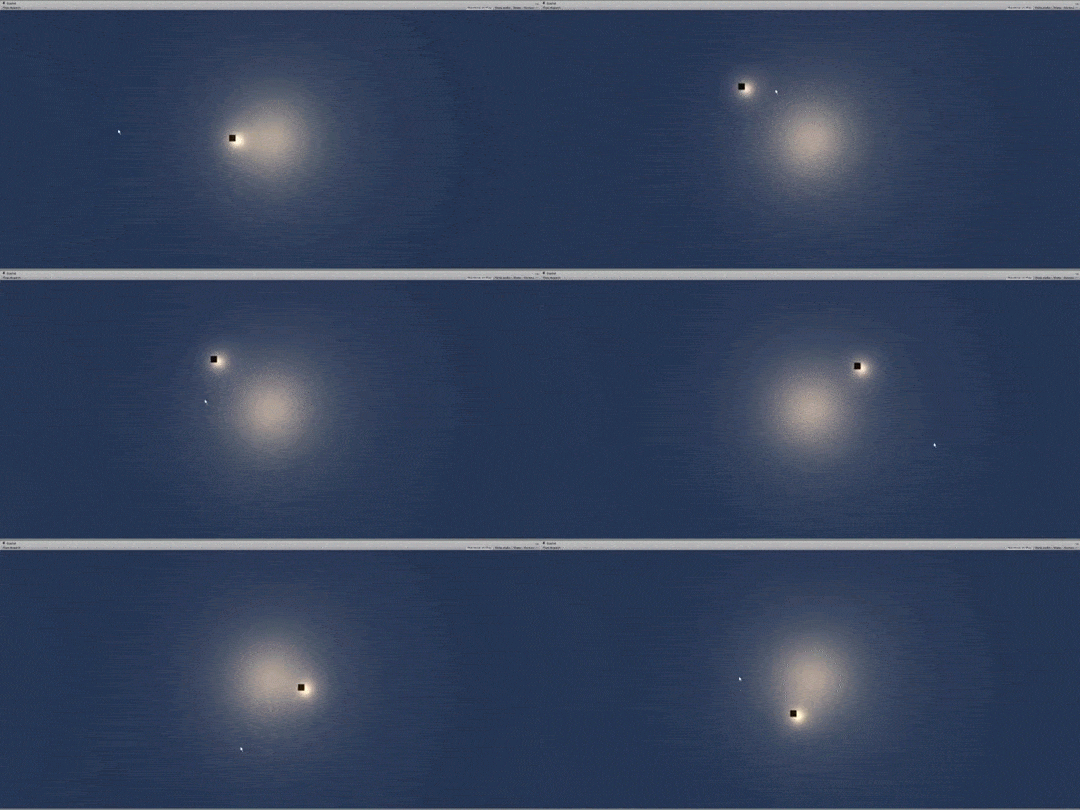
Supernova

So far I’ve got more mechanics working than I had expected. Here’s a very stupid video of what happens if you spawn way too many guardians. It sort of creates a supernova like glow that encompasses an enemy…. Might be a bit much.

Cataclysmic Scene Editing

SceneEditing001

It’s dangerous work making games. You could get caught between a demonic meteor and a fire guardian…

Winter (Build 2)

Download and play here:

Winter 002 (Windows)

You are the Wintershaman, and you must defend the village from a growing demonic meteor. Call upon the ancient guardians with LMB or Z and dash lightly across the snow with RMB or X.

I’ve made very good progress for the first day. All the basic gameplay and a lot of the artwork is in this build already. Tomorrow the main focus is extended gameplay, music and the other things like UI and intro screens.

Sorry for the bad video quality!