The Magic Cave
It’s hard to find good ideas with this theme =)
Basically it’s a action game that takes place in a cave.It’s a action game that takes place in a cave and the player’s goal is to find a magic crystal hidden in the cave.
It’s hard to find good ideas with this theme =)
Basically it’s a action game that takes place in a cave.It’s a action game that takes place in a cave and the player’s goal is to find a magic crystal hidden in the cave.
And (thanks to qubodup for the help!) the app can be tested at http://chrisjan00.github.com/ld19platformer/
In theory this should be updated live as I push code to github, if I didn’t mess up too much with the configuration.
First playable prototype ready, most of the assets nailed now.

I will still need to create the mechanics for enemies and some other minor things.

Progress is going rather well! Also, since I have the habit to check personal stuff while I’m working on the game I’m not going to release a time-lapse. Sorry. 
I’ll join, probably using LOVE2D and it will probably be a button press-reaction time game. My inspiration is the shuttle:

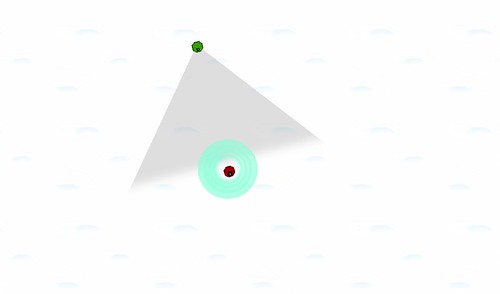
I implemented the movement. Now you can click somewhere and the Espial will quickly follow. I’ve decided to upgrade the plot of the game.
Going over land will make it turn into grayscale, and will make your character become tinted by its colour. Scientists in a lab are trying to track you down, and will all of the scientific tools in their inventory to track you down. To dodge satellite photos, you will have to camouflage yourself to the colour their satellite is calibrated to. You will be able to find powerups that will let you restore the colour of a block by right-clicking it, or create zones of static that will save you but draw attention.
Maybe I’ll also throw in guards to evade and other ways to hide. I also want to add an active chat bar to see how the enemy is reacting to your movements and at the right a bar that shows your powerups and stuff.
I like this idea 😀
(pseudo?) A-Star algorithm finally implemented.yes, I’m creating tower defence.I don’t know this is “the true” A-Star,but it seems almost same.

Alright, after a 2 hour powernap I’m rolling again!

Starting to syphon resources from nearby stuff, within a randomly colored universe!
Also, Lunch!


I have made space!
Not even a day in and i know it’s going nowhere. Stress and IRL problems have caused me to have a complete brain fart. I have a great idea but no idea where i can take it so i’m out.
Have fun everyone else.

Happy that the Tesco shop just arrived and I just got my new Spanish hot chocolate, it’s just as nice as the Italian stuff I’d gotten a while back. So now I can warm up with some gorgeous hot chocolate with some marshmallows while I do some enemy paths 
Tags: food
Two surprising things have happened: firstly, I’ve made a game that works already. There’s no point in playing it yet, since it does nothing interesting, but that was all I hoped to achieve today. This’ll give me time to make it interesting today, and make it good tomorrow.
Secondly, now that I’ve made enough of it to see what it’s going to be like, I realise it has almost nothing to do with the theme. The angry deathbots you meet aren’t randomised yet, but even once they are I think running into them is just going to feel like encountering enemies in an arena. It technically is discovery, but because they’re simply off-screen rather than visibly obfuscated, it’s not going to feel like it.
I’m not going to worry about that too much yet – my priority order is to make it interesting, then make it good, then make it fit the theme. Here’s what it looks like now:
The blue circles are shields: I didn’t fancy putting a bunch of work in just to recreate the conventional hitpoint bar or health meter on your interface, so I went for something more visual and in-fiction. Right now each shield takes one hit, but as you can see that makes you impractically large for not much health, so I’ll probably tighten their size and thickness before I’m done, and perhaps make them come back online a while after they’re taken out.
The enemy will have these as well, and they’re one of the things that’ll be randomised, so it’ll be very obvious when you’re facing something tough. Not sure if I’ll also have big hulls – that’d mean introducing an armour system as well, which may defeat the point of the shields.
I do plan to have large engines/tracks for fast bots, and a large turret or power core of some kind for things with a lot of firepower. Basically, if I can have at least three functionally important metrics that enemies can vary in, and make each one visually readable at a glance without any interface, I’ll be close to what I want.
Challenges right now:
Title ideas: Sighs of the Snowbots? Snowbot Snores?
Currently on a lunch break after a busy morning. Well, things got busy after I finally got an idea I liked about 4 hours ago. Got a basic screen and menu system going as well as showing the first sprites on the screen.

First Visuals
Not much to look at yet, but it’s a small spaceship on there that can emit pings in the form of a growing circle that changes color as i grows. The idea is that enemies are invisible unless they are inside a ping. Maybe I’ll add a shorter ranged passive scanner so you at least won’t bump into things when not using the ping. Enemies will probably use pings as well and you’ll get some sort of visual cue when they do, and they’ll get your position when you use yours. Still working out the combat part but things are going along nicely at the moment.
I have a screen capture thingie I threw together that I’m running while actually working. Will post a timelapse if/when I’m done unless it gets messed up somehow.
I’m now making an arcade shoot ’em up, the only type of game I can make…
You play a ship an shoot big monsters. 😀 Anyway its called “PAINLESS”, its all black and white, I’m using the apple ][ font for text.
So far you can shoot and move around. The plot makes it fit the theme….
Oh also live stream http://www.ustream.tv/channel/attempting-to-make-a-indie-games
-bear
Seeing progress is always good. Cave generation, player movement, digging and lighting done so far:

You can “play” it at http://darkhogg.es/ld19, then tell me how you see it :3
Happy Ludum Dare everyone!
I’ve been at it for like 7 hours now. Taking a short break to write up the progress blargs.
Here’s my initial brainstorming thoughts at 6am:
Initial Thoughts: mgs/stealth, space/underwater, discovery of interactions with world, lost, treasure/gold, science/knowledge, archaeology
Top down zone exploration. Collect PSIENC to discover fantastical new world changing technologies. Beware the PSUITS though; they will cut your budget! With lazers.
and here’s my expanded notes list for anyone who wants a peek:
Gameplay idea
– Fly around space collecting PSIENC.
– Avoid or attack enemies.
– Enemies gather around PSIENC hotspots.
– New technologies are discovered as you collect more PSIENC.
– Enemies become more aware of you as you discover more technologies. More aggressive.
Possible Intro Speech/Text
– Welcome UNIT 19. Our PSIENC defence budget has been cut again, so we can’t afford video coms. We still have the intergalactic SPACEMAFONE though!
– Right, let’s get cracking UNIT 19. You are currently piloting a remote drone in some random region of space-hammer-time.
– It appears you have a hole in you UNIT 19, you will leak PSIENC if you don’t get that patched up soon.
– Our long range scans have just picked up a strong PSUIT presence in your area. They must be after the PSIENC!
– If your are spotted they will sap your PSIENC reserves. If you are empty, it’s GAME OVER pilot!
– We can’t let them get their hands on it UNIT 19… FOR THE GOOD!
PSIENC Techs
Starting tech: SPACE VACUUM – Suck up nearby PSIENC.
Asset Description: Inward Particles!
Tech idea: SPACE PING – Help locate the nearest PSIENC deposit.
Asset Description: When activated, a short radar wave will appear from center of ship, then fade out. Arrow will appear to show direction of nearest deposits.
Tech idea: CORPORAL LAZER – Fight back!
Asset Description: Todo.
Tech idea: TIN FOIL HAT – Temporary resistance to PSUIT EMPEENE damage.
Asset Description: An actual hat.
Tech idea: SHINY SUIT – Go off the radar. You Sneaky pony you.
Asset Description: Cloaking/distortion effect over ship.
Tech idea: FFFUSICS BOMB – trap your target in a ball of musics.
Asset Description: H-bomb style. Harmony that is!
Tech idea: HARDON POUNDER – a beam of accelerated awesomesauce.
Asset Description: Suck up some stuff then PEEWWWWYAAAAWOW.
Basic Gameplay Controls
Left Mouse – Activate selected PSIENC discovery.
Right Mouse – Short speed burst – removes attached drones.
WASD/Arrows – Thrusters
Art Assets
– UNIT 19 Ship Model.
– PSIENC pickup.
– Asteroid props.
– Planet props.
– PSUIT Drone. – Attaches to player, sapping PSIENC reserves.
– EMPEENE PSUIT Drone. – If close lets off an emp pulse, that stuns player.
– PSUIT Fighter. – Fires a PSIENC sapping laser at the player.
– PSUIT Mother Ship. – Launches a stream of fighters, fighters will return here if they are damaged.
– Tech Effect Assets.
– Visual Sound Effects.
Still just getting the basic gameplay systems operational. My screencap software is not working so am just going to do playable build snapshots every x amount of hours. The first one: http://dl.dropbox.com/u/7899005/LD19/HR12/WebPlayer.html
Benefits of being with your parents for Christmas:

Easy access to food.
Disadvantages to being at your parents’ for Christmas:

Not like I can go for food anywhere else….
Game is coming along nicely btw.
Not having the best start to my first ludum dare, the snow seems to be affecting the power in my flat. And when the power came back on, I had to do the thing I’m terrible at….using 2D graphics software.
But I’ve done that now, well I drew a stick man and some boxes. But all is okay as my stick man has a cowboy hat.
Anyways I better open my C# IDE and see if I can make a playable game in the little time I have left 😀
Happy coding people!
 I’ve now added giant sproingy pixels. You probably need to see it moving to get the full effect.
Progress report:
1) I have build the assets for 2 items: the tank, and the laser turret.
2) I can now load a tilemap from file, and build the map in the editor Tiled
3) Code for drawing vehicles is finished – along with a “team colours” shader which does a pallette replacement.
4) I have set up the state machines for the behaviour of objects
5) I have build my vehicles – which consist of a vehicle body and a turret. You put one on the map using the vehicle factory.
Here is an awesome screen shot:

Note how I can colour each tank in its team colours, Its pretty 😀
Im doing a similar theme, the space shuttle discovery. My first post is a few posts down from yours. Look forward to seeing how yours progresses