LD21August 19–22, 2011

39h26m to go…

Got an idea for the game… You’re a girl trying to escape the nightmares in your mind… Each level has a different gameplay mechanic, like inverted keys, or having to follow something, and hopefully a surprise ending (which I still don’t know what it will be!).

Want to have time to work hard on the cutscenes, general ambience and level design, so I need to do good progress in the beginning.

Task list:

  • Load level
  • Get Lua scripting working
  • Draw main character
  • Character movement working
  • Draw area tiles
  • Game mechanics:
    • Follow mechanic
    • Reversed keys
    • Perpetual movement
    • “Just jump” mechanic
    • Darkness
    • Random teleport
  • Initial cutscene

It’s getting gamier

Progress is satisfying at the moment. Player interaction and collision check for digging works. New rooms can be found! Next to implement are screen borders for digging and the exit.

Some preview on the story:

  • You have been jailed in a deserted valley with many seperated cages standing around
  • You are sitting in a cage of medium size
  • you found a powered shovel (enables fast digging of tunnels) hidden in the ground
  • the sun has blinded you somewhat, so you can only spot very near cages
  • You running out of food and hope. Maybe there can be found some food in other cages.

I will reveal the reason why the player has been arrested in a later post. I think I came up with a great story idea for LD ;).

Tags: pygame, python, screenshot

26 Prisoners…

After half a night’s sleep, I plan to exploit the 26 letters on the keyboard to make something that controls a bit like an RTS, where you try to get prisoners out of (probably wall-less) prison camps, versus guards with sticks, short range stun guns, and sniper rifles (the first two just result in prisoners being dragged back to the holding pen, the last one outright kills prisoners). You only need to get one/a few prisoners out, and it’s impossible to get everyone out because you need to use some prisoners as bait for the whacks, stuns and even bullets, like some terrifying Lemmings-like.

I’ve decided to use FlashPunk because IRC told me to do so. We’ll see how that goes. I don’t know how I’m going to do anything with circles; it might be a very square game again.

P.S. I declare FlashPunk’s online tutorials as my only basecode, and Freezepop’s “Less Talk More Rokk” as my inspirational music to code to.

Comments

Jiyko
20. Aug 2011 · 08:53 UTC
Interesting idea, count me curious!
BoernerMan
22. Aug 2011 · 12:07 UTC
i saved 18, one more than you developer!!

Progress Report: Greg

The player now has a best friend! His name is Greg and your job is to murder him. His purpose is to be a boss at the end of a level. He follows a very basic attaack pattern involving running, jumping and shooting.

Screenshot: (Greg is the red one)

First time and hungry

Hi there!
This is my first Ludum Dare, so please be gentle :)

After two hours of re-learning love2D and LUA I finally have collisions and physics and controls working. I’ll be updating my dropbox version all the time through the contest iif you want to check it out:

zip with everything you need

.love file only if you already have love2D

(you can click to image to see what it looks like)

and now for some foood!

-RebelMoogle

McPixel

McPixel is will be a point’n’click adventure where you have a reeeeaaally short amount of time to solve a simple riddle.

I’m currently coding in some basic stuff and helpers to be able to just create levels like mad later.

Escape from Ludum Dare

Here’s my idea for this Ludum Dare:

You are ‘a something’ and you’ve been trapped in the Ludum Dare universe, at the beginning of it. Your objective is to escape from it by going through every Ludum Dare again, as a microgame (WarioWare like) based on that competition theme!

So what I’m going to do is first create a little engine which joins every microgame (every microgame will be a different FlashPunk World). Those microgames will be able to tell it if the user won or lose, and then create a simple microgame for each theme. Finally, if there’s enough time, polish the presentation of each microgame, add some cutscenes and a survival mode or something, and if there’s still time, polish the microgames itself! 😀

Wish me luck!

Comments

20. Aug 2011 · 10:57 UTC
Good Idea, sounds pretty cool.

My entry so far

I started working on my entry for about 3 hours ago and so far it’s coming along quite nicely.

My game will be somewhat puzzle based because you’ll need to find a way to pass each guard.

ScreenshotAnyways, the very basic engine is pretty much done and I got some cool 3D-ish doors working properly.

I’ll most likely redo the character design before publishing the game.

I’m having some problems coming up with cool puzzles though.

Goodnight LD21

Well, I think it’s about time to call this a night, even though it’s not a night, it’s well into the morning. Things haven’t gone quite as I’d planned so far, but I suppose either way, I’m getting a lot done. Spent a good bit of time assisting with a different project while I ate my first meal of LD21:

Spicy like you have no idea.

Once again my lovely little wife came through with not only a tasty, but a visually appealing dinner for me to blog about. It was washed down with the obligatory energy drink, which has gotten me thus far. Unfortunately a bug with importing models took a good bit of my time, and then a separate issue with my character controller code. I actually started implementing saving and loading of scenes for this past hour-ish so I can create levels in my scene editor and then load them individually, rather than hard-coding the levels in my script. Did some preliminary modelling stuff:


Believe it or not, the pink thing is the protagonist

The modelling goes surprisingly fast for me. I have yet to really texture all that stuff. I dig Blender’s AO baking capabilities, but I’ve got to do some work incorporating some more texture to everything. Just hope I can make this all work by the deadline. For now though, I need to sleep.

Idea get!

I finally know what I’m making!  First person to explain this image wins… a high-five!

Progress – 4 hours in

So, Im 4 hours into my entry for this LD, Im making a TBS where you escape from prison. There wont be much story to it, but I can in theory add various puzzle elements to the game and hopefully write some retardedly simple AI for it.

The guards are the guys in uniform.


The target content:

1. 1 way to play, ie. player vs player on the same computer.

2. 3 or 4 block “types”, walkable, temporary barrier, door, along those lines

3. 3 or 4 types of units (playable from both sides, but with a different mechanic for each side to get more units), ie. melee, baton wielding, handgun, shotgun, and so on.

4. A decent sized level to play in.


The ideal content would have much more (like have a tutorial for instance, though I may add that to my target if things go as planned today), but this is my goal for the weekend. As it stands I am nearly done implementing the turn based systems with movement, then I will build the types of units, then the block types.


(Also, the level format is very simple, so if I dont have time to make a simple editor for people to build their own levels I will just document it so people can make levels to play)


Im struggling to concentrate today as I only got to sleep at 1am, then woke at 4am to see the LD theme, then didnt really get back to sleep before I had an idea and got out of bed at 8:30am.


All the best to everyone, and PONIES!


OH, and live stream of my dev is here: http://livestream.com/edg3

Start Your Engines

After a bowl of strawberry cream oatmeal and a waffle, I’m ready to begin creating.  Last night when the theme was announced, I took some time and came up with something that I feel pretty good about.  Is it doable within 48 hours?  We’ll see…

I’d call it “Escape Velocity” if it weren’t already taken

Hi, this is my first Ludum Dare, but I’ve been following the gamedev community for a long time, and always working on projects (never really finished one though).  This is my slightly late I’m In! post.

I can’t tell if my idea is overly ambitious or not yet.  I think it’s do-able.  Here’s the gist.  You have to escape from your own planet.  It’s a small, but very dense planet with a strong gravitational field.  You can run around its entire circumference in 10 seconds.  Unfortunately your quaint little planet is about to be bombarded by meteors from all directions.  You have to dodge the deadly meteors as they impact your planet, but they’re also your ticket out.  By climbing the mounds of fallen meteorites, you can reach higher altitudes where the atmosphere and gravitational field quickly thin out.  The higher you go, the less hold gravity has on you and the higher you can jump.  If you can just get to the top of the atmosphere, you can reach escape velocity with a single leap, and you’re free!

There is obviously a lot of physics involved here, so I might not even get around to art, but I’m OK with that.  My tools?

  • Python
  • Box2D
  • SFML/OpenGL

This is my first project using SFML and I’ve only dabbled in Box2D so this is a huge learning experience!  I’m well under way though, I’ll post a screenshot when I have something interesting to look at.

Comments

snowyowl
20. Aug 2011 · 09:08 UTC
There will be a lot of duplicate names by the end of the competition.

Slow Progress

Aaagh! After spending two hours figuring out that the IDE was loading in an older form of the SWF than the current one, this is all I have after 6 conscious hours of work! D:

At least I do have a solid plan of action for the rest of the hours, though.

There’s a ways to go yet.

Tags: Flixel, goddamn IDEs, intellij

Disaster Averted

So, I worked until about 4am last night, got some initial stuff down, then grabbed some sleep. I’ve been working all this morning. A few minutes ago, I had a power cut.

Annoying, but no big deal. Everything should be fine, and I have my fileserver with backups on.

Of course, I hadn’t done a backup since starting. Reboot, and what do you know, my main file of source code is blank. I was not impressed.

Fortunately, I opened PyCharm, looked under local history for the file, and PyCharm saves the edits you make for itself – disaster averted. I can say I was very happy indeed.

Anyway, update on the actual game, got an idea down, but don’t want to spoil it. The current name is “Unrest”, and I went for pySFML in the end.

Tags: power cut, pycharm, pysfml

Explosion Generator

I’m using this neat explosion generator tool.


http://www.positech.co.uk/content/explosion/explosiongenerator.html


Thought it might be of some help.

Graphics improved

Just made a break from messing with the code and updated my graphics to look better and fit the story of my game.

Next milestone: Eat some Lunch!

Tags: pygame, python, screenshot

Flee your Fate alphas

I gotta say the theme hit me just a tad on the wrong side of mind. I’ve had a single idea running through my head that has connotations with several of the like-minded themes that were in the running – in particular criminals, thieves and finally escape. I really wanted to hit something within personal, intimate domains, but despite a lifetime of stories and experiences that would be phenomenal to present through an interactive medium, I simply couldn’t conjure mechanics that would convey it properly. Instead I’m gunning for what runs within the story of criminals and thieves, but with the purpose of escape – I hope it’ll run sufficiently within the theme for people’s liking :)

Anyway, I’ve been fighting with collision detection and vector transformations in FlashPunk (which I haven’t done before) – in retrospect a needless problem if I’d worked within those domains prior to the compo. This time around I’m focusing more on mechanics and much less on visuals. I’ll try and get by with a mix of minimal-frame 16-bit style character images in key places and let all actual interactive gameplay happen with bright colours and primitive shapes to make it easier to follow.

Although the design doc has about 7 distinct levels of gameplay types, I’m hoping to finish at least 3 (and an intro) within the weekend.

Here’s an alpha pick from the first gameplay section, tentatively titled “Hiding the Evidence”. A few debug sprites in there (if you can spot them). Ignore ’em.

Starting!

I was unsure if i would have time and a good idea to enter, but i have something brewing in the back of my head and an idea about a look so i’m taking a stab at making it happen!

To make sure i don’t waste too much time if i’m going to fail i’m starting out with the hardest code now and if i finish that today i’ll be able to focus on game features tomorrow. (Yeah the wrong order but i don’t wanna spend too much time on art so i’m gonna try automating it)

Animated fella

/ Jonas Lund signing in

Tags: LD21

Escapees

So I’ve decided to work on a game where you must stop the escape of prisoners (or some other type of person who would want to escape things), and after about 2 hours, I have this:

Now to work on collisions, while I think about exactly how to stop these people with orange hats from escaping

I am in

I didn’t think I was motivated enough but I just had an idea and now I really want to create that game

I’m in this time!

Ok, I have nothing to show yet, but by posting this I’ll force myself to work :)

First Timer – Late Starter

Hi,

So this is my first attempt at ludumdare, I hope I can achieve something this weekend, I have begun work the past few hours but since it’s nearing lunch time I thought I’d stop and post.

I am going for something along the lines of a reverse dungeon crawl through procedural levels, basically escape to the surface.
I am using flashpunk for my work, I’ll post up some builds on my site shortly but for now here is a screenshot, so far just some basic level generation done with perlin noise.

Basic level generation done.

Now it’s time to find some lunch, I shall be consuming 2 plain rustic roles with some double Gloucester cheese.

Time to eat !

Started 3.5 hours ago, I’ve got a mockup and bit of code. Now I’m HUNGRY !

FOOD
mockup

Time to get some more food…

I’m not a big fan of taking pictures of food, but I don’t wanna be the compo pariah, this is probably the only one I’m taking anyways, as I tend to eat boring food like fruits and veggies.

Vegetarian pita pizza :)

Tags: foodphoto

2nd Update (9,5 hours down the road)

To my great surprise I’ve gotten ahead of schedule as on my checklist of necessary features to make the game playable only remains one little thing.
I also got around improving the graphics (still very much WIP tho) which made quite an impact.

On the other side of things I’m running critically low on carbonated water and cigarettes which both are mandatory to get any coding done… Off to the shop I head and after that its time to add some new features to the game to make it more interesting.

(I’m starting to get little worried that the puzzle approach I took, doesn’t fit the theme so well after all as “escape” brings to mind hurry and haste and my game is rather relaxed even tho the main character is “escaping”)

And an updated screenie:

screenie 2

Screenshot 2

The Escapist

So I decided to create a Quick Time Event based game. For those who don’t know, a Quick Time Event is a game where one has to follow on-screen instructions, with information like what key to press, or what action to perform, in order to continue a sequence. A nice QTE modern game is Heavy Rain (see an example here).

In The Escapist, you are tied, caged, hidden, blinded (for a reason I’ll disclose later), and you have to try to solve all obstacles. The aesthetic of the game will be fuzzy sticks (because I can’t draw any better).

I give you a video as a preview.


Tags: escapist, screenshot

Luncheon

Bread rolls with Jamon Serrano (Spanish ham). Delicious.

Tags: foodphoto

Progress update!

Still working at the basics and at the concept, but some steps are already done like player movement and walking animation…
It’s now 13:41 in Germany.

So, I slept, and here I am

So I didn’t update yesterday because I was, get this, sleeping. So, the real journey starts today. I’ll explain my concept when it hits me :)

Tags: journal

Starfire: A Final Stand! (No Escape) Update

OK, so I’ve been doing some work on Starfire  and it’s reached the point now where I have a comfortably good story to integrate the theme in a rather backwards and unexpected way (I believe), and adding more features is mostly as simple as adding objects.

For example, I can now add an entire wave of new enemies with a loop and one ArrayList. I don’t need to change any other code to make that work in game. Oh how I love OOP.

Here’s the latest build for anyone interested in the storyline (no gameplay really, yet).

http://dl.dropbox.com/u/38489921/Starfire.jar

– Jonno


Progress 1

Well, I have something! A name, game, story and this:

you see that wedge in the corner? That’s you. and soon, you’ll be able to move.

Let’s do this

I wasn’t planning on joining but changed my mind after reading this post. It got me interested so I immediately made an account and here I am with my game project folder set up and ready to go.

Goodluck to everyone!

Finally an idea!

Here we go! I’ve had an idea that I believe not being as bad the others ! (I had thought about a colored space-shooter featuring the Nyan-cat… but that wasn’t really what I was looking for) So I came up with a ball game: you can only interact with it by placing obstacles which it will bounce off and the goal is to bring the ball to the exit of a maze…

Let’s code !

Lunchtime, day 1

I’ve made good progress, I started with a fun idea, and Flixel is great for 2d platformers!

My idea: you, the essence of pure evil, have been put in a normal prison by the rather dim-witted forces of good. While the prison guards are mere men, they have been given a good supply of silver bullets!

All you have is an evil toolkit, which will probably contain dynamite and a collapsible rocket launcher, which you will have to use to fight your way past prison guards, machinegun towers and helicopter gunships.

So far I have a system to load levels from bitmaps, scrolling, a character with basic physics and wall jump.

Live build: http://dl.dropbox.com/u/16895250/ld21/build.swf

Escape from this screenshot.

You actually can’t. There is no door! Ahh!

And now I have to go waste my entire day earning a living so my family can eat. This sucks.

38h08m to go…

Got the level loading working (placeholder tiles) from an XML file:

screen01

Also designed the main character:

main_character

Imba pixel art skills… Smile

I still have no idea on what to do on the environment front, from an art standpoint… Don’t want to do the usual “dungeon” theme I do on this kind of thing, but my graphic skills don’t go much further than that…  but I have to try, since I wanted the game to start in the heroine’s bedroom…

  • Load level
  • Get Lua scripting working
  • Draw main character
  • Character display
  • Character movement working
  • Draw area tiles
    • Bedroom
    • Corridor
    • Forest
  • Game mechanics:
    • Follow mechanic
    • Reversed keys
    • Perpetual movement
    • “Just jump” mechanic
    • Darkness
    • Random teleport
  • Cutscene system
  • Initial cutscene
  • Text render

My Idea Which Took me Ten Seconds Last Night

I have my game concept. It took my about ten seconds to come up with, so I think it’s a good one.

Basically, you are in a room, which you need to escape from. Each time you escape, you wind up in another room you have to escape. There are obstacles that will kill you and enemies that will also kill you. The room’s structure will get in your way.

The game, I’ve decided, will be called Hazard.

Really, that’s a ten second idea. I like that, me.

Peace, love, and gut-instinct game design,

— Henry

Comments

20. Aug 2011 · 10:04 UTC
But it will end, right?

Jerky movement is still movement

Another level! Used pen and paper to sketch this one. That seems to help whenever I can’t think clearly, I recommend trying it.

I would’ve recorded a video, but Camstudio isn’t my friend. Everything plays back at 4 FPS or so even though I wasted valuable time tinkering with the settings.

The cherry-colored rectangles are switches that toggle the white blocks on/off. It would’ve been more clear as a video, but oh well. Managed to fix a complicated bug involving collisions and pushing forces, which is crucial to the sort-of-witty solution for this level. Sometimes I amaze myself under pressure.

Wake up, Wake up, Wake up, WAKE UP!!

Wow, I have been sleeping for almost 10 hours!!

No problem anyway, as before I went to bed I read the theme, ‘Escape’, and my brain has done the rest during the night.

Now it’s just deciding the one idea to program between the many I had.

Let’s go!

Hare Hare Status

If we can map out all of Earth’s mysteries, We will be able to go to any place we want.


BoB 10hrs in

Visuals are looking okay, gameplay hasn’t gone very far yet. Lots to do (of course). Here, have a sneak peek:

All graphics purely done in CSS.

Comments

20. Aug 2011 · 10:12 UTC
Those graphics look nice. Reminds me of a spreadsheet with holes.

Some sprites!

My art skills aren’t great… but here’s some of what I’ve come up with so far for “Icarus Cannon”:

You can probably tell it’s all mouse-drawn vector graphics, done in Inkscape. Trying to keep things as simple as possible, with thick outlines and subtle gradients.

My plan now is to get a very basic prototype up-and-running — I want to get the central ‘nugget’ of gameplay working well, and then I can build all the other stuff around it… e.g. interface elements, player upgrades, menu system, and so on. As yet, I haven’t put a single line of code together, so I’d better get a move on. Time to rock’n’roll.

Comments

20. Aug 2011 · 10:12 UTC
THE PIXELS

Update


The concept design is done, now coding the gameplay in unity.


Comments

20. Aug 2011 · 10:13 UTC
THIS GAME.
ointment
20. Aug 2011 · 10:14 UTC
Looking real good here.

First graphics

Hello everybody,

I will make a jump’n run and the hero has to escape (not very creative, i know :) ).  Here is a screenshot:

First graphics in my game

Collision detection and user input already works.


Comments

20. Aug 2011 · 10:13 UTC
He’s… fat.

escape!

Hey everyone,

After some hours asking myself why did i check +1 for escape, i find a little something who look like a game.

Looking at my hot chocolate and strawberry jam this morning, i had the idea of a robot trying to escape some garbage collector.  So your objective is to reach the top of some kind of garbage tower made of block falling above your foot.

So here is the first version i made in the last 4h : http://www.draygoon.com/LD21/v01.html

Controls : Arrows to move and Space to jump.

my objective for this first LD is finishing at least 1 level. so i keep a playable build and try to not do anything that can be playable in 15min.

next :

-shadow for the sphere so you know where you are while jumping

– first enemy !

– first trap !

– Title screen!

Comments

Lucyberad
20. Aug 2011 · 10:25 UTC
Really nice concept. Fit well to “escape” !
dray
20. Aug 2011 · 10:29 UTC
Thanks :) hope to make something really fun from it

The scene is set.

The scene is almost set, the palm trees need some polishing though. This is going to be a simple “room escape” game, if anything at all.

Comments

snowyowl
20. Aug 2011 · 10:44 UTC
That is absolutely gorgeous.

In progress…


Early days yet. Playable, but no collision detection… or walls… or wheels.

I have no idea what I’m doing :)


Basic movement!

Got basic movement working, AD left-right W to jump, with doublejump!

Something playable!

http://pastebin.com/U7qDvG54

Needs Python+PyGame. 4 levels so far. I know about the moving platform glitches and I’m onto them, but otherwise everything seems to hold together somehow.

Tags: pygame, python

Johnny Kick a Hole in the Sky

Progress!

The big circle is the planet, the smaller blobs are asteroids, the tiny rectangle is YOU!  I’ve got gravity and physics in place thanks to Box2D, and the mechanic of running around the planet is pretty fun and something I always wanted to put into a game.  So much more to do, but good start!  5:30 am, time to sleep now!

for a description of the idea: http://www.ludumdare.com/compo/2011/08/20/id-call-it-escape-velocity-if-it-werent-already-taken/

Run Away

Making much better progress than my protagonist:

Screenshot
New build

Feeling pretty hopeful that the mechanics I’m trying are going to work out pretty well. Loads of work to go, obviously, but it’s going well so far.

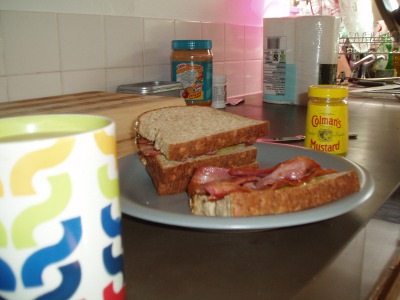
It was a long time ago, I’m actually getting ready for lunch now; but here’s what I had for breakfast.

BACON

BACON!

Tags: build, foodphoto, screenshot

Run RUN RUUN development (part 4)

Its 2pm over here, already 7 hours of working on my game (time goes fast). Added functionality to some items, can now open doors with keys and telport me too other teleports. Added some “sepcial”effects too :)

Changed version from 0.0.* to 0.1.*. And still streaming incl webcam recording my hands.

Oh and tried to compile linux kernel while is was working on the game but that failed :( (not related to this :P)

Version 0.0.001: http://games.corne.info/LD21/1/
Version 0.0.002: http://games.corne.info/LD21/2/
Version 0.0.003: http://games.corne.info/LD21/3/
Version 0.0.004: http://games.corne.info/LD21/4/
Version 0.1.000 (Current): http://games.corne.info/LD21/5/

Stream: http://stream.corne.info

Tags: flashdevelop, haXe, work-in-progress

We’re Jamming

Hey guys,

Joszs, Ever121 (Gijs) and me decided we’d participate in the Jam. I’ll be doing the programming, Joszs will be our graphic artist and Gijs will add some marvelous tunes.

So far, we have come up with an idea and I’m working on the engine. It’ll be a topdown chopper/fighter action/puzzle/shooter of sorts. The main idea is that while escaping, your health and ammo will be limited; you’ll need to conserve ammo to make sure you won’t run out in the end.

Obligatory screenie:

Our Work in Progress screenshot

These are all placeholder graphics, since Joszs will be working today.

Comments

ointment
20. Aug 2011 · 10:32 UTC
Loving that font.

A bit of a wobble

Had a bit of wobble there, thought I was going to give up altogether. Took a break, ate some food – back in the saddle again!

First progress

I’m making a jail escape text based game. I’ve got the ball rolling and I have finished one of the phases of the day: gathering resources.

This game will be written in C++ and nothing else :)

Compoing

Been doing these a few times but never posted about it here!  Maybe that’s why I’ve failed.  Not this time, hopefully!

I’m running Python with Pyglet.  So far I’ve got my idea down and work is going unusually smooth.

Here’s what I have so far, I haven’t yet completely nailed the mechanics but it’s going to be something.

Yeah, it’s ugly.  Art comes tomorrow/later today if I have time after work.

Design!

Coollioo, so basically I suck at programming and can’t figure out how to limit the rotation in Unity…

Soo I moved onto design, drew a crappy maze/ labyrinth / will look up the different definitions later , now to draw over it and 3D model a maze ^^

Tags: ld48

New Concept!

I had a new idea for the game! and has been renamed “Escape from nothing”, the player is an atom, in the nothing before the universe, and has to adventure to find another atom to smash into to create a universe!

Breakfast!

Making progress with the effects, but now it’s time for Absinthe :)

Meet Spiff

Hi everybody…

meet Spiff, the hero of my little adventure:


hooray programmer art 😀

Comments

pubby8
20. Aug 2011 · 11:12 UTC
One very small step for man.

Lunch, collision detection done.

Okay, time to eat. The collisions are detected and I need to code the response (make the ball bounce).

Collision detection !


Meal :P

Oh no they are armed with….flashlights :o

11 Hours in i must say i am starting to feel really good about this LD48, my lighting effects are behaving themselves quite nicely and i now have patrolling guards around the area armed with flash lights (which thankfully didn’t break the resource bank), with all the major parts of the game in place i am hoping to have this finished by this time tomorrow.


Hope you are all having as much fun as i am, PS check out the current version here!


Goodnight all!

First Screenshot

The game is coming along quite nicely. So far, I have implemented collision detection, an inventory/equipment system, basic AI, and a very basic level editor.

The idea is basically a strategic escape game where you use your two rovers to solve puzzles and perform battle tactics.

Ah, crud. I’ve Gotta Declare this One, Don’t I?

I realized that I should declare I file that I am using from another project.

Contents of the file follow the break.

Here it is:

##
 # Rectangle container with collision methods
 #
 # @author Henry Mclaughlin
 #
 # This is a generic rectangle container that has some
 # collision methods, a couple of boolean methods, and
 # properties for many points in itself.
 #
 # It has the following collision methods:
 #
 # \li Check overlap
 # \li Clamp in
 # \li Clamp off
 #
 # It has the following boolean methods:
 #
 # \li Union
 # \li Intersection
 #
 # It has properties for the following points:
 #
 # \li Left, right, top, and bottom edges (single coordinate)
 # \li Top-left, top-right, bottom-left, and bottom-right corners
 # \li Left, right, top, and bottom edge mid-points
 # \li Horizontal center and vertical center (single coordinate)
 # \li Center point
 # \li Width and height (individually)
 # \li Size
 #
 # When a Rect's corners are modified, it moves without
 # changing size.
 #
 # \note There are a \e lot of methods here that are not
 #       documented. This is because you are meant to
 #       use the properties, which \e are documented.
 #
 # \todo Implement clampIn()
 # \todo Implement clampOff()
 # \todo Implement boolean functions
 # \todo Implement overlapList(), overlapAny(), and overlapAll()
 #
 class Rect(object):
     
     ##
     # Constructor
     #
     # Params are complicated...
     #
     # \todo Document the parameters
     # \todo Proper error messages
     #
     def __init__(self,x,y=None,w=None,h=None):
         super(Rect,self).__init__()
         
         if h != None and w != None:
             self._left   = float(x)
             self._bottom = float(y)
             
             self._width  = float(w)
             self._height = float(h)
             
         elif y != None:
             self._left, self._bottom = x
             self._width,self._height = y
             
         elif isinstance(x,Rect):
             self._left   = x.left
             self._bottom = x.bottom
             self._width  = x.width
             self._height = x.height
             
         else:
             x = tuple(x)
             
             self._left,self._bottom,self._width,self._height = x
             
         
         self._left   = float(self._left)
         self._bottom = float(self._bottom)
         self._width  = float(self._width)
         self._height = float(self._height)
         
     
     def getLeft(self):
         return self._left
         
     def setLeft(self,new_left):
         self._left = float(new_left)
         
     ##
     # The Rect's left edge (single coordinate)
     left = property(
         getLeft,
         setLeft
     )
     
     def getRight(self):
         return self._left + self._width
         
     def setRight(self,new_right):
         self._left = float(new_right) - self._width
         
     ##
     # The Rect's right edge (single coordinate)
     right = property(
         getRight,
         setRight
     )
     
     def getCenterX(self):
         return self._left + (self._width / 2.0)
         
     def setCenterX(self,new_centerx):
         self._left = float(new_centerx) - (self._width / 2.0)
         
     ##
     # The Rect's horizontal center (single coordinate)
     centerx = property(
         getCenterX,
         setCenterX
     )
     
     def getBottom(self):
         return self._bottom
         
     def setBottom(self,new_bottom):
         self._bottom = float(new_bottom)
         
     ##
     # The Rect's bottom edge (single coordinate)
     bottom = property(
         getBottom,
         setBottom
     )
     
     def getTop(self):
         return self._bottom + self._width
         
     def setTop(self,new_top):
         self._bottom = float(new_top) - self._width
         
     ##
     # The Rect's top edge (single coordinate)
     top = property(
         getTop,
         setTop
     )
     
     def getCenterY(self):
         return self._bottom + (self._width / 2.0)
         
     def setCenterY(self,new_centery):
         self._bottom = float(new_centery) - (self._width / 2.0)
         
     ##
     # The Rect's vertical center (single coordinate)
     centery = property(
         getCenterY,
         setCenterY
     )
     
     def getWidth(self):
         return self._width
         
     def setWidth(self,new_width):
         self._width = float(new_width)
         
     ##
     # The Rect's width
     width = property(
         getWidth,
         setWidth
     )
     
     def getHeight(self):
         return self._height
         
     def setHeight(self,new_height):
         self._height = float(new_height)
         
     ##
     # The Rect's height
     height = property(
         getHeight,
         setHeight
     )
     
     
     def getBottomLeft(self):
         return (self.left,self.bottom)
         
     def setBottomLeft(self,new_bottomleft):
         self.left,self.bottom = tuple(new_bottomleft)
         
     ##
     # The Rect's bottom-left corner
     bottomleft = property(
         getBottomLeft,
         setBottomLeft
     )
     
     def getBottomRight(self):
         return (self.right,self.bottom)
         
     def setBottomRight(self,new_bottomright):
         self.right,self.bottom = tuple(new_bottomright)
         
     ##
     # The Rect's bottom-right corner
     bottomright = property(
         getBottomRight,
         setBottomRight
     )
     
     def getTopLeft(self):
         return (self.left,self.top)
         
     def setTopLeft(self,new_topleft):
         self.left,self.top = tuple(new_topleft)
         
     ##
     # The Rect's top-left corner
     topleft = property(
         getTopLeft,
         setTopLeft
     )
     
     def getTopRight(self):
         return (self.right,self.top)
         
     def setTopRight(self,new_topright):
         self.right,self.top = tuple(new_topright)
         
     ##
     # The Rect's top-right corner
     topright = property(
         getTopRight,
         setTopRight
     )
     
     def getMidLeft(self):
         return (self.left,self.centery)
         
     def setMidLeft(self,new_midleft):
         self.left,self.centery = tuple(new_midleft)
         
     ##
     # The midpoint of the Rect's left edge
     midleft = property(
         getMidLeft,
         setMidLeft
     )
     
     def getMidRight(self):
         return (self.right,self.centery)
         
     def setMidRight(self,new_midright):
         self.right,self.centery = tuple(new_midright)
         
     ##
     # The midpoint of the Rect's right edge
     midright = property(
         getMidRight,
         setMidRight
     )
     
     def getMidBottom(self):
         return (self.centerx,self.bottom)
         
     def setMidBottom(self,new_midbottom):
         self.centerx,self.bottom = tuple(new_midbottom)
         
     ##
     # The midpoint of the Rect's bottom edge
     midbottom = property(
         getMidBottom,
         setMidBottom
     )
     
     def getMidTop(self):
         return (self.centerx,self.top)
         
     def setMidTop(self,new_midtop):
         self.centerx,self.top = tuple(new_midtop)
         
     ##
     # The midpoint of the Rect's top edge
     midtop = property(
         getMidTop,
         setMidTop
     )
     
     def getCenter(self):
         return (self.centerx,self.centery)
         
     def setCenter(self,new_center):
         self.centerx,self.centery = tuple(new_center)
     ##
     # The Rect's center point
     center = property(
         getCenter,
         setCenter
     )
     
     def getSize(self):
         return (self.width,self.height)
         
     def setSize(self,new_size):
         self.width,self.height = tuple(new_size)
         
     ##
     # The Rect's size
     size = property(
         getSize,
         setSize
     )
     
     
     ##
     # Check whether the caller overlaps another Rect
     #
     # @param other The Rect to check for an overlap with
     #
     # @return Whether the caller overlaps with \e other
     #
     # \note If \e other is not a Rect, then this method
     #       will attempt to construct a Rect using \e other
     #
     def overlap(self,other):
         if not isinstance(other,Rect):
             other = Rect(other)
             
         
         coll_x, coll_y = True, True
         
         coll_x = coll_x and self.left  <= other.right
         coll_x = coll_x and other.left <= self.right
         
         coll_y = coll_y and self.bottom  <= other.top
         coll_y = coll_y and other.bottom <= self.top
         
         return coll_x and coll_y


title screen w/ music, no gameplay yet :P

A title graphic and some music, woohoo.  Sailing was one of the themes I suggested, so what better way to get revenge than combine it with the winning theme.

A little late maybe

It may be a little late already but I’m in.

Anyway: I’m using löve 7.2, gimp and bfxr.

Alright, back to coding.

First update

Phew, things are off to a more or less good start after some delicious croissants and brainstorming this morning. I love the theme, but I’ve found myself really stumped with coming up with a great idea. I find myself getting clammed up with trying to create something *different* instead of focusing on fun or feasibility. At the moment, I’m sort of winging it and hoping the final product will be fun!

Ah, an update on tools – I’m gonna be using Tweenlite, and have obviously gone for pre-rendered 3D, but have avoided flixel and co again! This means a greater (and fulfilling) programming challenge, and of course will result in some very dodgy collision detection. Quicksand walls are a thing now.

First screenshot:

More to come later!

Almost Alpha

I have been up for 24 hours now, but I have something playable to show for it. My rail shooter navigation is working. The camera smoothly moves between nodes. Enemies will spawn at when the player reaches certain nodes. They die when you click on them. Once all the enemies are dead the navigator moves to the next node. Unit makes rag doll physics easy.

Here is a screen shot:
Test Build

Here is a Unity web player link
http://www.monkeydev.com/unity/ld21/Alpha1.html

So far…

Here’s a quick screenie of our newest addition to ze game, buildings!

Here’s what we have so far:

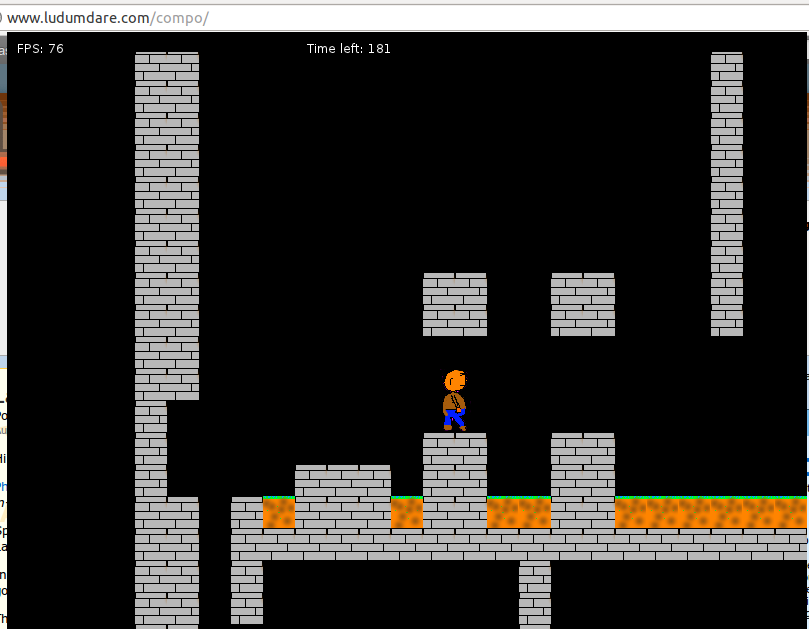
Wall-running/jumping

Giant crushers

Lava

Fluent movement

Retarded dancing glitches

More graphics!

My game idea is extremely simple so I can spend extra time on graphics. Yay! Title screen and intro is done as well. A good days work! Tomorrow I will tie up lose ends and add some sound effects.

Latest shot:

First game play preview

Got lots done, but also still have way too much to get done. Getting tired here, so I’ll be taking a “sleep” break and start up early tomorrow morning.

I’m pretty happy with the basics in place. Now I actually have to make a game out of this. In saying that, it’s pretty interesting how the idea has evolved the more I work on it. I have quite a few nice ideas for the level design & puzzles that the player will be facing (Needless to say that this will be a very very short adventure. It’ll be almost like a short film.)

Check out the preview video here:

Still Dreaming Video


First room into the game

Few artifacts of the process I use to generate the art but looks pretty nice, its all actually tiles, autogenerated from a 3D scene.

Now to get some player animation frames and get some basic interaction going, then place my first NPC to explain whats going on.


Starting late

I’m in! I previously thought I wouldn’t have time this weekend, but my plans fell through… so here I am, with 1 day and 12 hours to make something playable.

I’ll be using Flixel & FlashDevelop. Go go go!

Up again this morning! Slept well.

Back to coding! Making platformer engine thing. Done it several times before so there won’t be many problems. Adding a debugging helping box thing to tell me which blocks you’re standing on / could hit your head when you jump:

I like that blue color… Hm. Well! Off to go finish the platforming engine!

Now we are getting somewhere

after some work on enemy behaviour and ai the game suddenly makes more sense..

even when it doesn’t look like it yet :)


Tags: progress update

A Quiet Day At Work

Seeing as there’s nothing else to do, I’m throwing my hat into the ring, but I’m only doing my game during boring work hours, today 8 tomorrow 5.

Got an idea already!

The game will be named after a song I love: “I THINK IN A MINUTE OR SO I WILL EXPLODE“.

Wish me luck!

Explore, or Flowers?

So, after fiddling around with a bunch of ideas (some of which I’ve noted for another day…) I did indeed settle for a text adventure.

Whoop.

What do you choose ladies & gentlemen?

And what are you escaping from?

What do you choose?

Tags: progress update

Kicking down walls, and hitting yet more.

OK, so it turns out it wasn’t working because I was using the VS2008 version of SFML, so I looked for the 2010 version, but there isn’t one, so I followed a tute to compile it for 2010, not it works, escept it doesn’t

When I call the LoadFromFile() method for loading images, I get spam spam spam gibberish in the console WHY OH WHY OH WHY?

36h31m to go…

Finished most of the art for the starting area, the bedroom… It is supposed to be a night scene, hence the blue hue… I’ve screwed up on that already, since I want to make a light spark cast glow on the scene, and it will all show blue (should have done stuff in their “normal” color, and let the lighting engine take care of the blue-fication…). I may fix that before the end, but I’ve lost enough time on this, with 3d props, etc… specially considering this is just for a cutscene…

screen02

Next step is adding the scripting system to this, so that I can start coding the cutscene proper and get some gameplay in…

  • Load level
  • Get Lua scripting working
  • Draw main character
  • Character display
  • Character movement working
  • Draw area tiles
    • Bedroom
    • Corridor
    • Forest
  • Game mechanics:
    • Follow mechanic
    • Reversed keys
    • Perpetual movement
    • “Just jump” mechanic
    • Darkness
    • Random teleport
  • Cutscene system
  • Initial cutscene
  • Text render

Early Stages

prison cell

Started making a very basic prison cell in DAME.
Don’t worry though, the relation to the theme isn’t that straightforward. 😉

Okay then…

This will be my first participatement in a ludum dare competition.
I will go for the jam, because I am a little bit late.
I will be coding it in C#.
I think it will be something like escaping from the ever-nearing doom, kinda like dino run. However, I don’t know if it fits in the theme.
Wish me luck, I am an amateur coder!

Tags: beginner, doom, jam, start

Good Progress

ive got my first five levels of my game done now its time to add music!!!

Red, the Green Dragon


That’s who you’ll play in my game. His name is Red. And he’s green. And he’s a dragon. And hell, I’m the best artist this LD has ever seen, right? Right? (Please?)
Edit: It seems like the WordPress squished my image, click here or on the pic to see it fullsize

Level design of old game

...Of my Old game

Title and image name says it…


I chose my mind because it got a bit too violent and bad. Red dots are prisoners, blue dots are doors that explode so the prisoners can escape.

Evil-Mad-Guy character

Ok, so I see this competition and decide to enter it, so here’s a first design of the main evil-character:

The main bad guy

This is the main bad guy for the game

Tags: blayze, blayzeing, evil, guy

Yeahhh

Healthy wraps, get me ;D

I only started coding about 3 and a half hours ago, but I’ve managed to get basic platformer mechanics working so far. I’ll post screenshots as soon as I have something interesting.

Timelapse Part 1

Attached is my timelapse for my first four+ hours.

Simple collision detection is now implemented. Next will be some actual game mechanics; I’ve got some ideas in mind, I just hope they’re not too ambitious.

Tags: timelapse

Game not going well, switching to new idea

My game isn’t going well. Apart from the idea being terribly unoriginal my attempts at an enemy and physics are not going well. I’m switching to a new idea involving intangibility. I’ll make another post after I get the basics done.


The Mark Lindemulder

First screenshot!

After a few herpaderps and wtf moments I’ve got texture loading down in OpenGL, so heres a screenshot!

Second update

I’ve tinkered with the visuals a bit, but decided to keep it as it is right now, meaning that things you can’t see look like giant pillars going to the sky. So far I’ve tweaked the camera and the view distance a bit. The camera ‘moves’ with the mouse, so the further away the mouse is from the player, the further ahead you can see. It is capped though (both on the mouse distance and on what you can see). Without it, it felt very annoying and bad to look around. With it, it feels a lot better, but it’s still not perfect. I think the best way would be a camera that lags behind a bit, so it moves smoothly and steadily. This would also affect the gameplay a little, meaning you can’t look around very fast, which is a good thing. But that’ll come later. I’ve also added full polygon collision, so you can’t walk through walls anymore.

Here’s a screenshot:

There’s still many things to do. Here’s my global todo list:

  • Create enemies (with AI) that patrol and try to kill you
  • Create pathfinding for said enemies
  • Create doors, traps, and items to use
  • Create a level editor
  • Create a level with said editor

I’ve no idea how far I will get. The AI will probably be a tough task to do